
Overview
There may be situations where an entire pay run needs to be corrected, deleted, and reprocessed. This can occur due to:
- Incorrect hours entered in timesheets
- Incorrect or missing employee templates, cost rates, allowances
- Testing purposes
To ensure the pay run is recreated correctly, the existing pay run and associated records must be removed before rerunning the Payroll Plus Pay Run Wizard.
Steps:
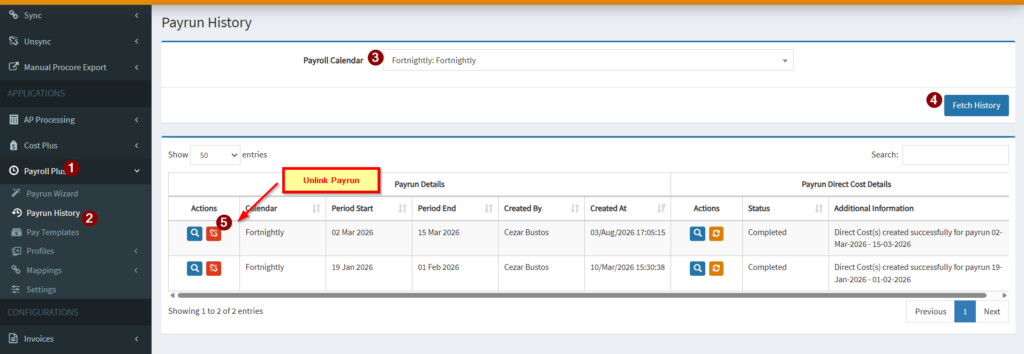
1. Unlink the payrun under payrun history. Note that unlinking the payrun will automatically delete the associated payroll direct costs in Procore.
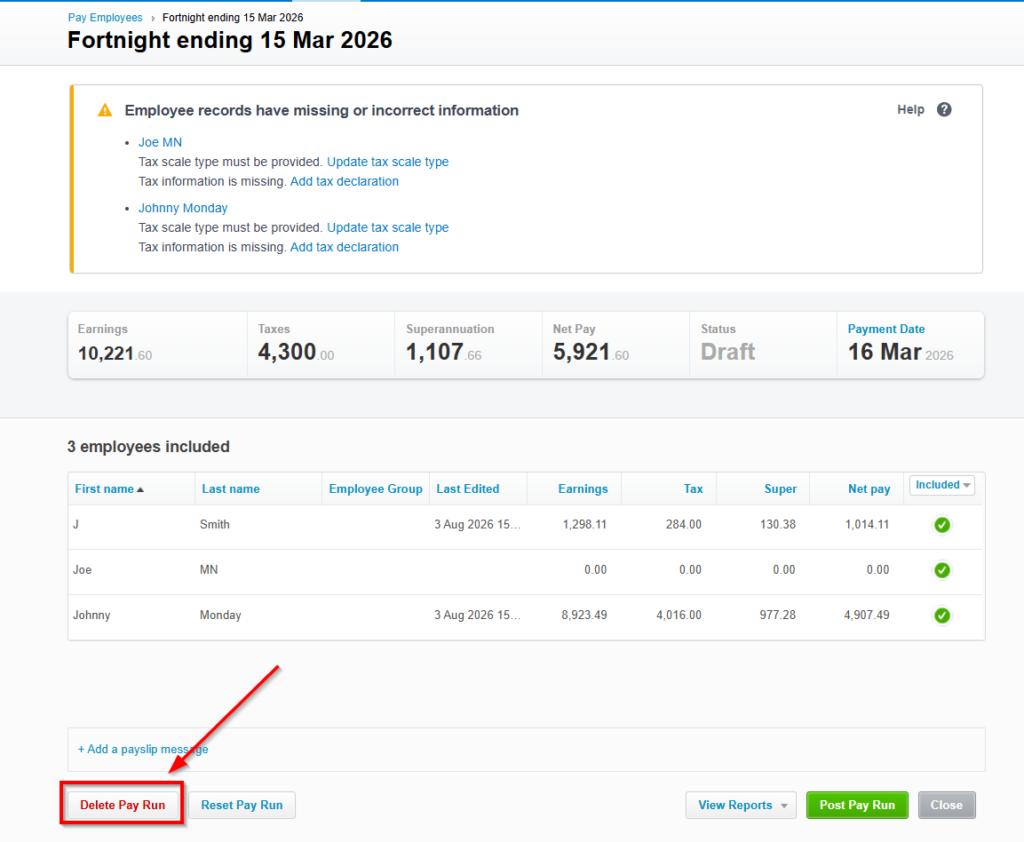
2. Delete the Draft Pay Run in Xero
Locate the draft pay run created by the integration and delete.
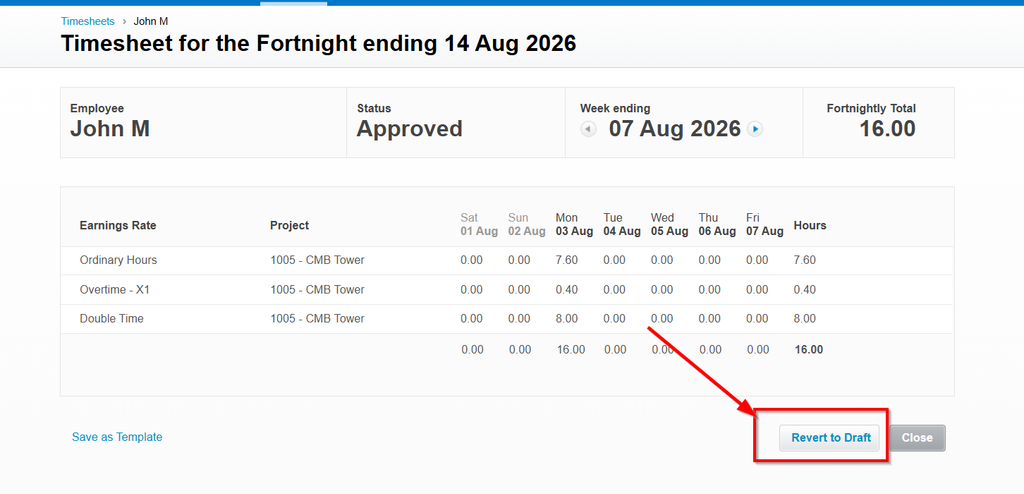
3. Revert the timesheets in Xero linked to the current pay frequency being processed to DRAFT status and DELETE the associated timesheets.
In Xero Payroll, locate the timesheets associated with the pay run. Revert to DRAFT status and DELETE the associated timesheets.
4. Once the errors or missing mappings/settings have been corrected, the draft payrun removed, and timesheets reverted to draft, navigate to OneCore > Payroll Plus and launch the Pay Run Wizard.
Select the correct pay cycle date range. Verify that all corrections have been applied. Complete the pay run process.
Related KB Article: Payroll Plus Xero – Payrun Wizard Common Errors and Fixes – Interfy Help