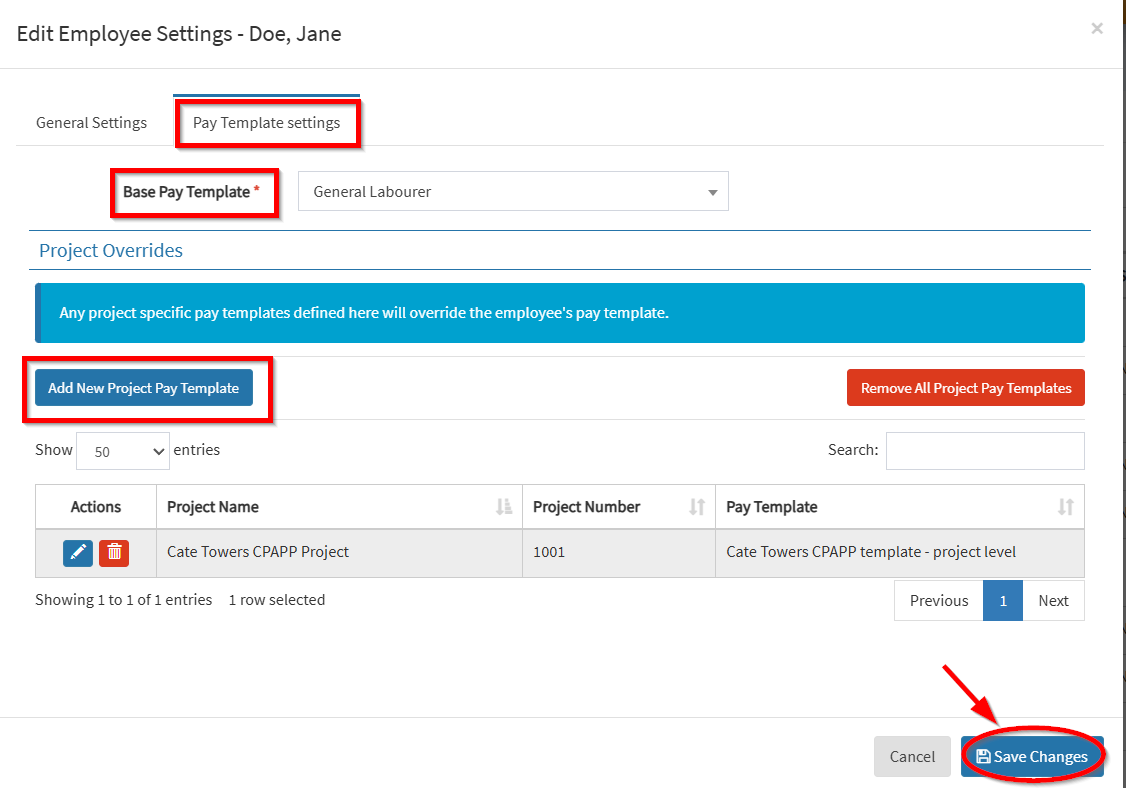
1. From OneCore Portal, go to Settings and click Refresh All Data.
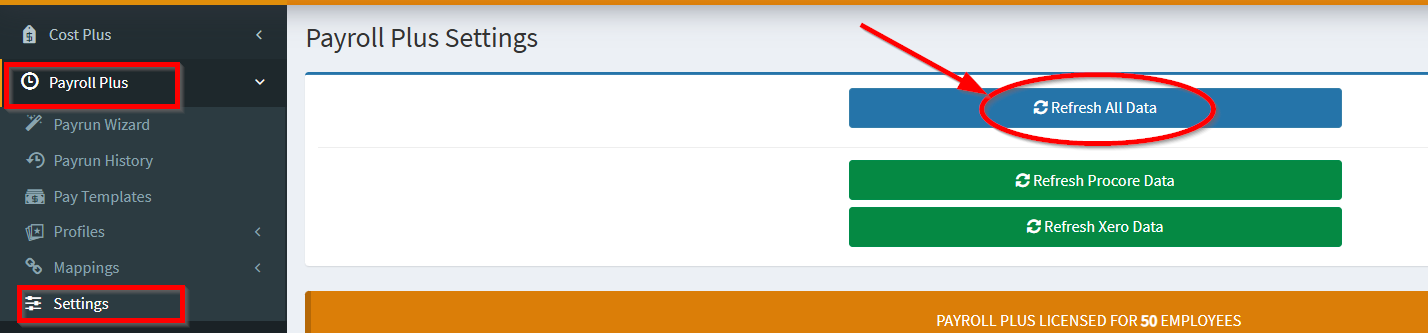
2. Navigate to Mappings > Employee. Click on the pencil icon in the Employee Mappings table.
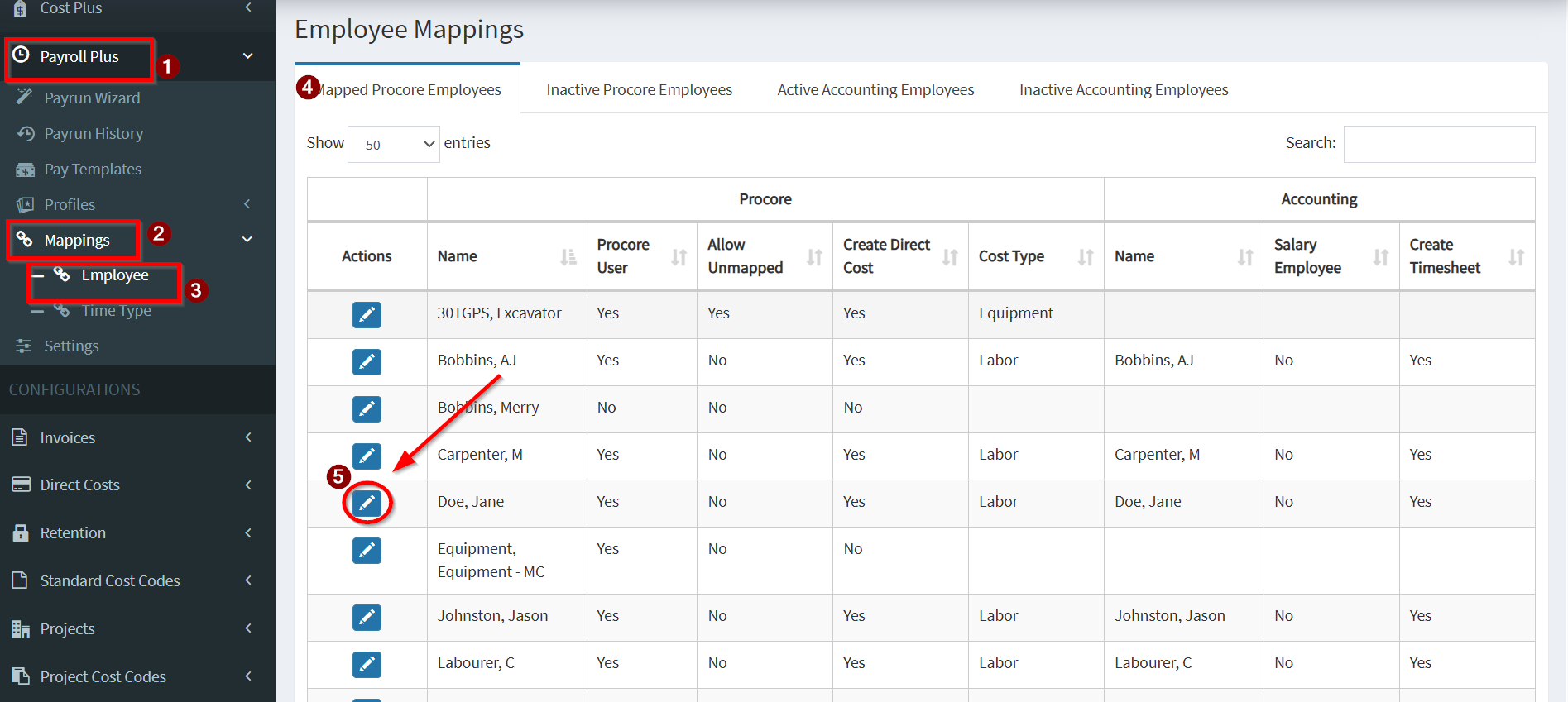
3. Under General Settings, establish mapping by selecting the:
- Accounting
- Employee: From Xero
- Create Timesheet: To create Timesheets in Xero
- Procore Direct Cost
- Enabled: To enable Procore Payroll Direct Cost creation
- Cost Type: Associate the cost type for the Direct Cost
NOTE: If you do not want to process this employee, you can always check the Allow Unmapped so any process will be skipped.

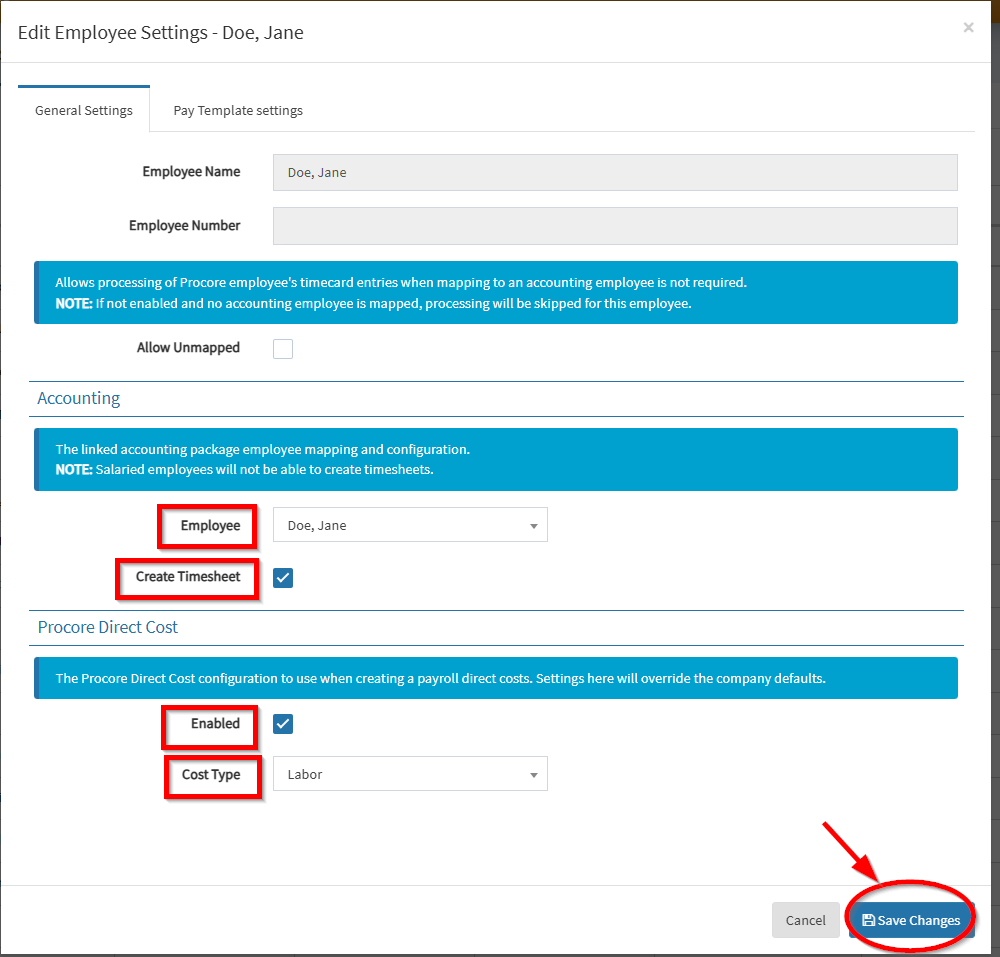
4. Click the Pay Template Settings tab.
- Select the Base Pay Template
- Add new Project Pay Template/s – Any project specific pay templates defined here will override the employee’s pay template.
- Save Changes