
The Allowance Profile section enables users to configure allowances based on specific rules and rates.
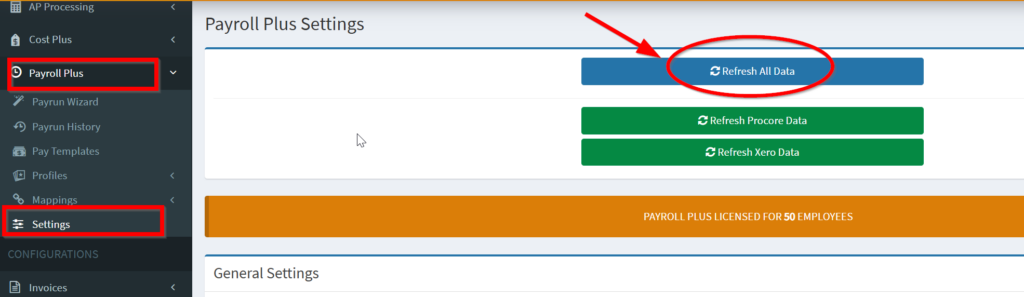
1. From OneCore Portal, go to Settings and click Refresh All Data.
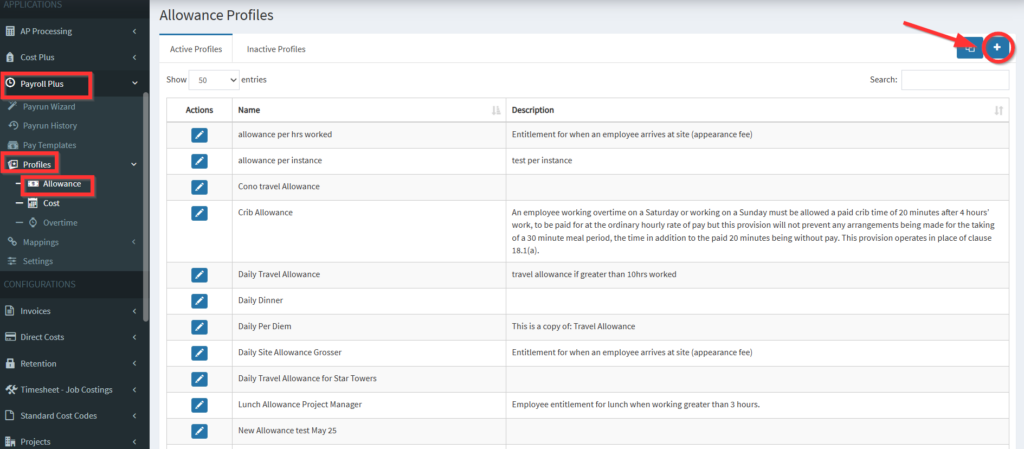
2. Navigate to Profiles > Allowance and click on the + icon in the Allowance Profiles table
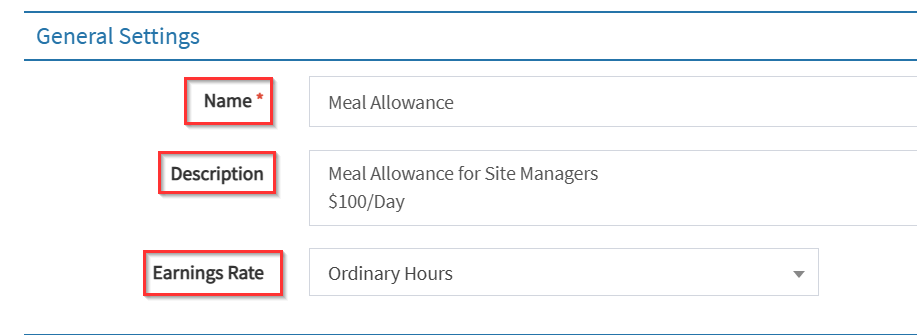
3. Create a profile by inserting the values accordingly. Here is a list of fields for your reference.
- General Settings
- Name and Description – Enter profile name and a brief description
- Associate Earnings Rate – Link the earnings rate pulled from Xero to the allowance
- Direct Cost Settings – The Procore Direct Cost values to use when creating an allowance line item.
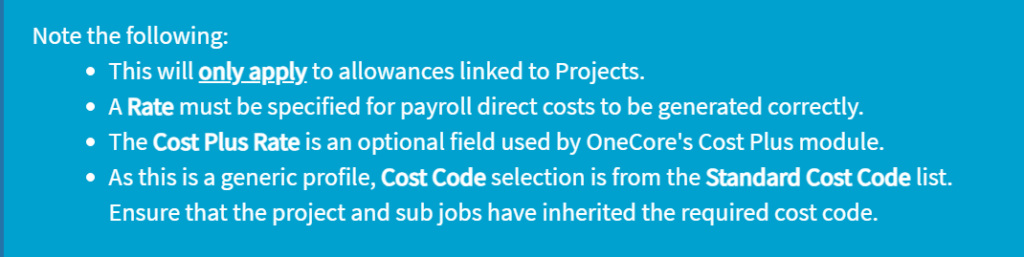
- Standard Cost Code – Set a standard cost code for the allowance
- Cost Type – Define the cost type for the allowance
- Procore Rate – Configure the rate for allowance in Procore
- Cost Plus Rate – Set the cost plus rate for subscribers of the Cost Plus module

- Rule Definition – Define the rule to apply this allowance when processing pay runs within OneCore.
- Create rules for allowances such as adding units of allowance when specific conditions are meet (e.g, when hours per day exceed 1 hour, add 1 unit of allowance).

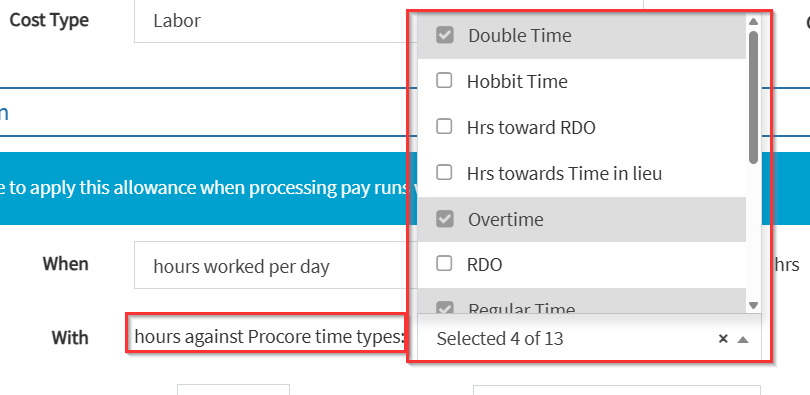
- Select hours against Procore time types: (e.g, Regular Time, Overtime, Double Time)
- Select when to add X number of unit(s) of allowances.
- Per instance – 1 unit per day with more that X number of hour/s set
- Per hour completed – Rounded down to nearest hour. e.g. hours worked in day is 8.25 hours from Procore, if the allowance was set to “per hour completed” and set to hours worked per day is greater than 1 hour, then the allowance added will be 8 units
- Per hour completed after – Rounded down to nearest hour. e.g. hours worked in day is 8.25 hours from Procore, if the allowance was set to “per hour completed after” and set to hours worked per day is greater than 1 hour, then the allowance added will be 7 units
- Hours worked – e.g. hours worked in day is 8.25 hours from Procore, if allowance set to “hours worked” and set to hours worked per day is greater than 1 hour, then the allowance added will be 8.25 units
- Hours worked after – e.g. hours worked in day is 8.25 hours from Procore, if allowance set to “hours worked after” and set to hours worked per day is greater than 1 hour, then the allowance added will be 7.25 units
- Cap settings – Set the maximum X number of allowance units per pay day/weekly/period.
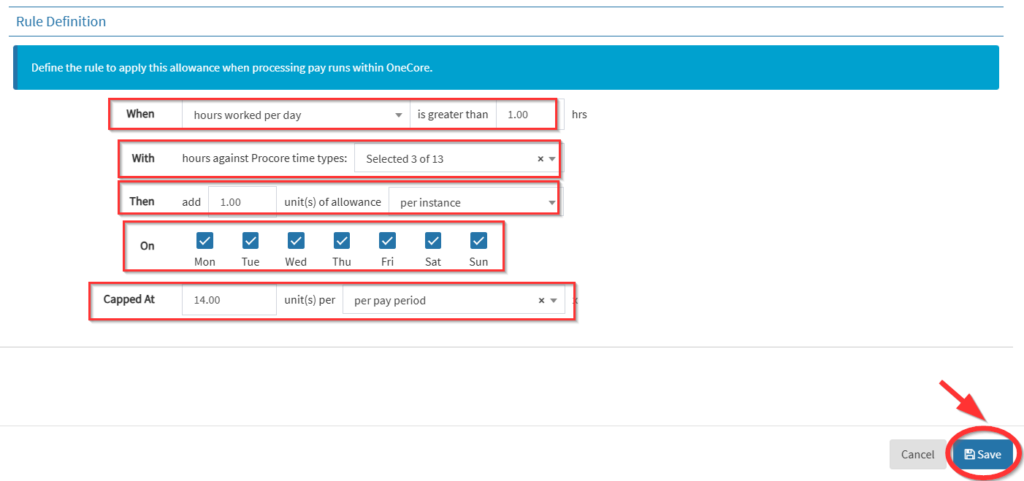
4. Click ‘Save’ to finalize allowance profile.