The overtime section enables users to manage overtime settings and rules.
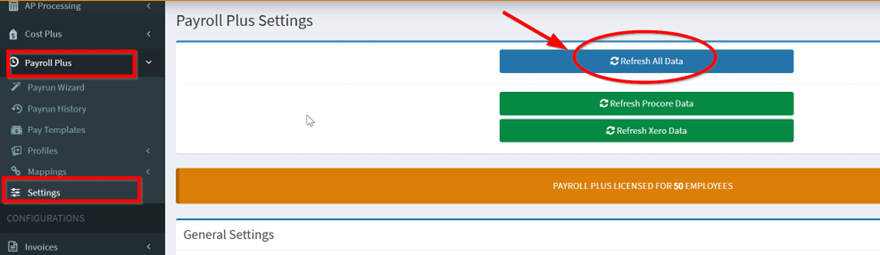
1. From OneCore Portal, go to Settings and click Refresh All Data.
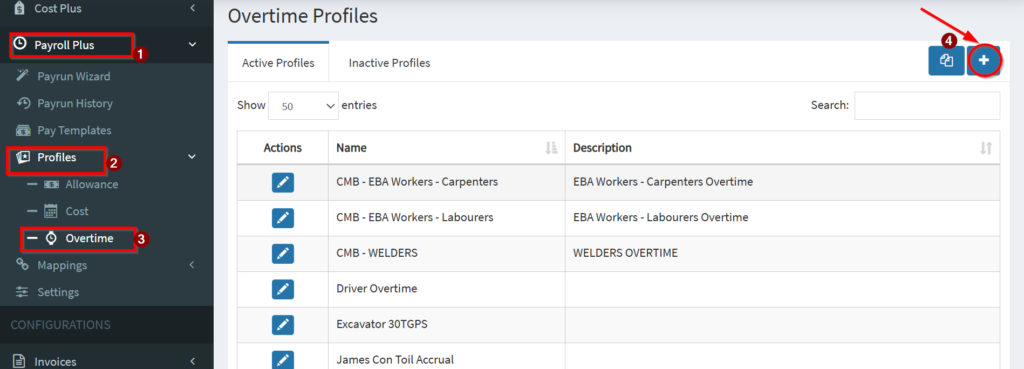
2. Navigate to Profiles > Overtime and Click on the + icon in the Overtime Profiles table
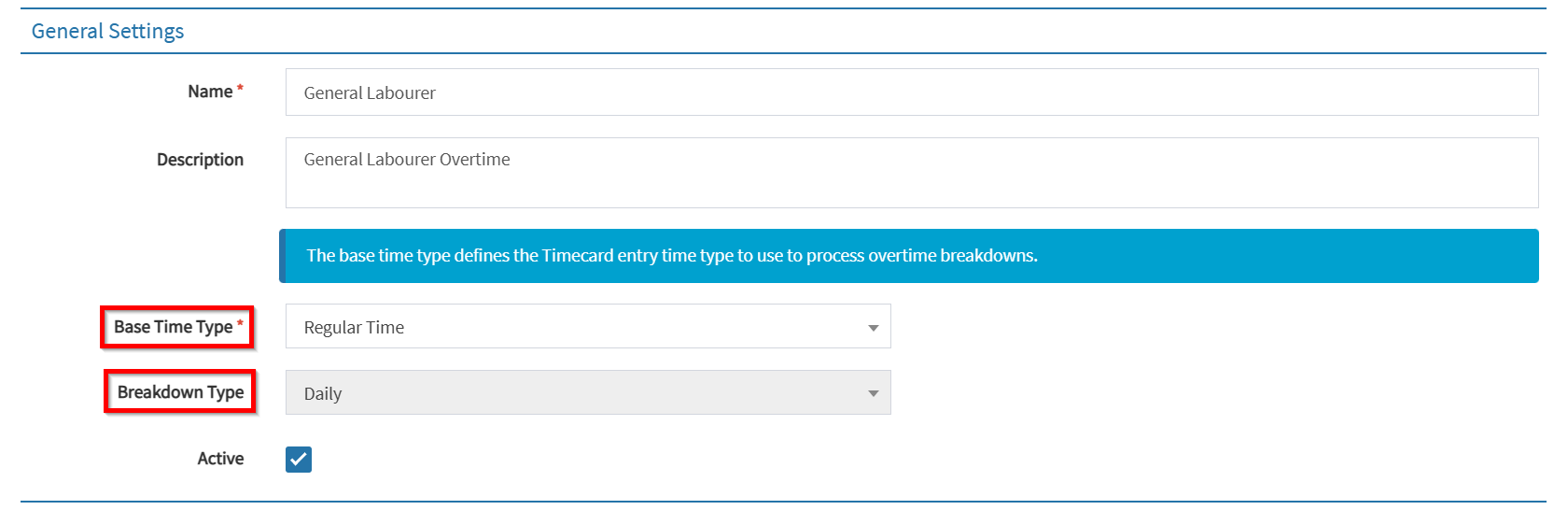
3. Create a profile by inserting the values accordingly. Here is a list of features for your reference.
- Associate Base Time Type – Link a base time type to the overtime configuration
- Breakdown Type
- Daily – Apply Overtime daily
- Weekly – Apply Overtime weekly
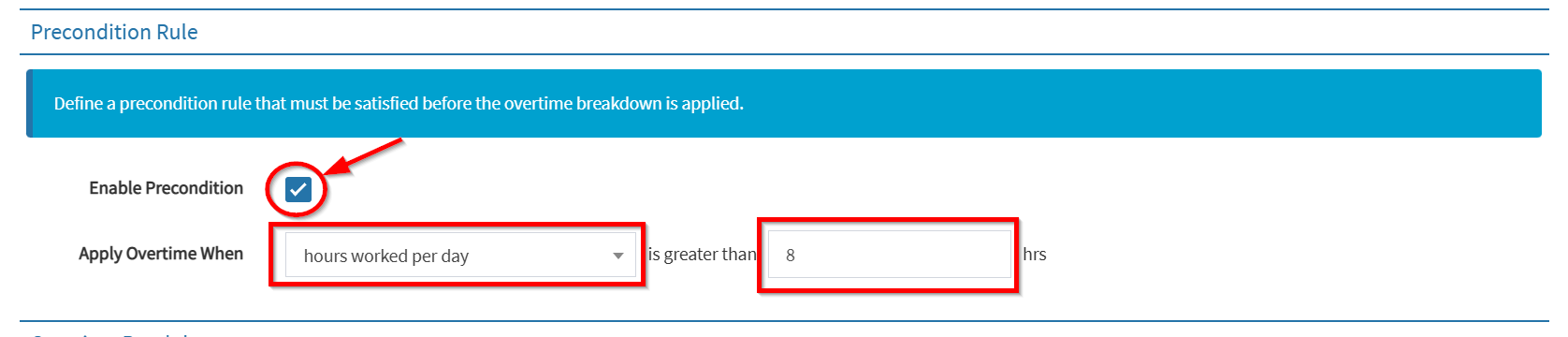
- Precondition Rules (Optional) – Define rules for applying overtime, such as when hours per day/week exceed a certain threshold.
- Hours worked per day – Apply Overtime when hours worked per day is greater than X=number of hours.
- Hours worked per week – Apply Overtime when hours worked per week is greater than X=number of hours.
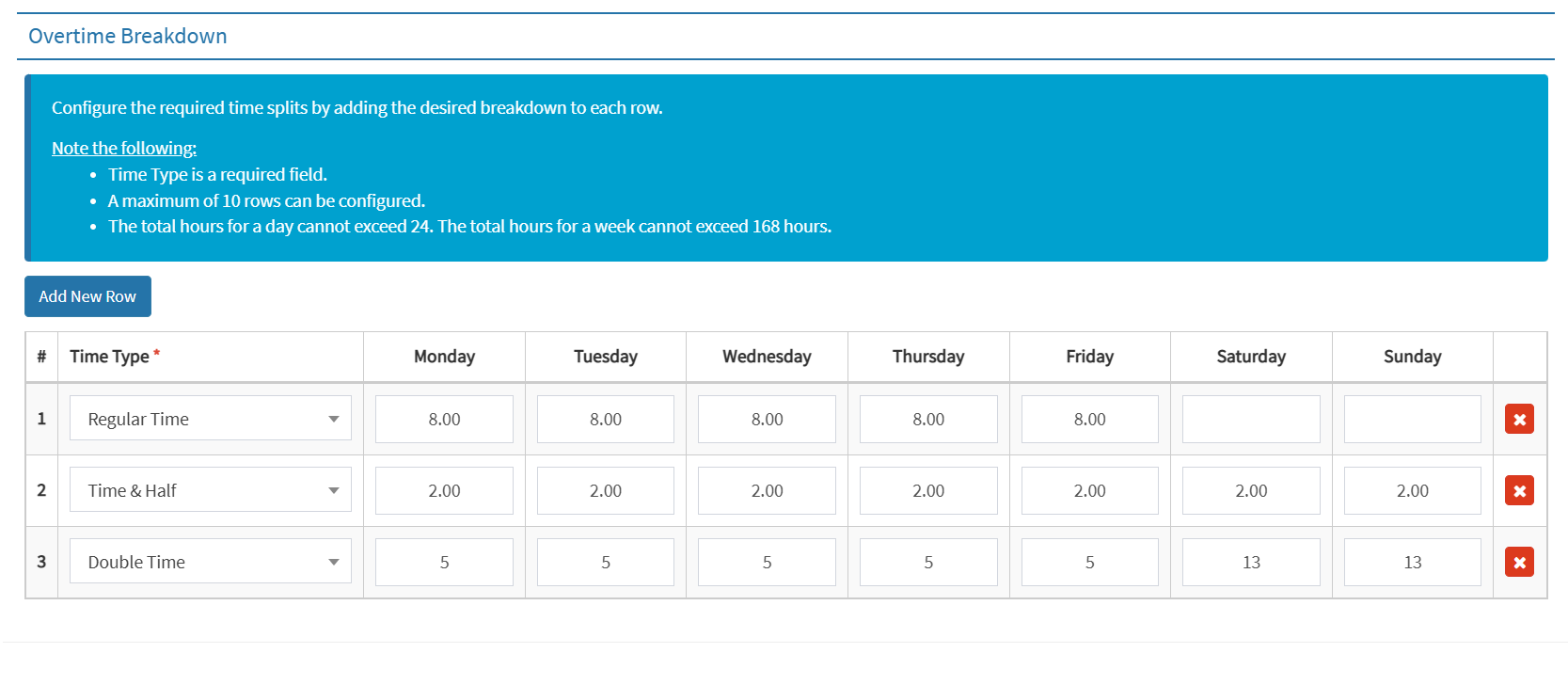
- Time Split Configuration – Configure the required time splits by adding the desired breakdown for each row. This allows users to set detailed overtime calculations based on specific conditions and breakdowns
4. Hit Save