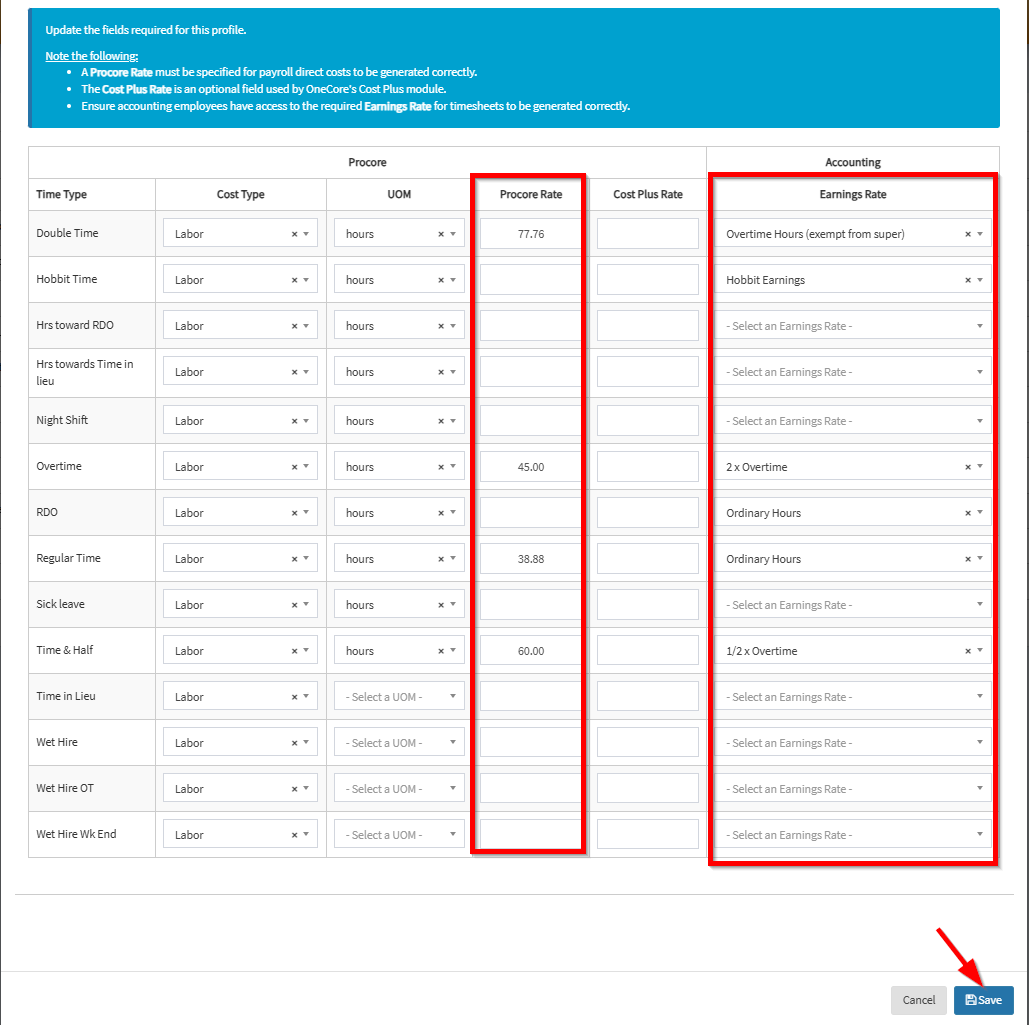
The Cost Profile section enables users to configure cost settings for each time type recorded in Procore
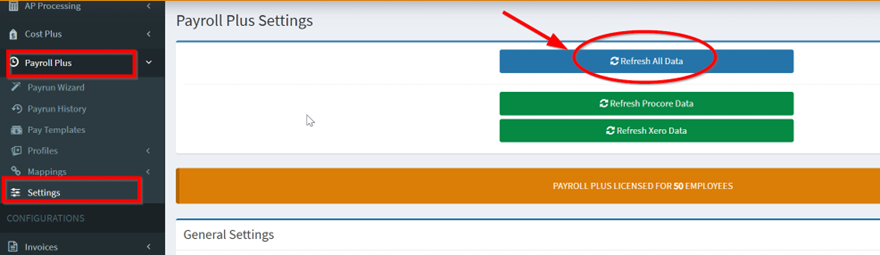
1. From OneCore Portal, go to Settings and click Refresh All Data.
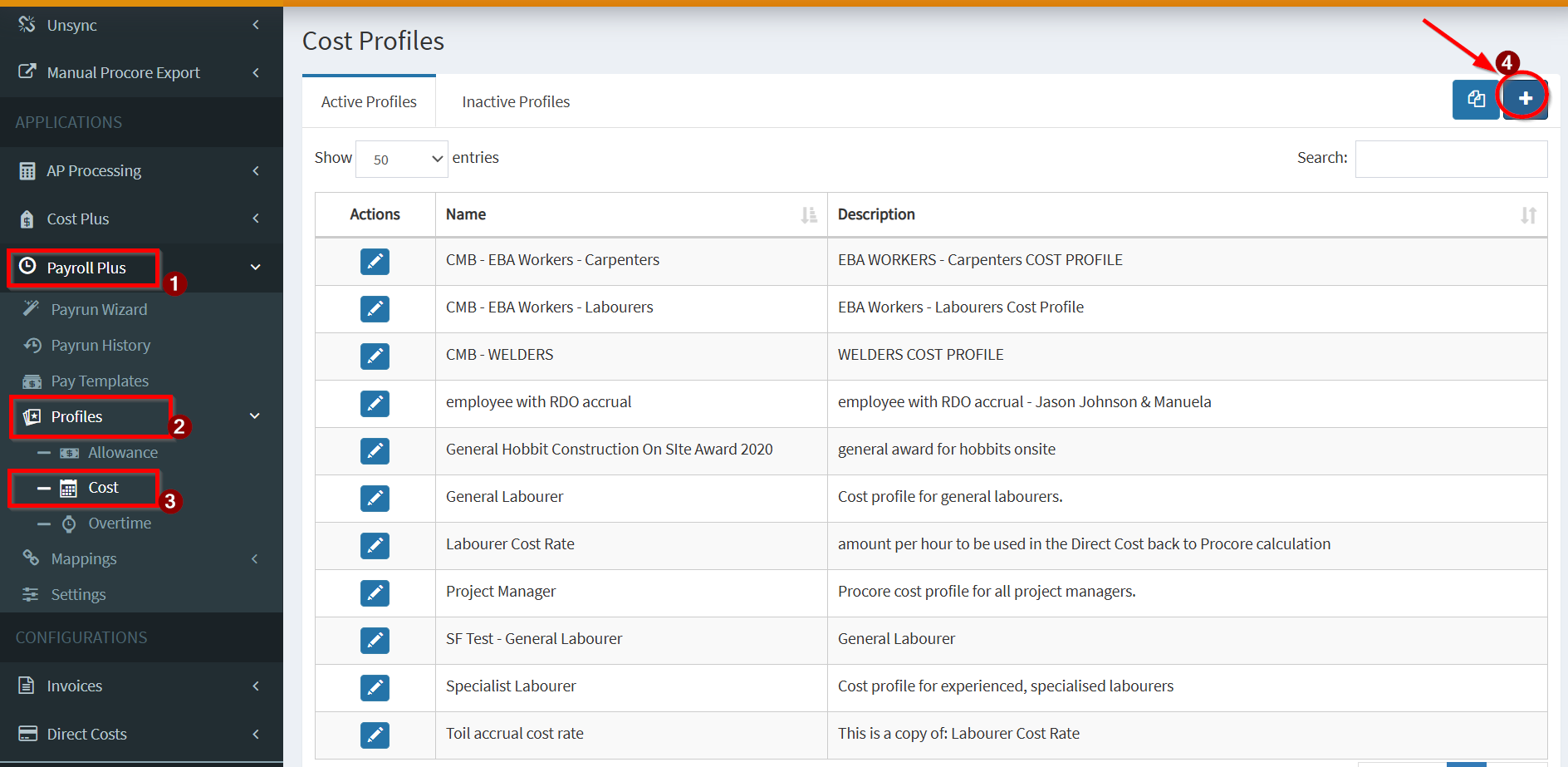
2. Navigate to Profiles > Cost > click on the + icon in the Cost Profiles table
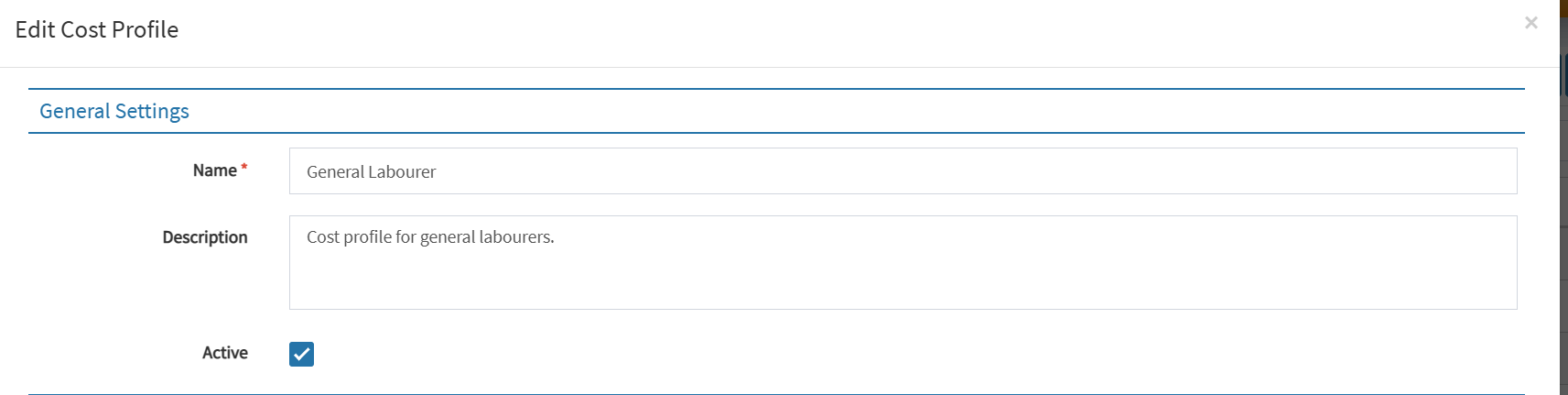
3. Create a profile by inserting the values accordingly. Here are a list of fields for your reference.
General Settings – Enter profile name and a brief description
Time Type Rate
- Cost Type – Specify the cost type associated with each time type in Procore
- Unit of Measure (UOM) – Define the unit of measure for the cost
- Procore Rate – Set the rate for each time type in Procore
- Cost Plus Rate – Configure the cost plus rate for subscribers of the Cost Plus module
- Earnings Rate – Link the earnings rate from the accounting system to each time type in Procore
- Hit Save