
Vendors:

Vendors has three options: General Settings, Vendor Mapping, Customer Mapping and Inactive Vendors & Contacts.
General Settings
General Settings allows you to:
- Update the Procore Vendors, Sage Vendors and Sage Customers lists in OneCore.
- Basic configurations
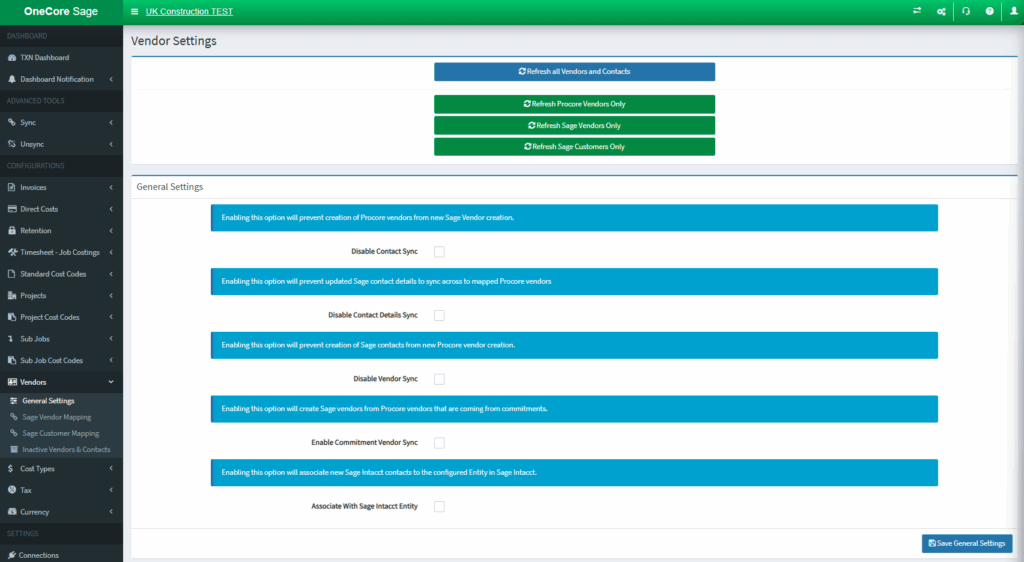
- Refresh all Vendors and Contacts: Update the Procore Vendors, Sage Vendors and Sage Customers lists in OneCore.
- Disable Contact Sync: Enabling this option will prevent creatin of Procore vendors from new Sage vendors creation
- Disable Contact Details Sync: Enabling this will prevent updated Sage Contact to sync across to mapped Procore Vendors
- Disable Vendor Sync: Enabling this option will prevent creation of Sage Contacts from new Procore vendor creation
Sage Vendor Mapping
NOTE: One Procore vendor only can be mapped to either Sage Vendor or Sage Customer.
Vendor mapping allows you to:
- Establish mapping relationship between Procore vendor and Sage vendor
- Delete mapping
- Auto-map by name
- Exporting vendors
- Details of particular vendor
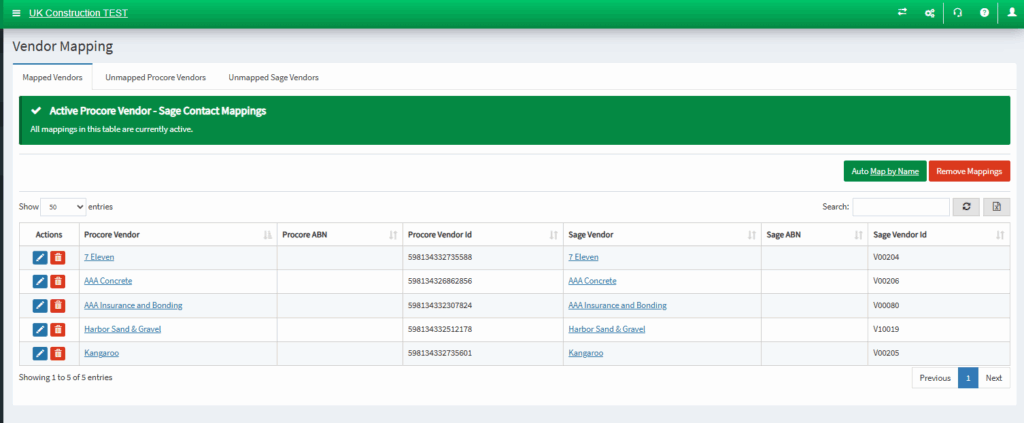
- Mapped Vendors: Shows the current active vendors
- Unmapped Procore Vendors: Establish the mapping here
- Unmapped Sage Vendors: Establish the mapping here
Sage Customer Mapping (HCC)
NOTE: One Procore vendor only can be mapped to either Sage Vendor or Sage Customer.
Customer mapping allows you to:
- Establish mapping relationship between Procore vendor and Sage Customer
- Delete mapping
- Auto-map by name
- Exporting vendors
- Details of particular vendor
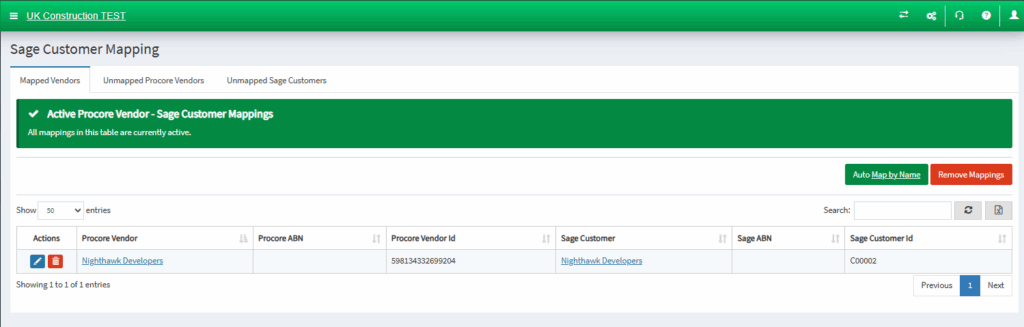
- Mapped Customers: Shows the current active customers
- Unmapped Procore Vendors: Establish the mapping here
- Unmapped Sage Customers: Establish the mapping here
Inactive Vendors & Contacts
Inactive Vendors & Contacts page allow you to:
- Observe the inactive or archived contacts by their respective platforms which are not available for mapping in OneCore.
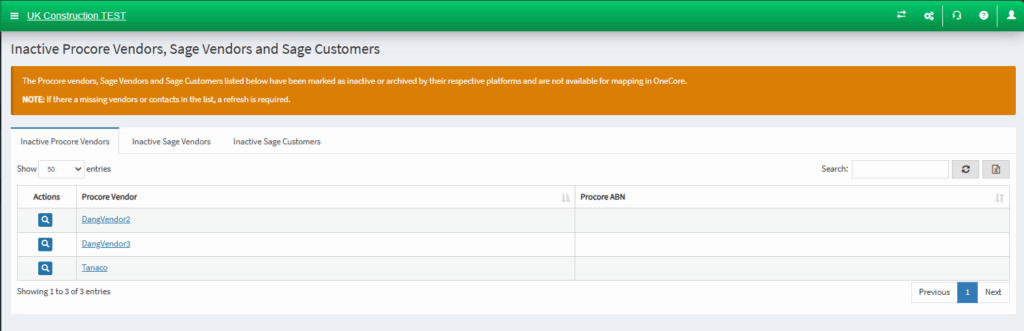
- Inactive Procore Vendors: Shows the current inactive Procore Vendors
- Inactive Sage Vendors: Shows the current inactive Sage Vendors
- Inactive Sage Customer: Shows the current inactive Sage Customers
Cost Types:

Cost Types has two options: General Settings and Cost Type Mapping.
General Settings
General Settings allows you to:
- Update the list of Procore cost types in OneCore.
- Refresh all Procore Cost Types and Sage Cost Types: Update the Procore Cost Types, Sage Cost Types lists in OneCore.
Cost Type Link
- Sage Cost Types: Select the Sage Cost Types to link Procore’s Cost Types
Click ‘Save Sage Cost Types Item’ once you have selected the class.
Cost Type Mapping
Cost Type Mapping allows you to :
- Map a Procore cost type to a Sage cost type.
- Delete the cost type mapping
- Auto Map by Code or Name.
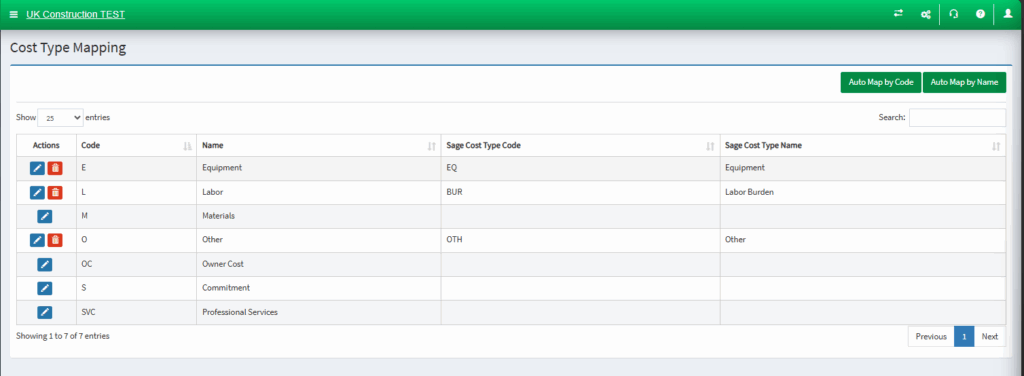
- Pen Icon: Establish your mapping here.
- Trash Icon: Delete your mapping
Tax:
Tax has two options: General Settings and Tax Mapping.
General Settings
General Settings allows you to:
- Update the Tax Codes and Rates in OneCore

- Refresh all Tax Codes and Rates: Update the Tax Codes and Rates lists in OneCore.
Tax Mapping:
Tax Mapping allows you to:
- Map the combination of Procore Tax Code and Cost Type to Sage Item to use for Procore Commitment and Reverse Direct Cost claims respectfully
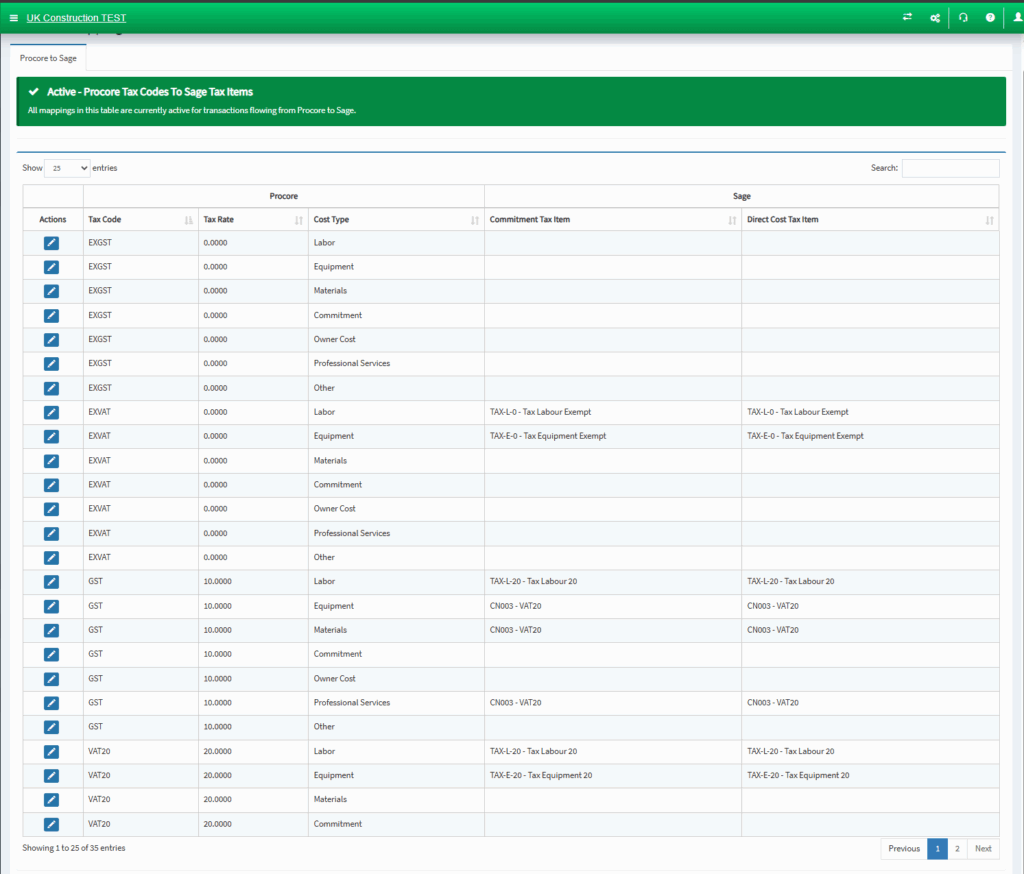
- Pen Icon: perform the mapping
- Commitment: mapping used for Sage Item field population in Procore Commitment
- Reverse Direct Cost: mapping used for Sage Item field population in Reverse Direct Cost