
In Sage Intacct, if Purchasing/Order Entry Transactions are enabled and configured, you need also select the Destination of where the progress claims will be populated.
Commitment Settings
- Navigate Invoices > Commitment Settings
- Choose Account Payable Bill if you don’t track Inventory and want the commitment claim to be created as an Account Payable Bill directly into Sage.
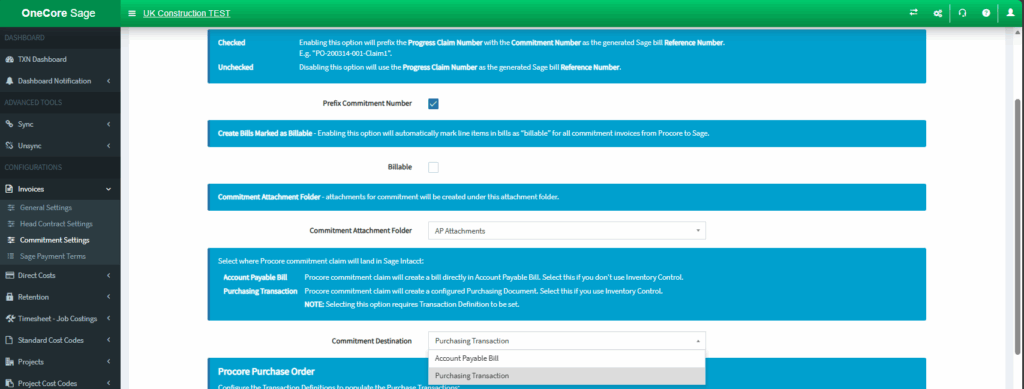
- If you choose Purchasing Transaction, you need to map your Sage Transaction Definition in OneCore. Please refer to the note above the select list for more details.
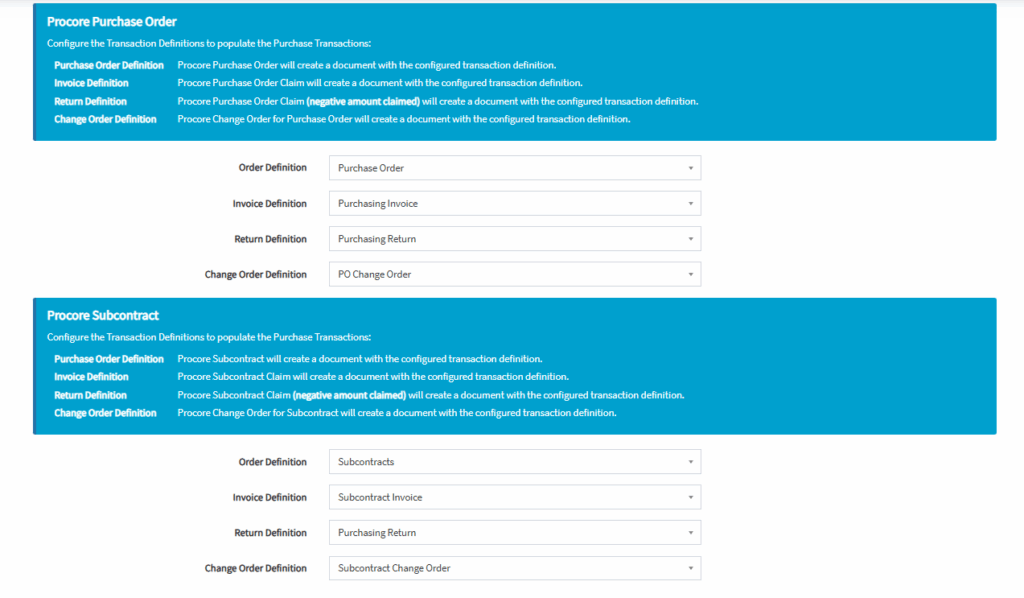
Head Contract Settings
- Navigate Invoices > Commitment Settings
- Choose Account Receivable Invoice if you don’t track Inventory and want the head contract claim to be created as an Account Receivable Invoice directly into Sage.
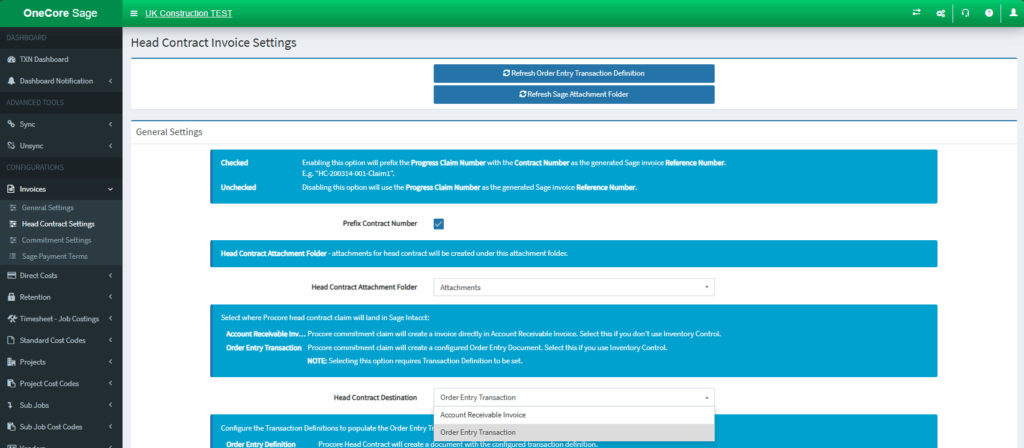
- If you choose Order Entry Transaction, you need to map your Sage Transaction Definition in OneCore. Please refer to the note above the select list for more details.
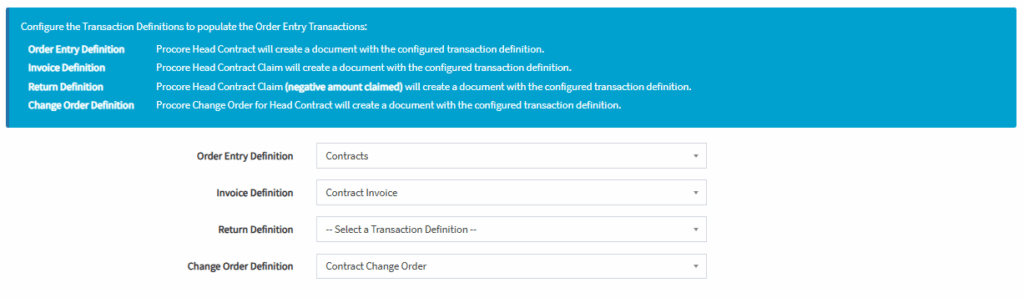
Note: These settings apply only to transactions originating from Procore. Any bills (invoices) or purchasing (order entry) transactions created directly in Sage will always be sent to Procore as direct costs.