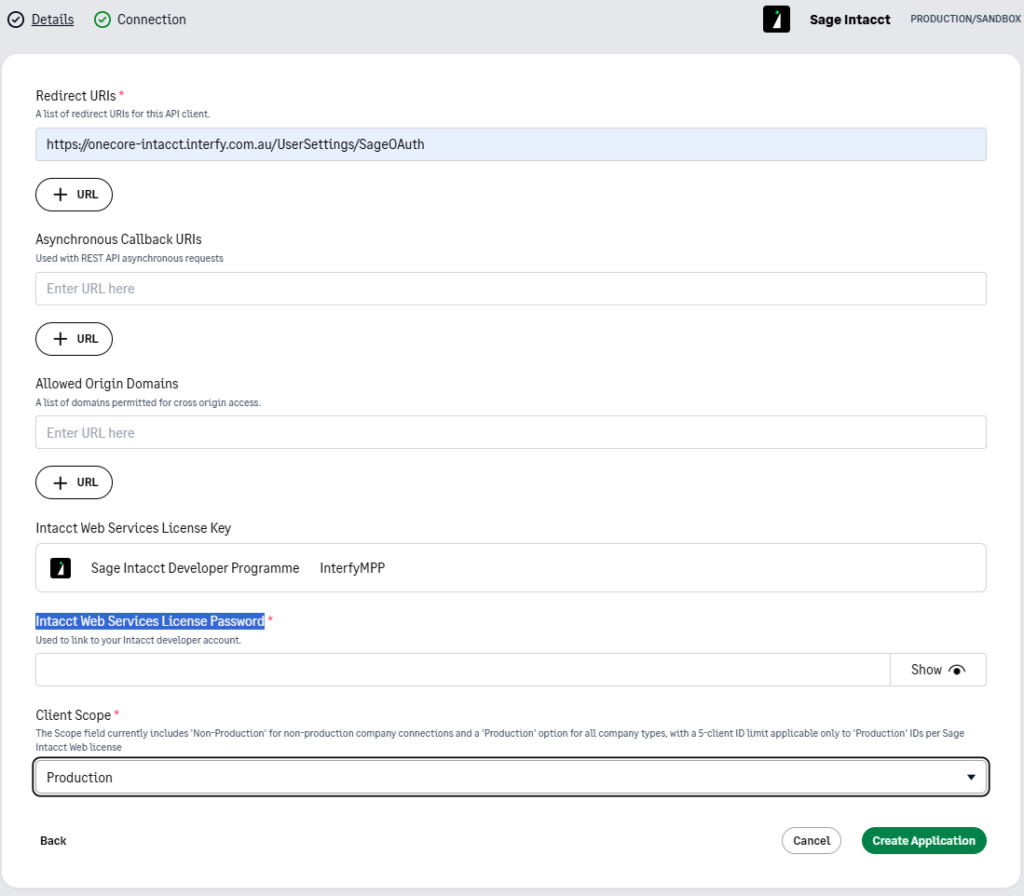
Overview
- Go to this endpoint to create or log in your developer console and manage your applications.
- Select “Applications” and click on “New application”.
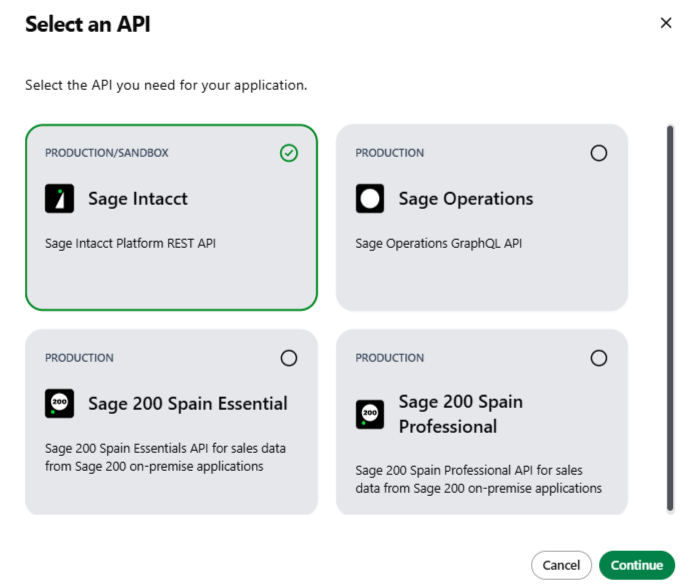
- In “Details” tab, complete the fields as follows:
Application Name: OneCore Sage Intacct APP
Terms and conditions URL: https://interfy.com.au/privacy-policy/
Homepage: https://interfy.com.au/
Contact email address: fill as needed
Description: fill as needed
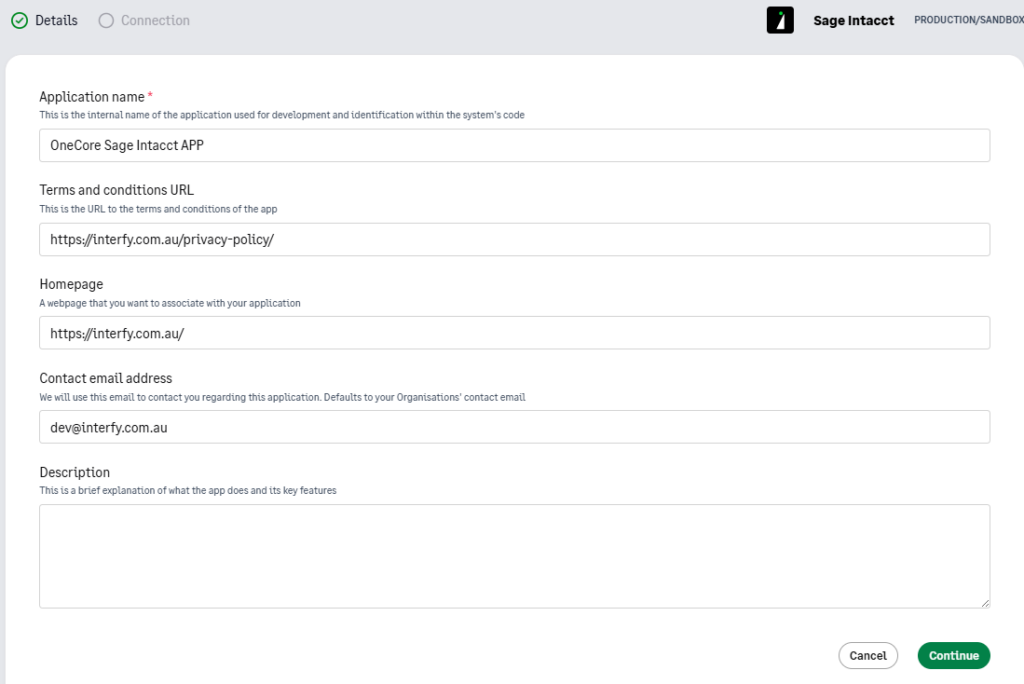
- In “Connection” tab, complete the fields as follows:
Redirect URIs: https://onecore-intacct.interfy.com.au/UserSettings/SageOAuth
Intacct Web Services License Password: enter the password
Client Scope: Production