Once a project is created in Procore, a corresponding Xero Job Tracking Category option will be generated, automatically mapped, and activated.
Updating the project number or name in Procore will not automatically update the existing Xero Job Tracking Category option.
Manually renaming the tracking category in Xero will break the link to the mapped project.
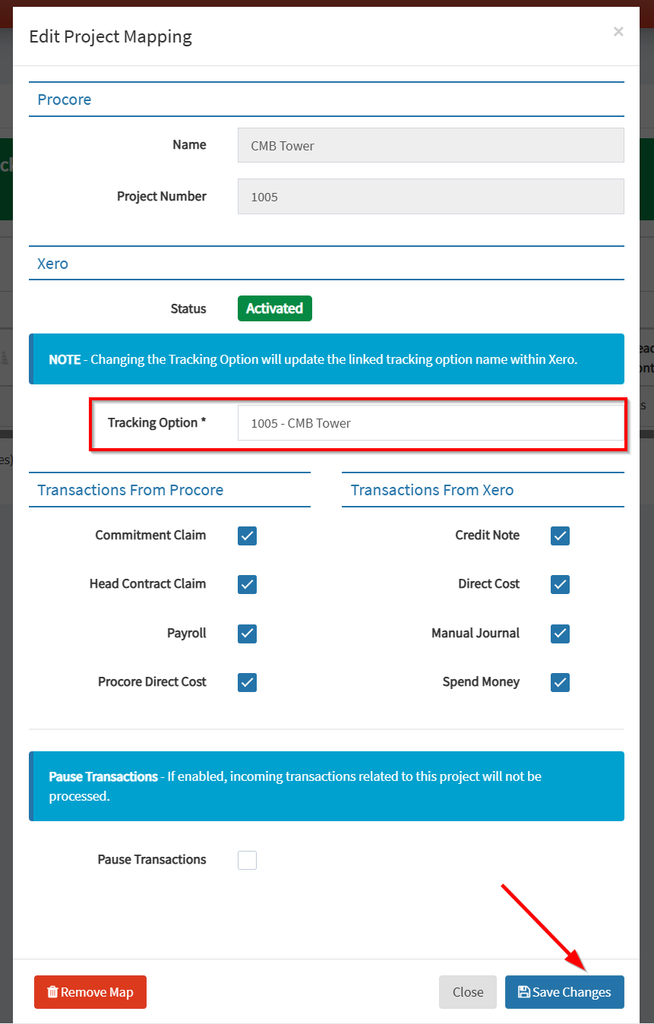
To avoid project mapping issues, the tracking category option should be renamed as shown below.
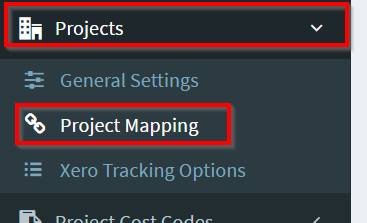
Navigate to OneCore>Projects>Project Mapping
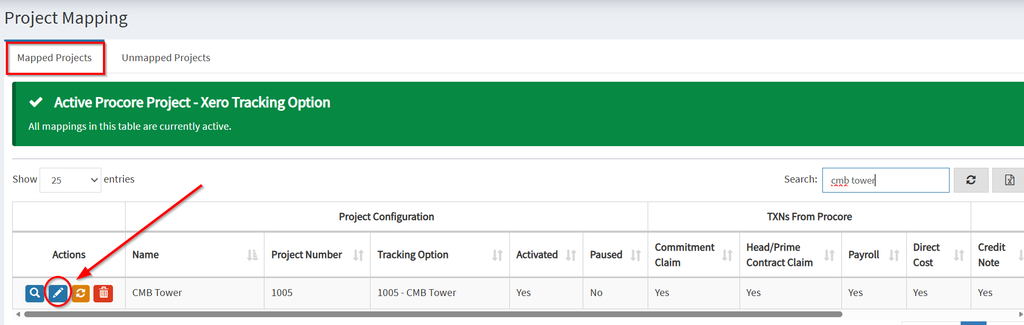
Select the project from the mapped projects tab and click the pen icon to edit mapping
Edit the Tracking Option and click save changes.