Multi-currency is currently released in BETA form for Procore as well as for OneCore Xero. This module allows you to add new currencies which can be used on your projects.
Enabling Multi-currency in Procore
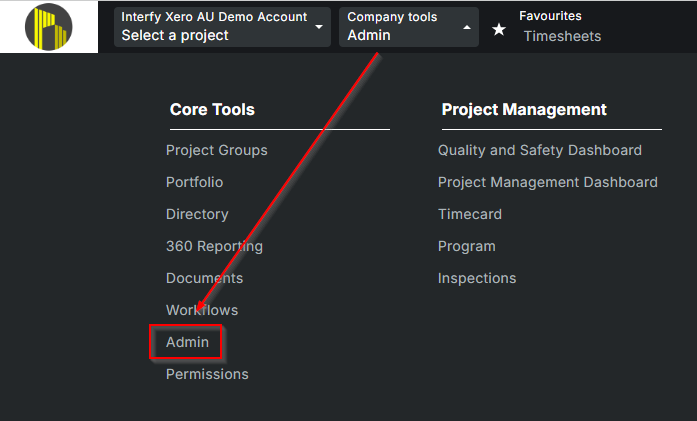
To enable Multi-currency in your Procore, you will need to reach out to Procore support to enable the module as it is currently in BETA. Once enabled you will need to first navigate to the company level and then to Admin under your Company Tools menu.
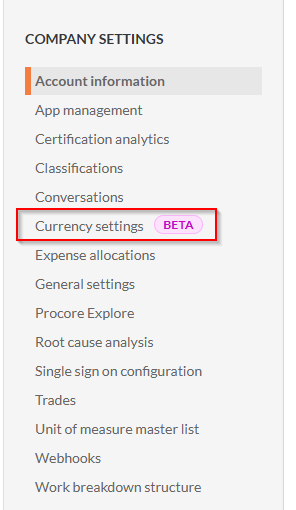
Under the Company Settings menu on the right-hand side of the screen select the Currency settings option.
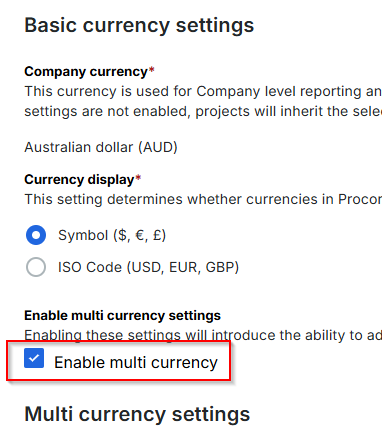
Under your basic currency settings you will need to enable the module but selecting the Enable multi currency checkbox.
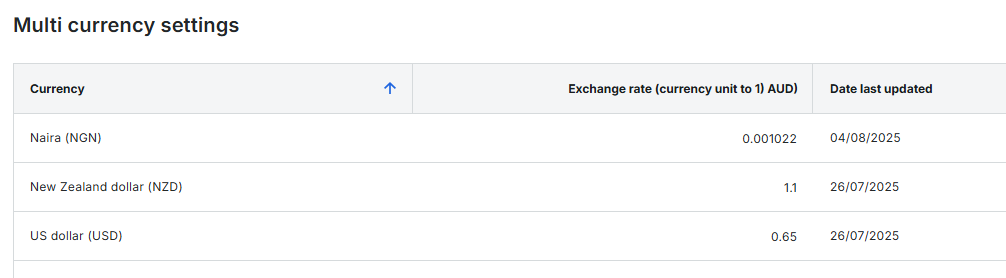
Once enabled, you can add the different currencies you will be handling and the static exchange rate. Please note that you will need to come in to your Procore currency settings each time you need to update the exchange rates for your currencies. This is only applicable if you have selected Procore to manage the currency exchange rates in OneCore.
Enabling Multi-currency within a project
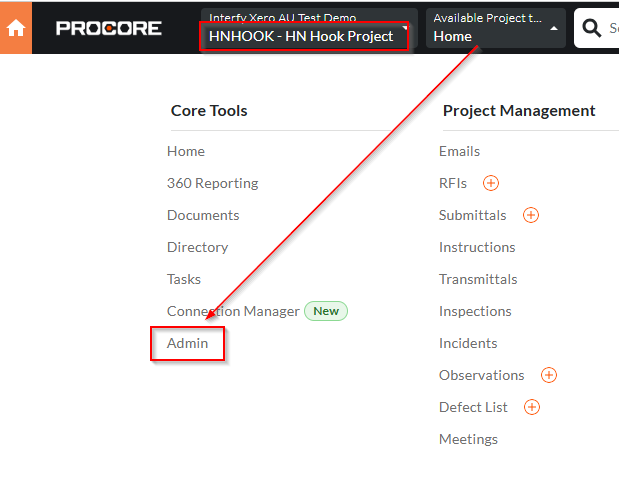
Once you have enabled multi-currency at the company level you can then enable multi-currency for each of your Procore projects. Select the relevant project in Procore and then navigate to Admin under your Company Tools menu.
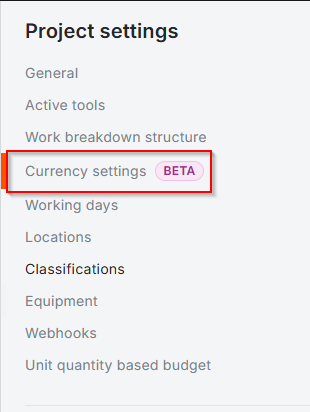
Under the Project Settings menu on the right-hand side of the screen select the Currency settings option.
You will need to confirm that the Project currency is set the same as the Company currency otherwise the incorrect base currency values will be incorrect.
Company level currency settings

Project level currency settings

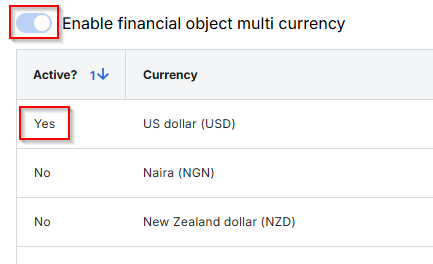
You will need to enable multi-currency within the project as well as which currency you will work with, within the project.
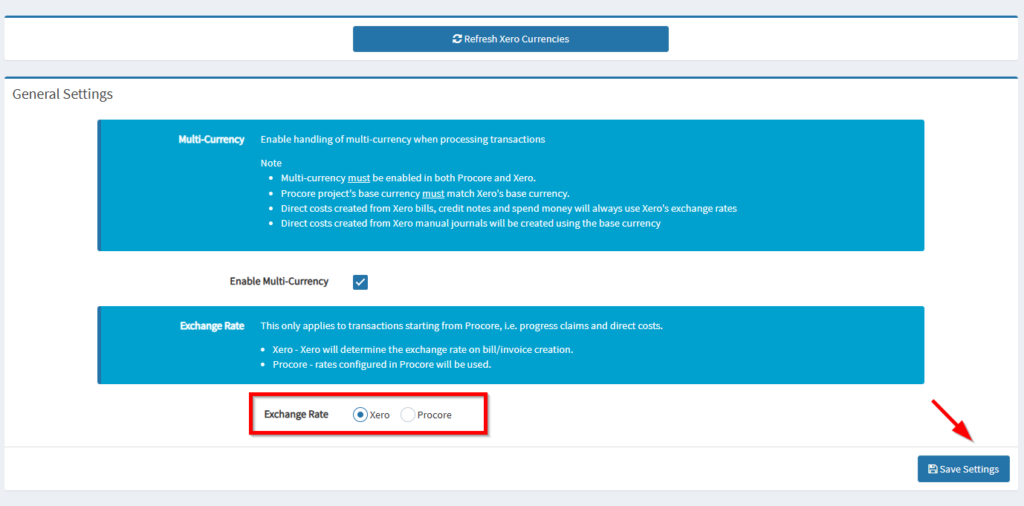
Enabling currency settings in OneCore Xero
In OneCore you will need to ensure Multi-currency is enabled. You can do this by navigating to Currency>General Settings> and then checking the Enable Multi-Currency tick box. You will also need to ensure you have selected which platform you’d like to handle the exchange rates. Please note that Procore uses a static rate that you will need to set and update from your end, and Xero uses a live rate from XE.com.