
Overview
This tutorial will guide you on how to set the retention type during creation, choosing either the Line Item Retention Type or the Default Retention Type. Allowing users to configure this setting provides flexibility to match their specific accounting practices and project requirements.
Here are the definitions for the settings:
Default Retention Type
A single line item is created with amount calculated as the line item value minus the line item retention value
This is an example of Default Retention Type in QuickBooks Bill created from Commitment Claim.

My SOV in Procore Commitment Claim.

Line Item Retention Type
Separate line items are created for the line item value and line item retention value respectively.
NOTE – Only Applies to Revenue Retention Type
This will only apply if the Retention Accounts have been configured either above or at the project level. Otherwise, Default Retention Type will be used.
This is an example of Line Item Retention Type in QuickBooks Bill created from Commitment Claim.

My SOV in Procore Commitment Claim.
1. In OneCore, Go to Retention > General Settings.
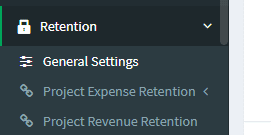
2. In General Settings, set the retention type for Expense or Revenue

3. Click Save General Settings.
