
PROCORE SYSTEM PERMISSIONS
- Create a new user in your Procore instance with the email address: support@interfy.com.au
- Allow this user ‘administrator’ access at the company level, using the below screenshot as a guide. This will allow us to create the necessary service account with permissions and also assist us when we troubleshoot and provide support.

- Although not required, to assist us with troubleshooting, please allow this user access to all existing projects and any newly created ones with admin permissions:

QBO SYSTEM PERMISSIONS
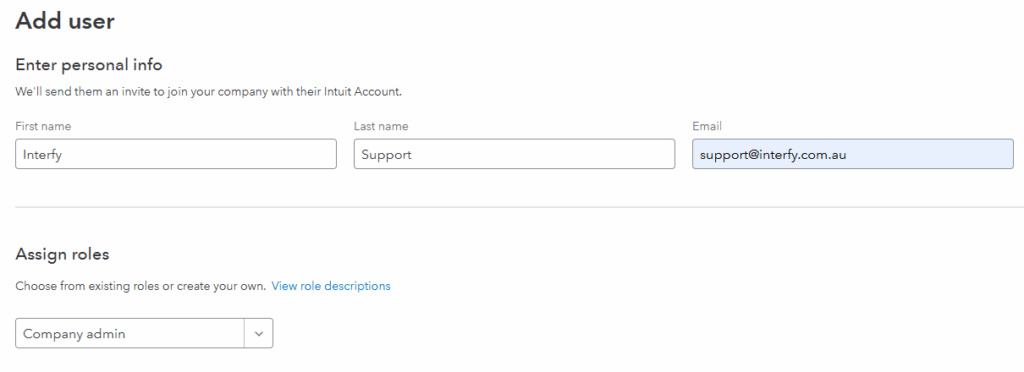
- Please create a new User in your QBO instance named OneCore Connect Support (First Name Interfy, Last name Support) with the email address: support@interfy.com.au
- Allow ‘Company admin’ permissions:
PROCORE COST CODES AND QBO ACCOUNTS
Ensure that all Procore Standard Cost Codes have an equivalent QBO Account or Item that it can be mapped to. This is a key requirement in ensuring transactions can be processed between both systems without issue.
MERGE DUPLICATE PROCORE COMPANY VENDORS
Removing duplicate company vendors from Procore is a recommended task as this will eliminate confusion when mapping to QBO contacts and customers.
A step by step guide is provided in the following link.
MERGE DUPLICATE QBO CUSTOMERS
Removing duplicate customers in QBO is a recommended task as this will eliminate confusion when mapping to Procore company vendors.
A step by step guide is provided in the following link.
CONTACT INTERFY SUPPORT
Once these tasks have been completed, contact us (support@interfy.com.au) to continue with getting the integration up and running.