
Overview
OneCore includes a feature that allows Procore Project Budgets to sync with Sage Intacct Project Estimating. This functionality helps ensure that budget line items created and maintained in Procore are available within Sage Intacct Project Estimating.
Prerequisites
Before syncing budget data:
- Ensure the project is mapped between Procore and Sage Intacct in OneCore.
- Enable Budget Line Items for each project that requires budget synchronization.
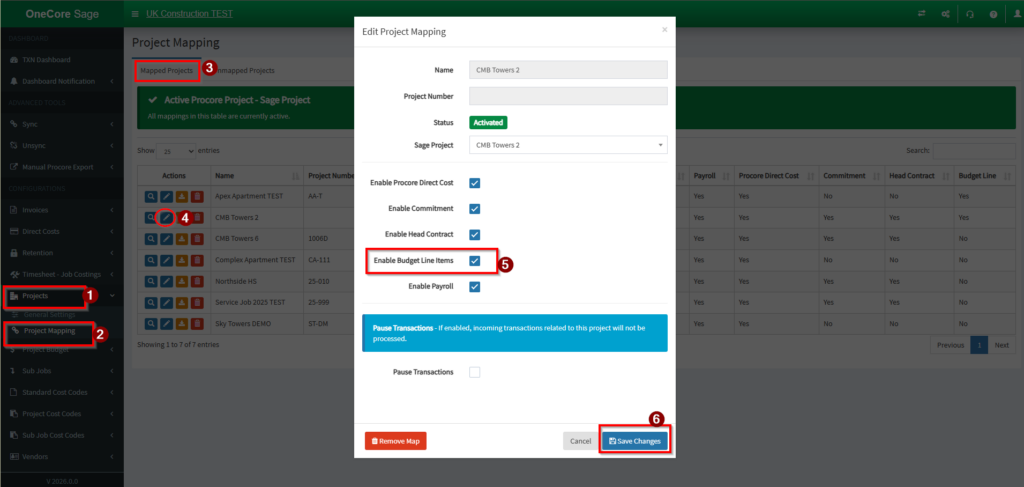
When Budget Line Items are enabled, new budget line items created in Procore can automatically sync to the corresponding Sage Intacct Project Estimate.

Procore Budget Settings in OneCore
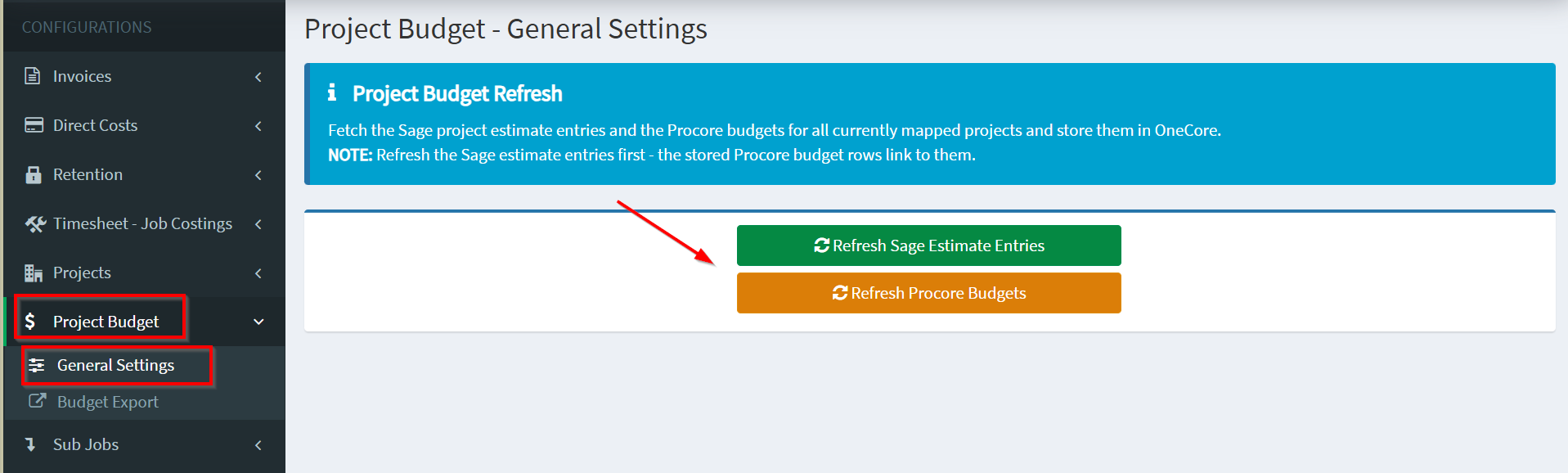
Navigate to Procore Budget Settings in OneCore to manage budget synchronization.
General Settings
The General Settings option performs the following actions:
- Retrieves Sage Intacct Project Estimate entries for all currently mapped projects.
- Retrieves Procore budget data for all currently mapped projects.
- Stores the fetched data within OneCore for budget-to-estimate matching and synchronization.
Important: Always refresh the Sage Intacct estimate entries first. Stored Procore budget rows are linked to these estimate entries, and outdated estimate data may result in incorrect mappings.
Budget Export
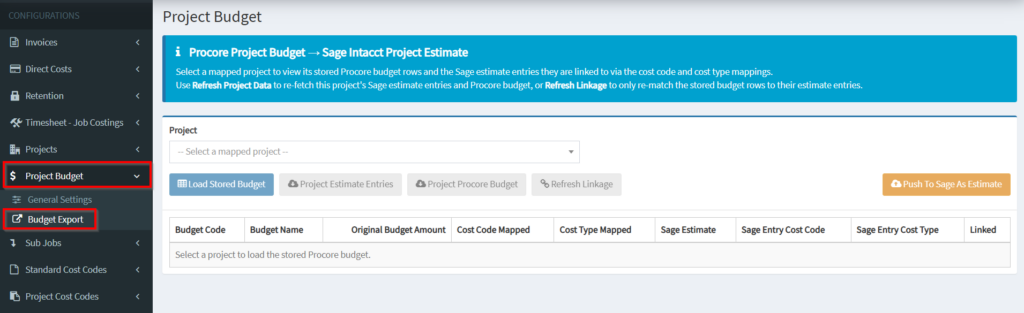
Procore Project Budget → Sage Intacct Project Estimate
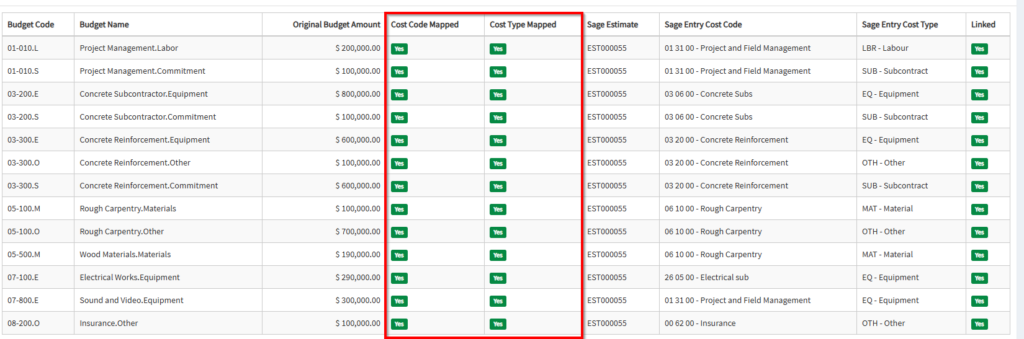
This section allows you to review and manage the relationship between Procore budget rows and Sage Intacct estimate entries.
View Project Budget Mappings
- Select a mapped project.
- Review the stored Procore budget rows.
- Verify the Sage Intacct estimate entries linked to each budget row.
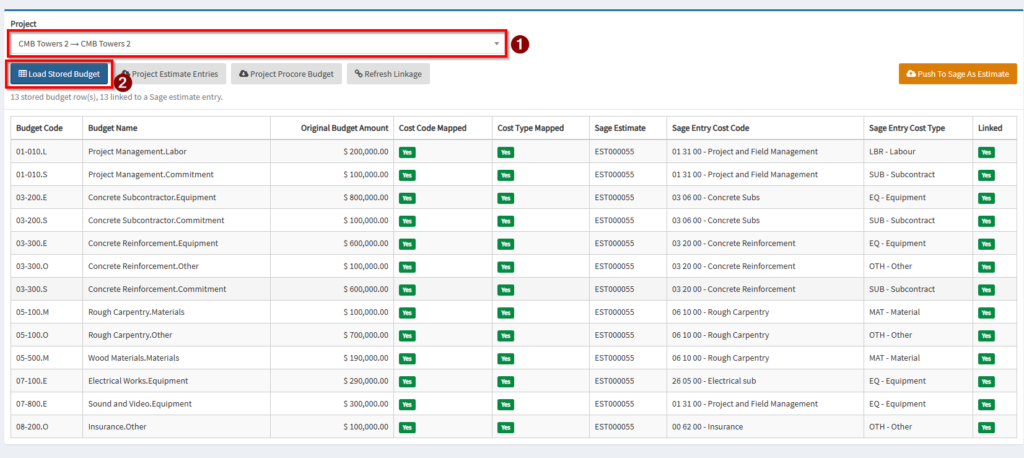
Budget rows are matched to estimate entries using:
- Cost Code Mapping
- Cost Type Mapping
Refresh Project Procore Budget
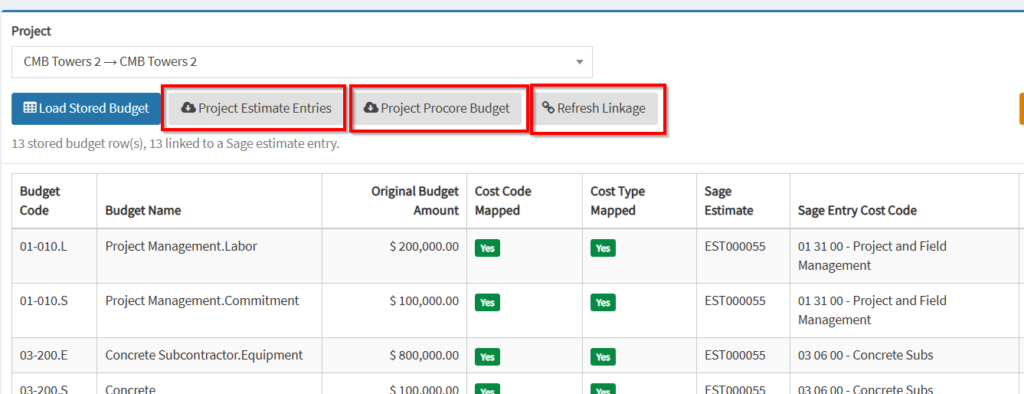
Use Refresh Project Procore Budget to:
- Re-fetch the latest Sage Intacct estimate entries for the selected project.
- Re-fetch the latest Procore budget data for the selected project.
- Update the stored project information in OneCore.
Refresh Linkage
Use Refresh Linkage when:
- Cost code mappings have changed.
- Cost type mappings have changed.
- Existing budget rows need to be re-matched to estimate entries.
This action re-evaluates the relationships between stored Procore budget rows and Sage Intacct estimate entries without re-fetching project data.
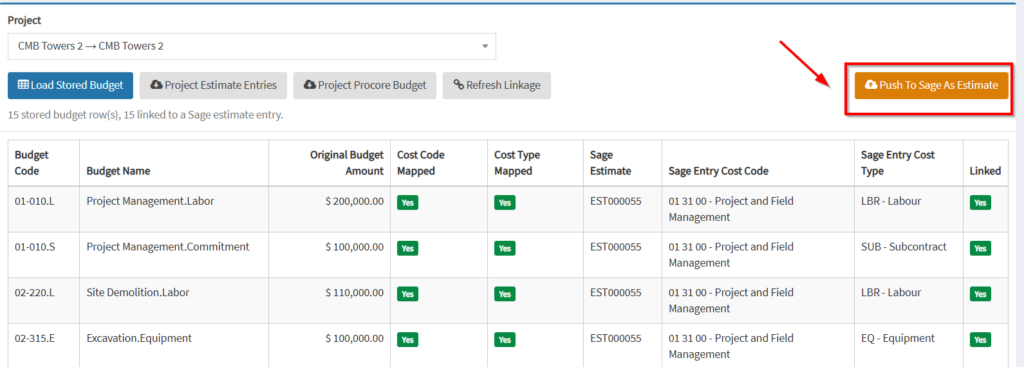
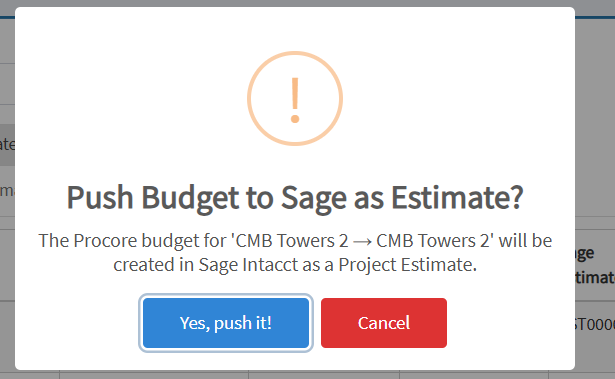
Use Push to Sage As Estimate – The Procore budget line item will be created in Sage Intacct as a Project Estimate.
Best Practices
- Refresh Sage Intacct estimate entries before performing budget exports.
- Verify cost code and cost type mappings are configured correctly.
- Use Refresh Project Data after significant budget or estimate updates.
- Use Refresh Linkage after modifying mapping configurations.
Result
Once synchronization is complete, Procore budget line items are linked and exported to the corresponding Sage Intacct Project Estimate entries, ensuring consistency between project budgeting and estimating data across both systems.