
Overview
You can replay transactions if any of the following has occurred:
- A transaction may fail due to potential mapping issues.
To fix the issue, you are normally required to:
- Read the error message
- Identify the issue
- Fix the issue if you can
- Replay the transaction
This demonstration will assume that the transaction does not get through due to the vendor isn’t mapped as an example.
Steps
1. Go to Onecore Odoo Transaction Dashboard.
2. Identify the issue.

From the error message above, we can understand that the session failed because the contact was unmapped.
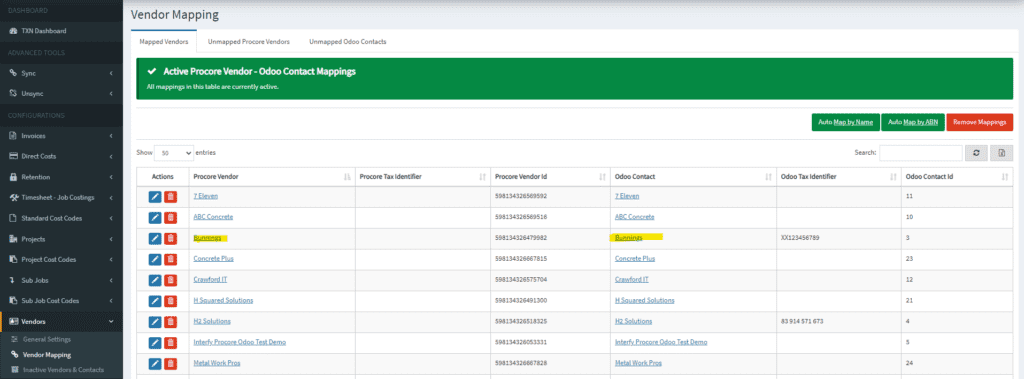
In my case, I have mapped the “Bunnings” vendor from Odoo Vendor to “Bunnings” in Procore Vendor as shown below.
3. Once you have fixed the potential problem, you may proceed to click the replay green button in OneCore Odoo Transaction Dashboard.

4. The status column will be shown as “waiting.’
5. After few seconds, the transaction finally gets through!

Please contact support@interfy.com.au if you have any problems.