To enable multi-mapping, please contact Interfy Support at support@interfy.com.au and request that the multi-mapping feature be activated for your OneCore environment.
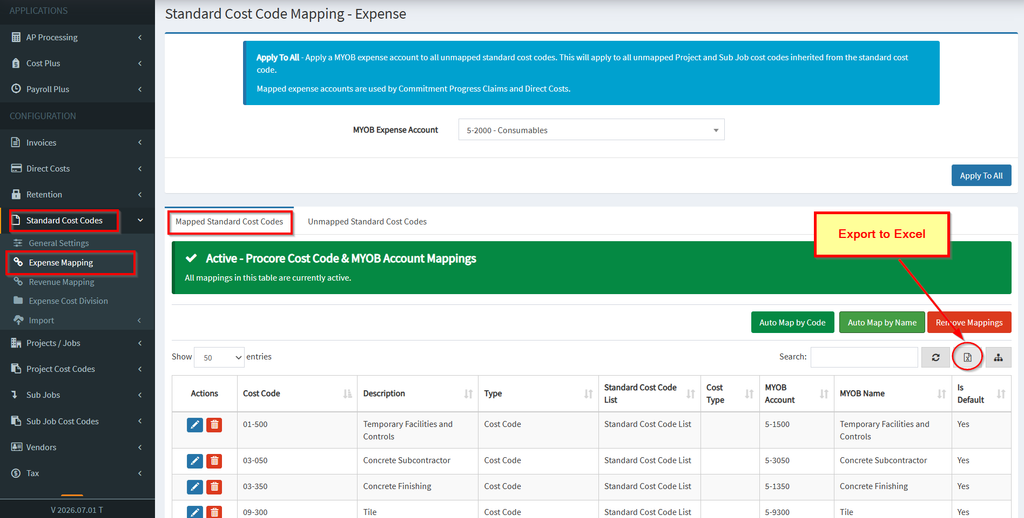
Note: Before making any changes, we recommend backing up your current mappings using the Export button.
Step 1
Navigate to:
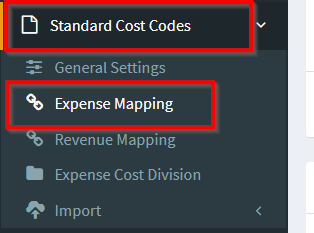
Standard Cost Codes → Expense Mapping
Step 2
Select the appropriate MYOB Expense Account, then click Apply to All to assign the account to the All standard cost codes.
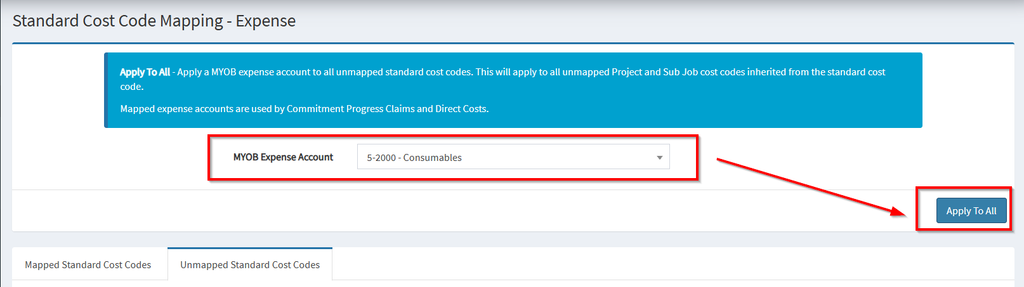
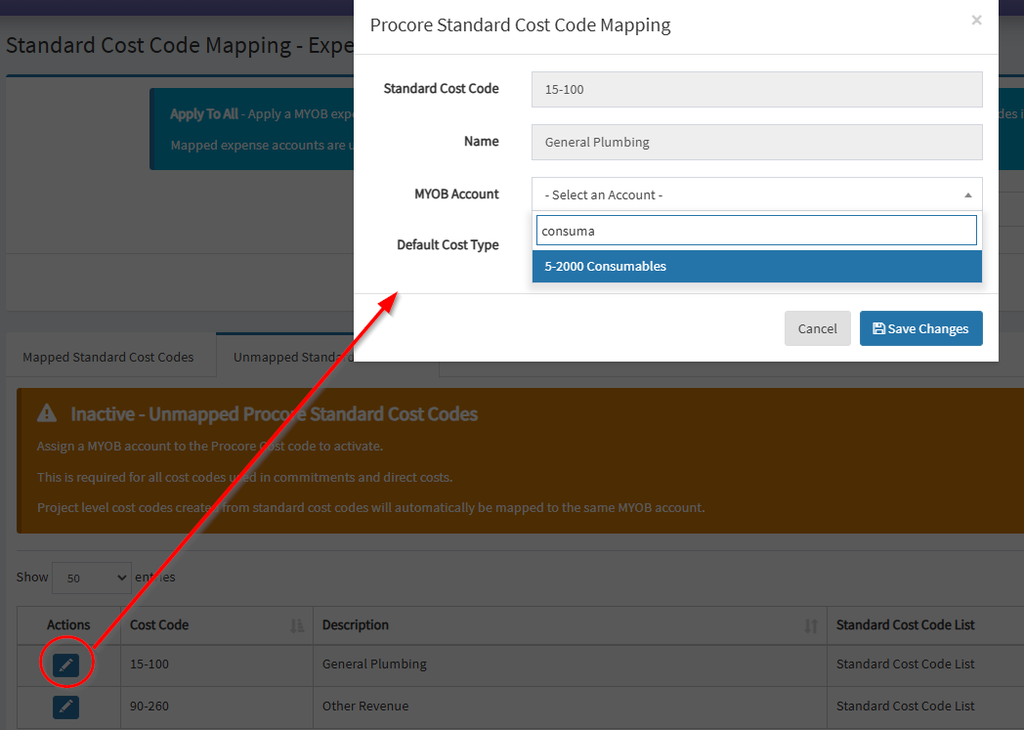
Alternatively, if the cost codes do not all need to be mapped to the same MYOB expense account, manual mapping of the cost codes will be required.
Step 3
Navigate to:
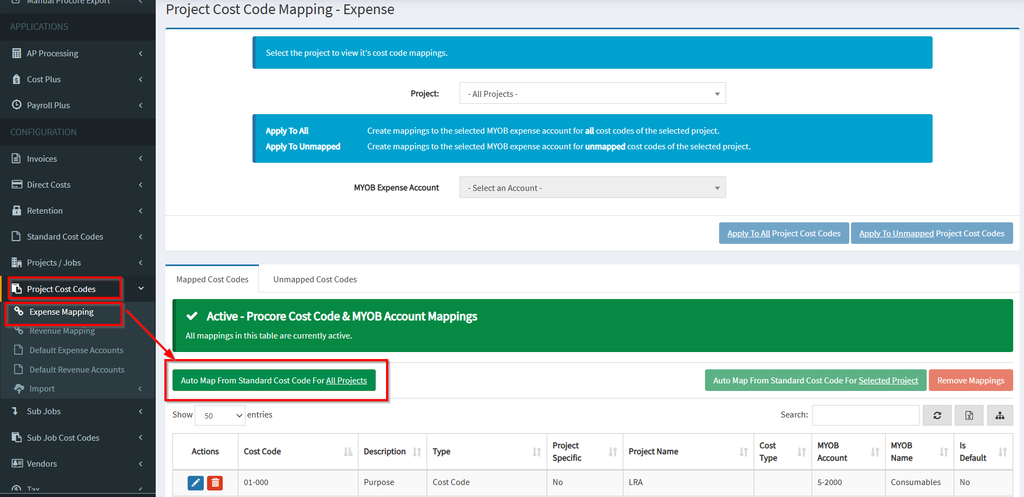
Project Cost Codes → Expense Mapping and Click Auto Map From Standard Cost Code For All projects