Overview
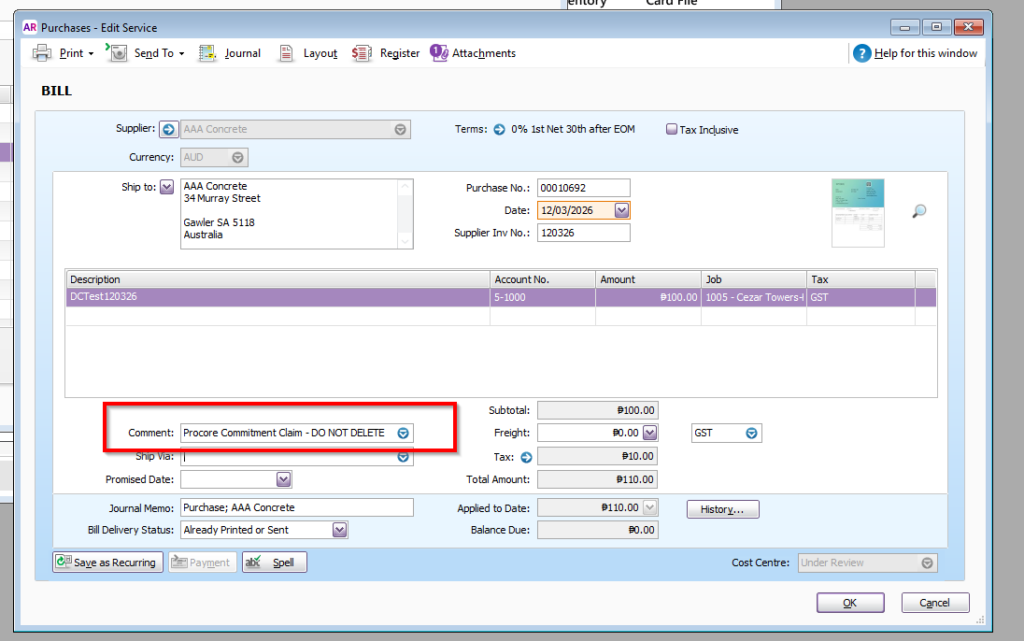
The integration supports pre-filling the Comment field on MYOB bills and invoices generated from Procore claims.
This feature is available for:
- Head Contract Claims
- Commitment Claims
Note: Once enabled, the selected comment option will be applied to all new invoices or bills that will be synced through the integration for the corresponding claim type.
Available Comment Options
No Comment
No comment or note will be added to the generated MYOB bill or invoice.
OneCore Comment
Adds the following default comment to the generated MYOB bill or invoice:
Procore Commitment Claim – DO NOT DELETE
Custom
Adds a custom comment configured by your organisation to the generated MYOB bill or invoice.
Configuring Head Contract Claim Comments
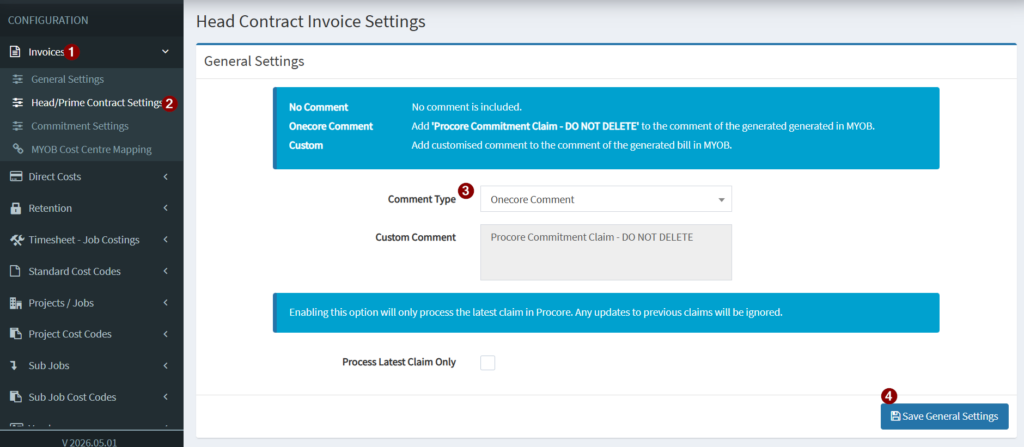
To configure comments for Head Contract Claims:
- Navigate to Invoices.
- Select Head/Prime Contract Settings.
- Under General Settings.
- Choose the desired comment option:
- No Comment
- OneCore Comment
- Custom
Configuring Commitment Claim Comments
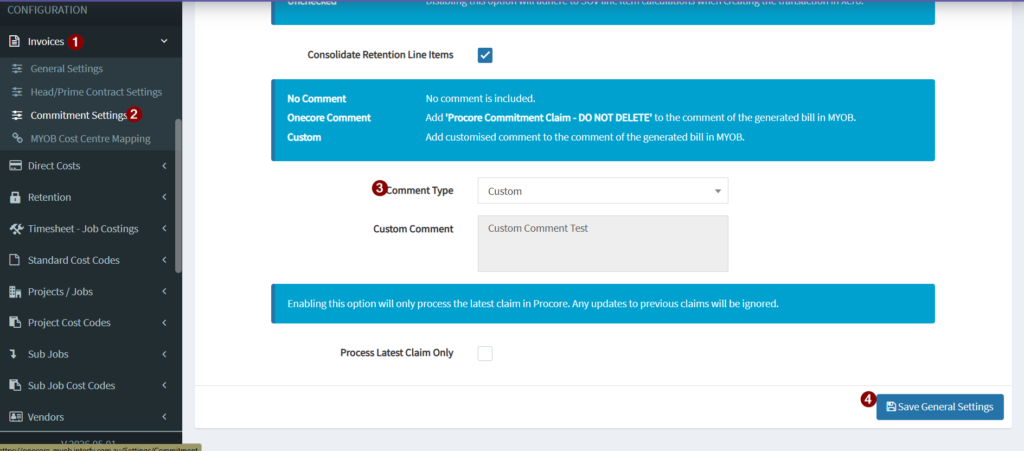
To configure comments for Commitment Claims:
- Navigate to Invoices.
- Select Commitment Settings.
- Under General Settings.
- Choose the desired comment option:
- No Comment
- OneCore Comment
- Custom
Configuring Direct Cost Comments
- Navigate to Direct Costs.
- Under General Settings.
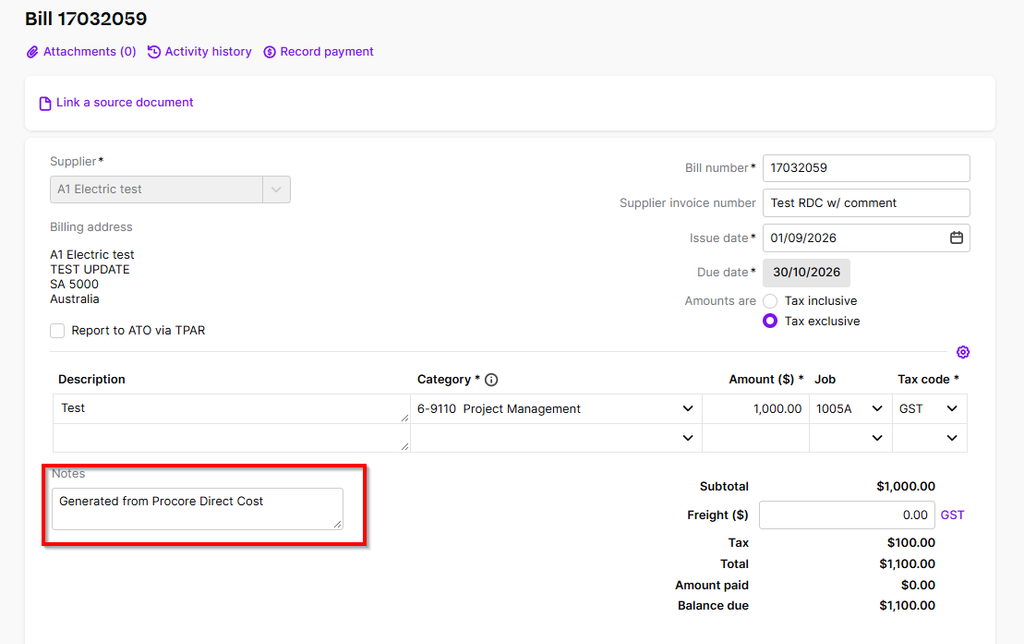
- Enabling this option will add ‘Generated from Procore direct cost’ to the comment of the generated bill in MYOB.
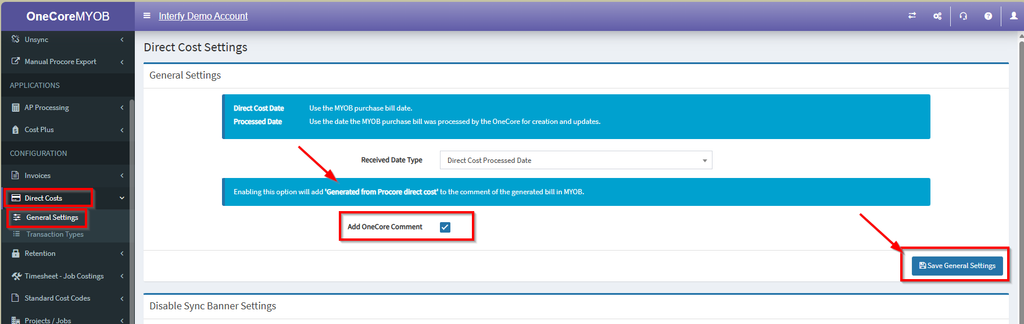
Example: