If ‘Sub Jobs’ are used in a Procore project, you need to complete the mapping as described below each time a new project is created.
Note: This is why we recommend the standard cost codes so that you can automate the cost mappings at sub jobs level.
Mapping Sub Job Cost Codes to MYOB Accounts
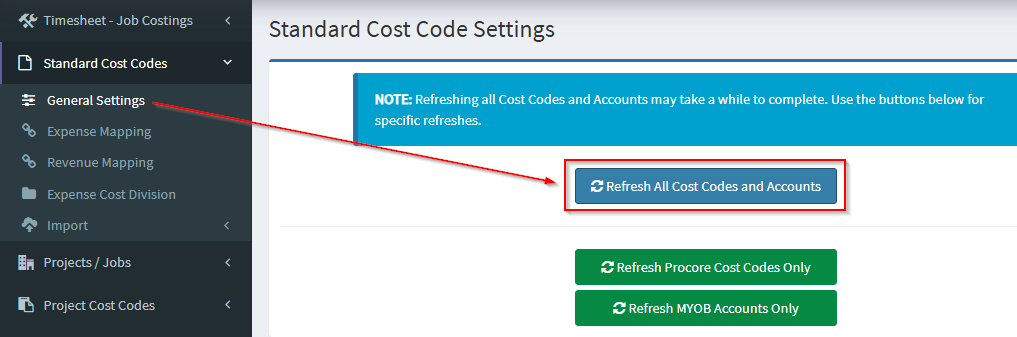
Sub Job cost codes need to be mapped to MYOB accounts. Once these have been completed in Procore, log into OneCore and perform a refresh of cost codes by navigating to
Standard Cost Codes -> General Settings
Press 'Refresh Refresh Cost Codes and Accounts'
Sub Jobs -> General Settings
Refresh Project Sub Jobs and Refresh Sub Job Cost Codes

Working with Sub Jobs in MYOB
Further setup needs to take place if:
- Sub Job reporting is required out of MYOB.
- Direct costs for a Sub Job are to be raised in MYOB.
Note: If a sub job is not mapped, the parent project will be used
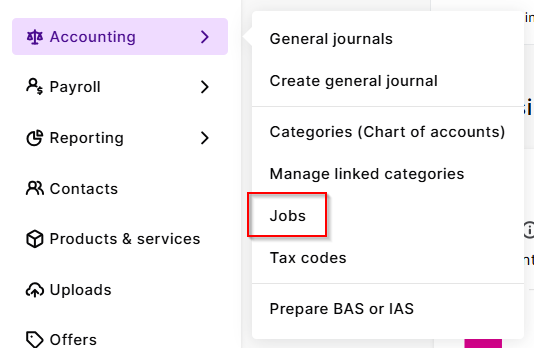
Create a new MYOB detailed job for the Sub Job, under via Accounting>Jobs>Create Job>
Ensure you refresh the MYOB jobs data in OneCore by navigating to Projects/Jobs>General Settings>Refresh Projects & Jobs
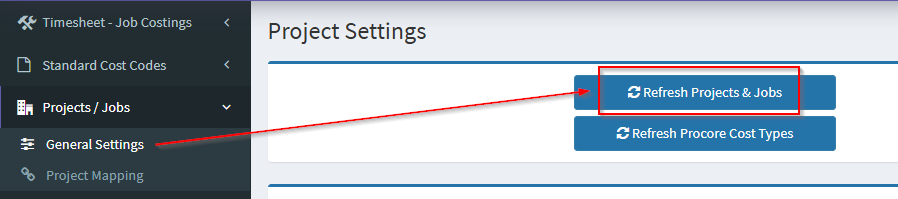
Map the Procore Sub Job to the MYOB detailed job in OneCore, by navigating to:
Sub Jobs -> Sub Job Mapping
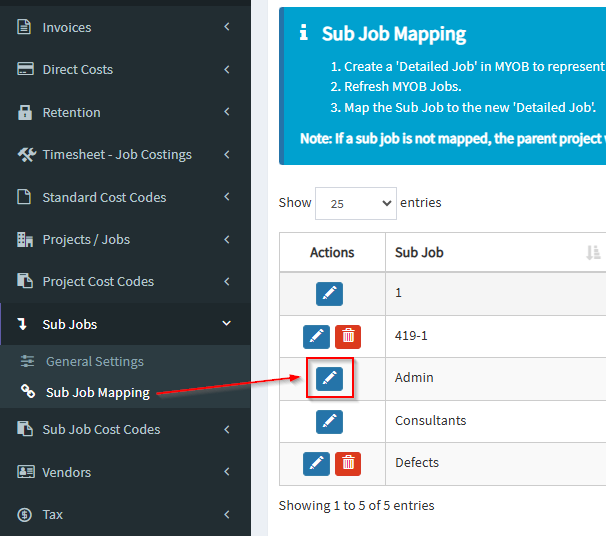
Select the Sub Job to map by pressing the blue ‘Pencil’ icon. A pop up will appear that allows a Xero Tracking Option to be selected.
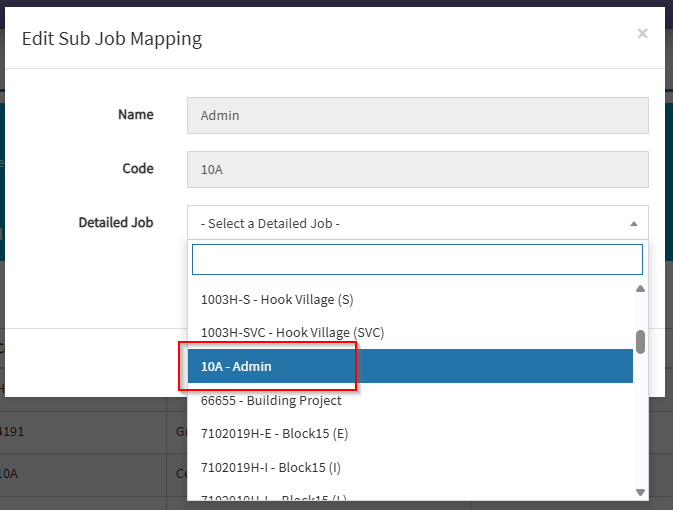
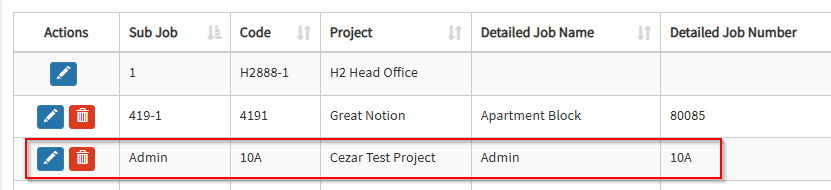
Mapping Sub Job Cost Codes
Sub jobs are jobs within a job and come with its own set of cost codes. Best practice is to use cost codes from your standard cost codes list (where possible) so that mapping is straight forward.
Mapping needs to occur for both expense and revenue.
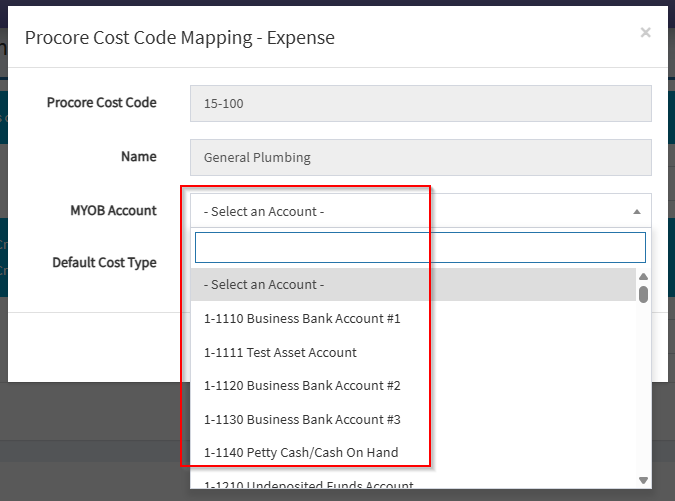
Expense Mapping
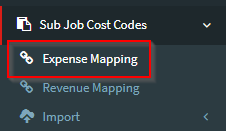
Sub Job Cost Codes -> Expense Mapping
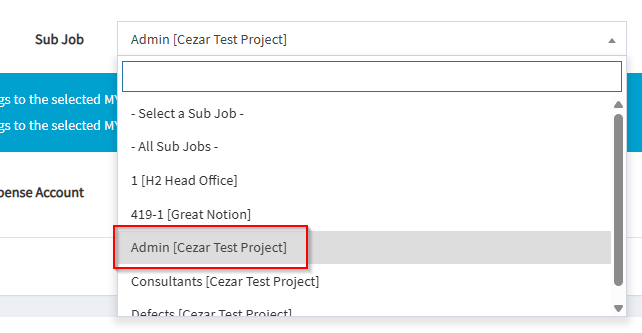
Select the Sub Job from the drop down list.
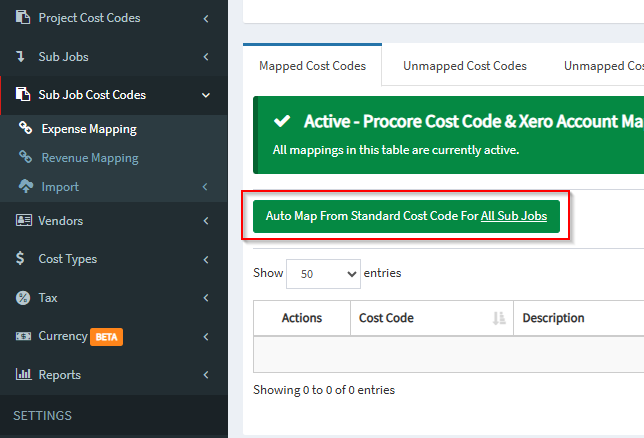
If standard cost codes were used to create the Sub Job cost codes (recommended) simply select the sub job via the drop down and press the ‘Auto map from standard cost code‘ button.

Alternatively, the Auto Map from Standard Cost Codes for All Sub Jobs option can be used when all sub jobs share the same company‑level/Standard cost codes.
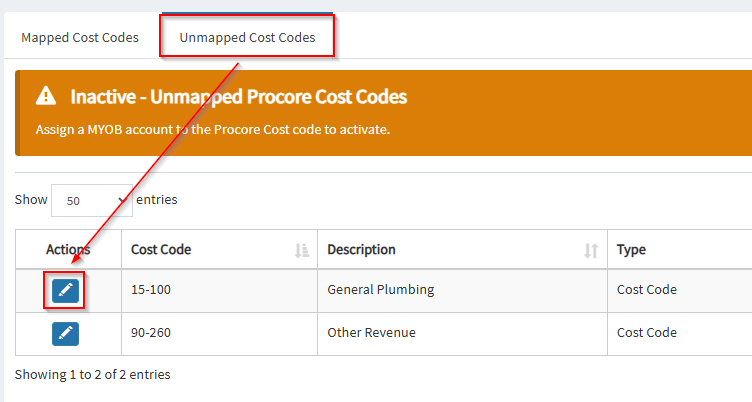
If there are sub job specific cost codes, these will need to be mapped individually by selected the ‘Unmapped Cost Codes’ tab and mapping all cost codes.
Revenue Mapping
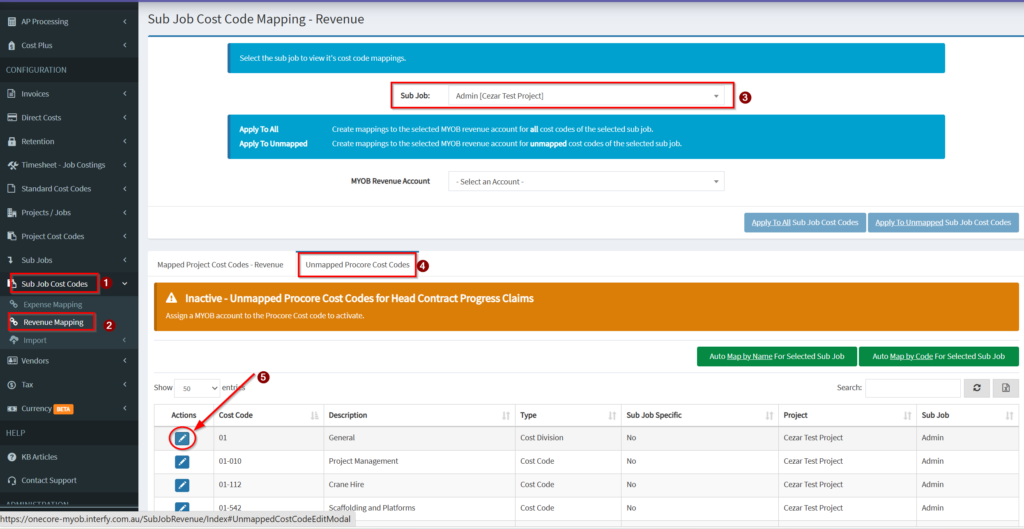
Sub Jobs Cost Codes -> Revenue Mapping
Select the Sub Job from the drop down list.
For customers who report through a single MYOB sales account, selecting this account in the “Apply to All” drop down and pressing “Apply to Selected Project” will complete the revenue mapping.
If there are sub job specific cost codes that require different sales account mappings, these will need to be mapped individually by selected the ‘Unmapped Cost Codes’ tab and mapping all cost codes.