In OneCore MYOB, budget codes can be mapped to their corresponding MYOB accounts to ensure accurate cost allocation and financial reporting.
The budget code structure may consist of a combination of cost codes, cost types, sub-jobs, and additional segments, depending on the configuration defined in the Budget Code Structure settings.
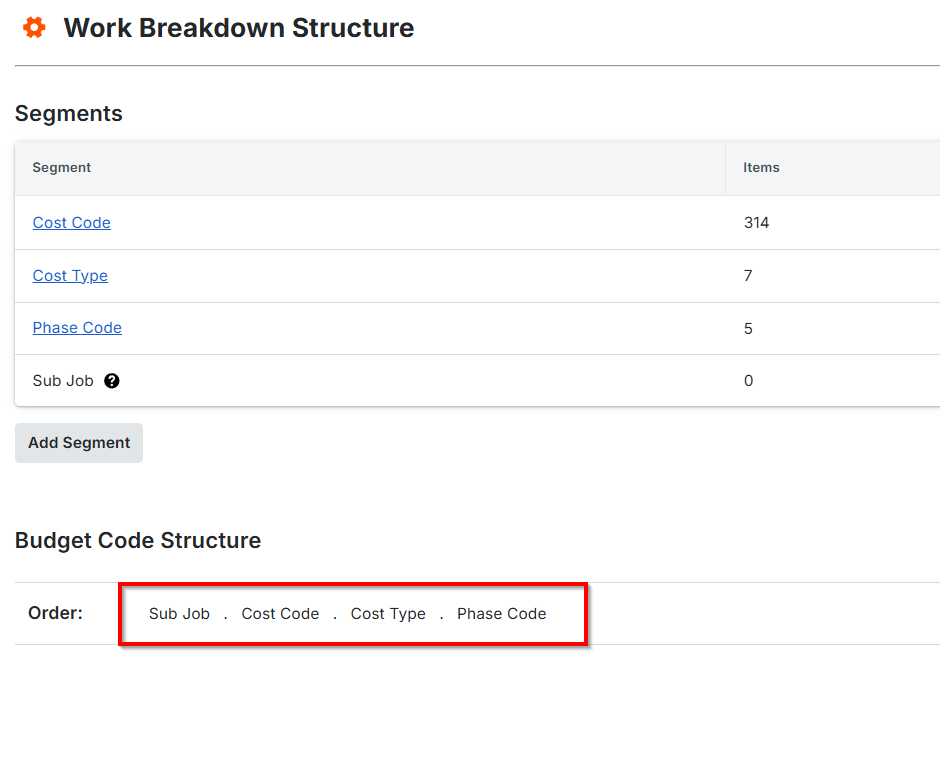
This mapping configuration also supports mapping a single Procore cost code with different cost type or segment combinations to a corresponding MYOB account.
Example: One cost code with four different cost types mapped to a corresponding MYOB account.

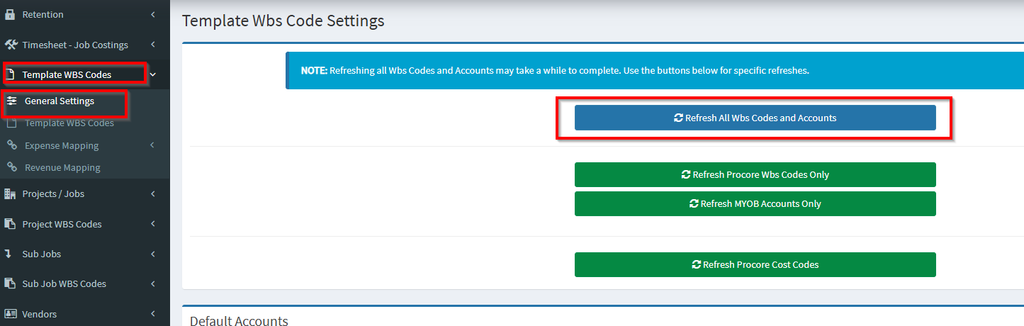
Refresh All WBS (Work Breakdown Structure) Codes and Accounts
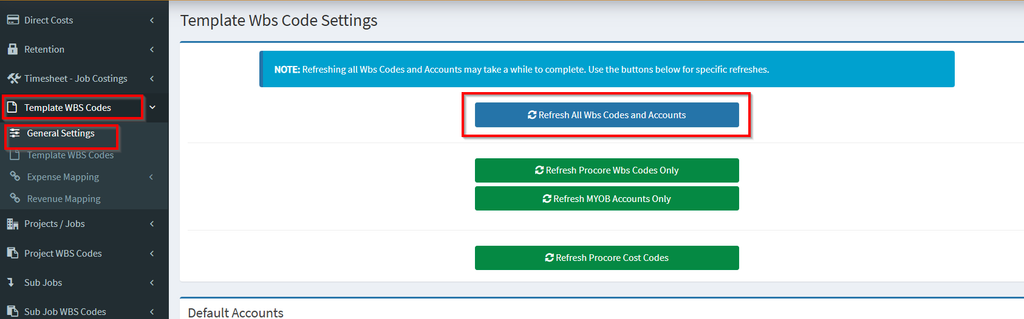
Navigate to OneCore > Template WBS Codes and click Refresh All WBS Codes and Accounts. This action updates and synchronizes the latest WBS codes and account information from Procore and MYOB, ensuring the integration reflects the most current data.
Project WBS Mapping
- Expense Mapping – Procore to MYOB and MYOB to Procore
- Revenue Mapping – Procore to MYOB
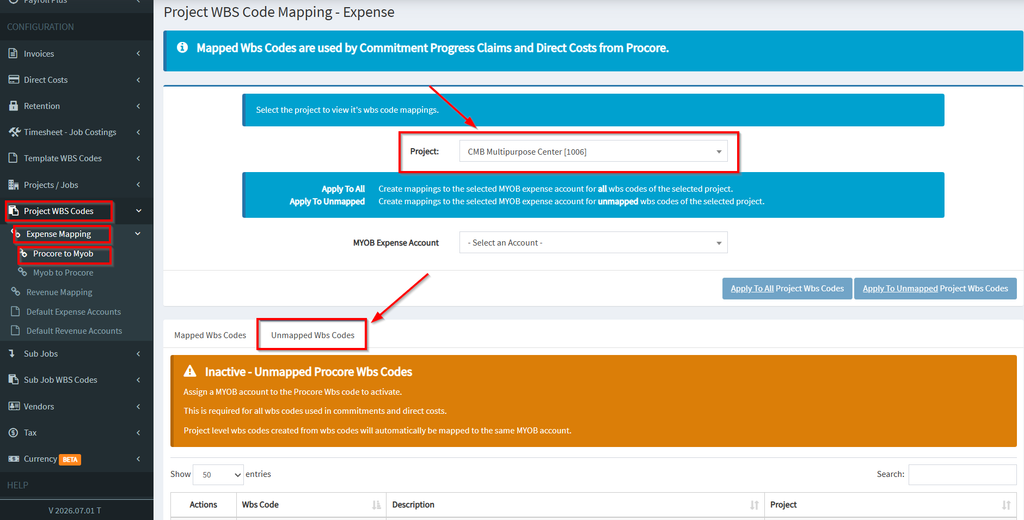
Expense Mapping (Procore to MYOB)
Navigate to Project WBS Codes>Expense Mapping>Procore to MYOB
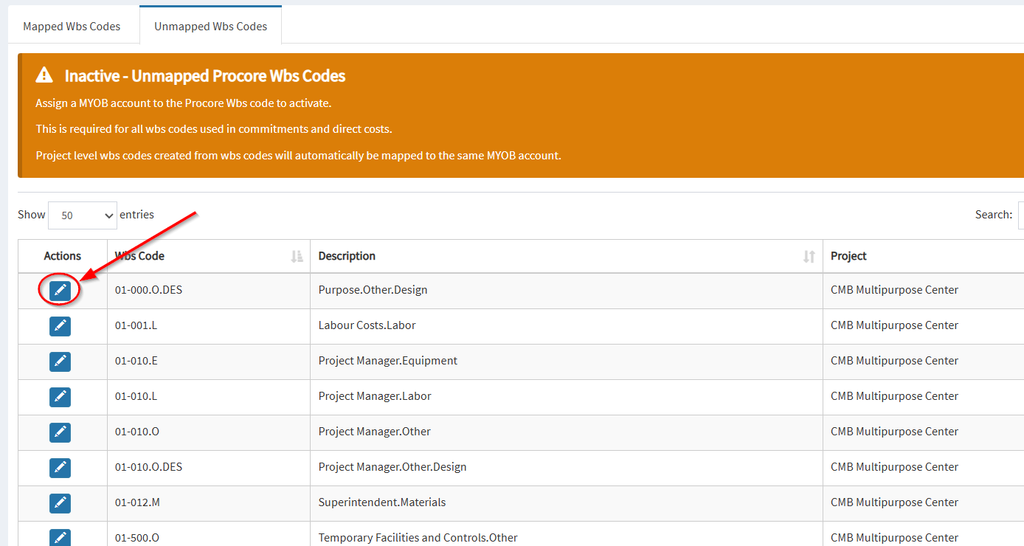
Select the project and navigate to the Unmapped WBS Codes Tab
Click the blue pen icon to map selected Wbs code.
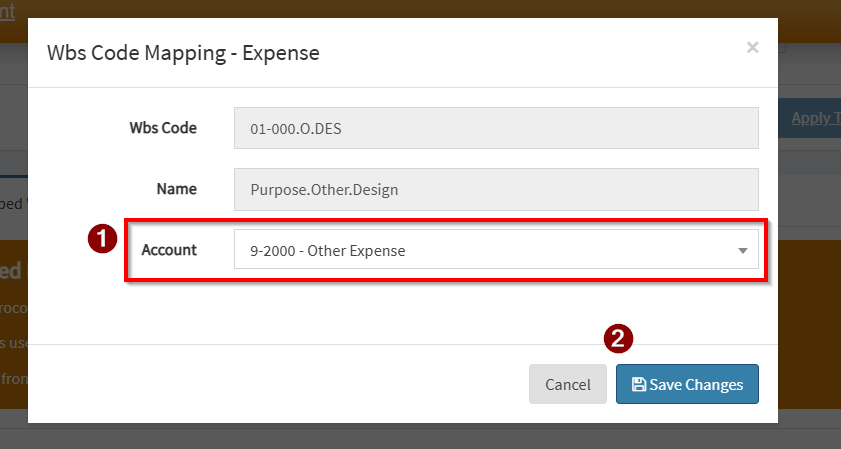
Select the corresponding MYOB account and save changes.
Expense Mapping (MYOB to Procore)
Navigate to Project WBS Codes>Expense Mapping>MYOB to Procore
Select the project and navigate to the Unmapped MYOB Accounts Tab
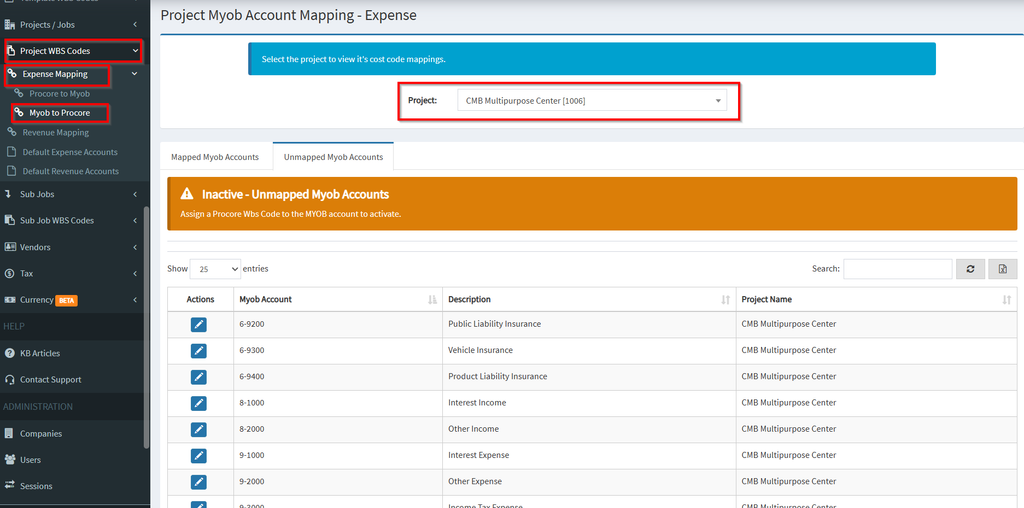
Select the MYOB account and click the blue pen icon to map.
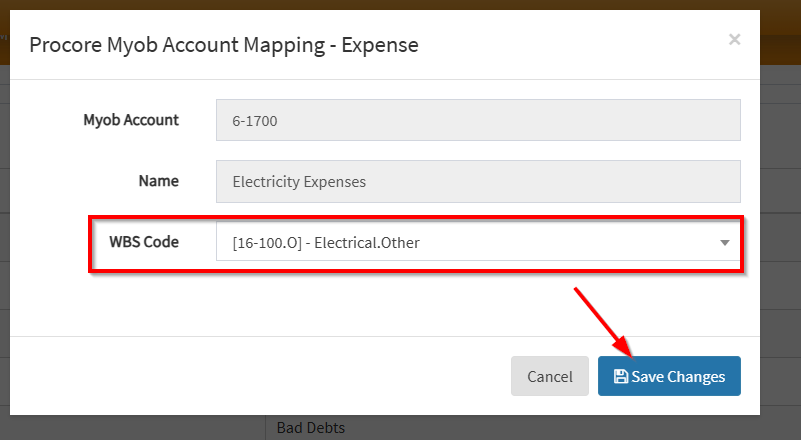
Select the WBS Code and save changes.
Revenue Mapping
Navigate to Project WBS Codes>Revenue Mapping>Select Project>Unmapped WBS Codes.
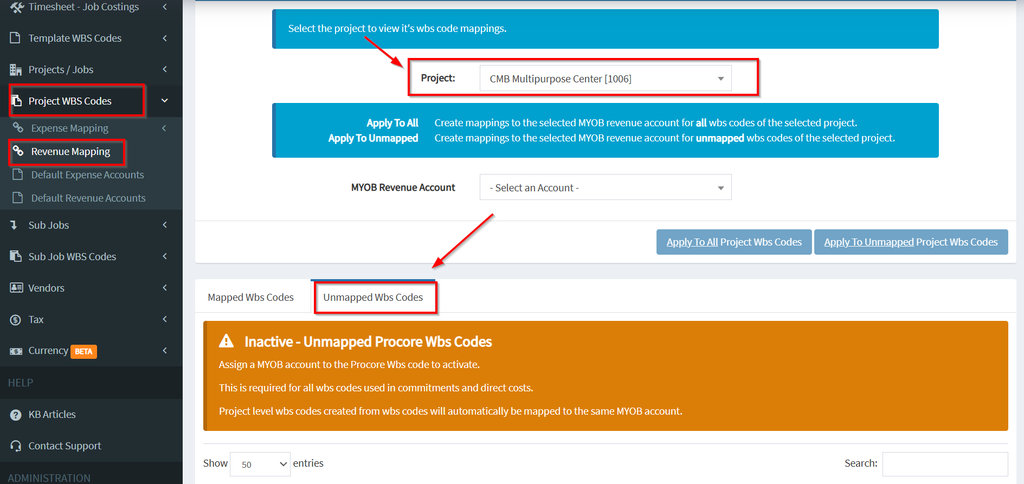
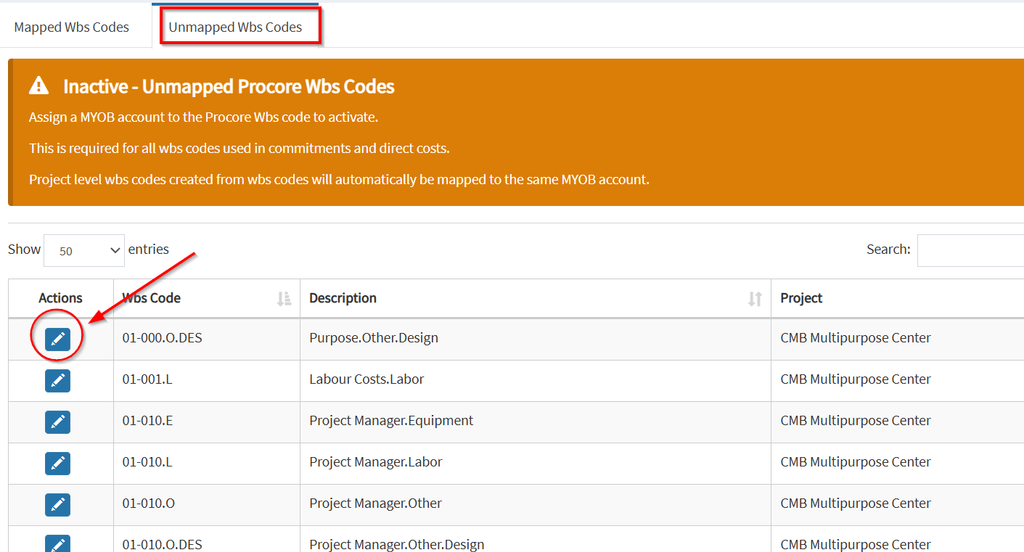
Click the blue pen icon to map selected Wbs code.
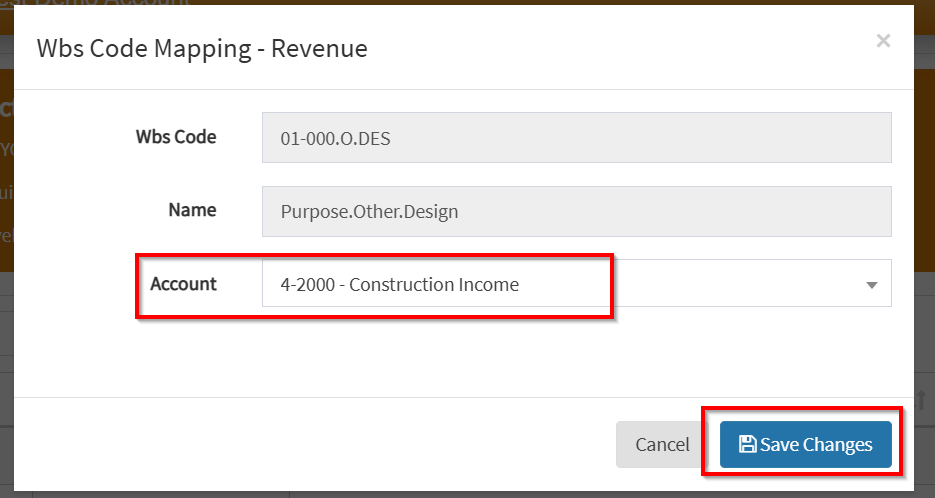
Select the MYOB Revenue account and save changes.
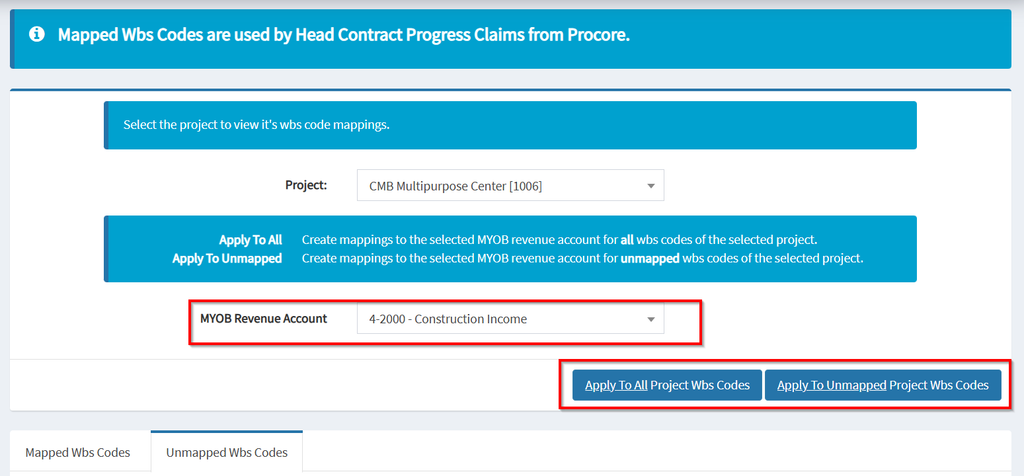
Alternatively, a MYOB revenue account can be selected from the dropdown which can then be bulk mapped to the project revenue Wbs codes.
Template WBS Codes
With template WBS Codes, standard mappings can be applied to project level WBS mappings based on an existing project’s WBS Codes.
- Refresh all WBS Codes and Accounts
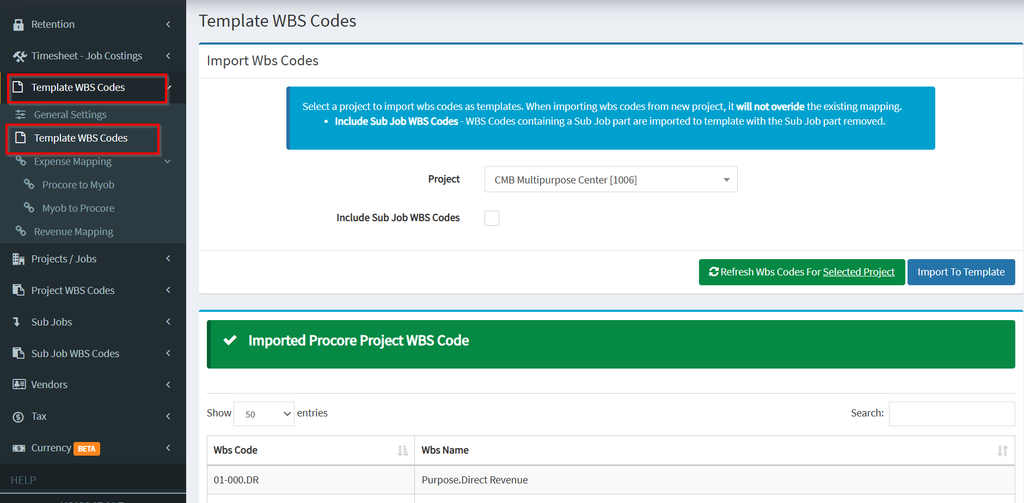
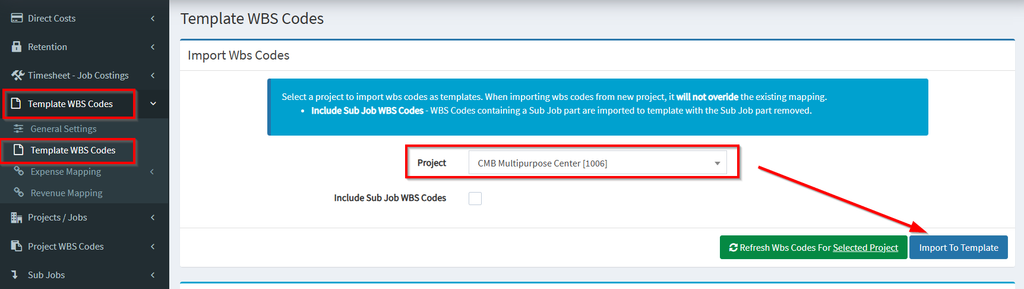
2. Select Project and click on Import To Template, this will populate the list with the project’s current budget codes.
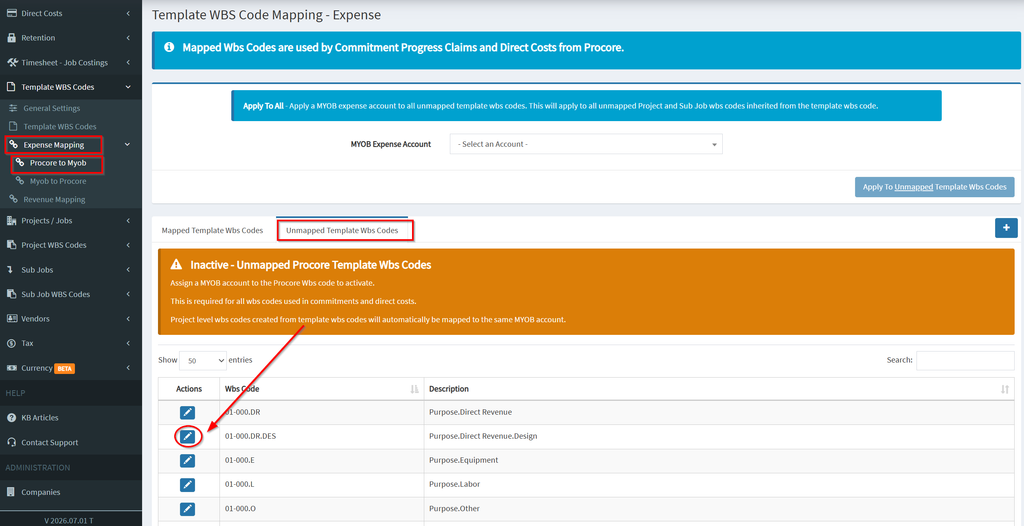
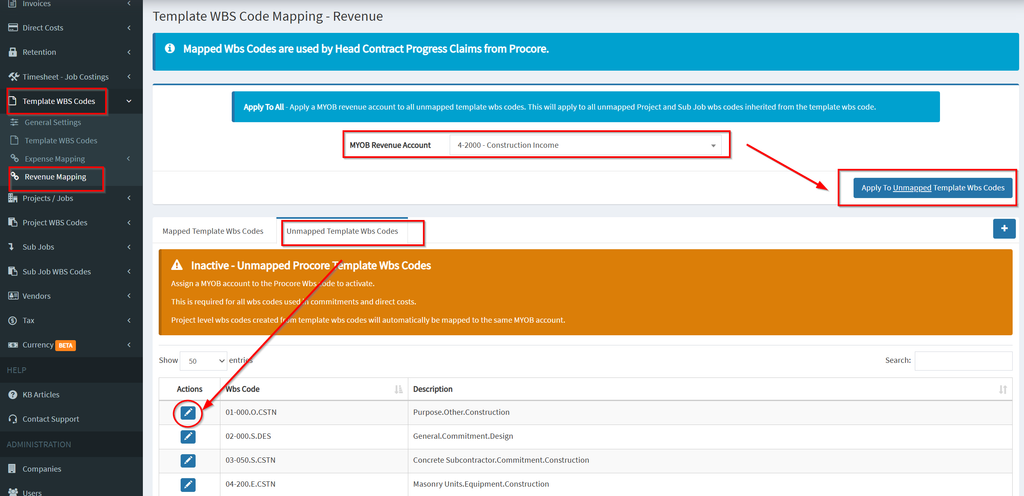
3. Procore to MYOB Expense Mapping: Under the Unmapped Template WBS Codes tab, map the required Wbs codes to a corresponding MYOB account.
4. MYOB to Procore Expense Mapping: Under the Unmapped Accounts Tab, manually map the required MYOB Accounts to a corresponding Wbs code.
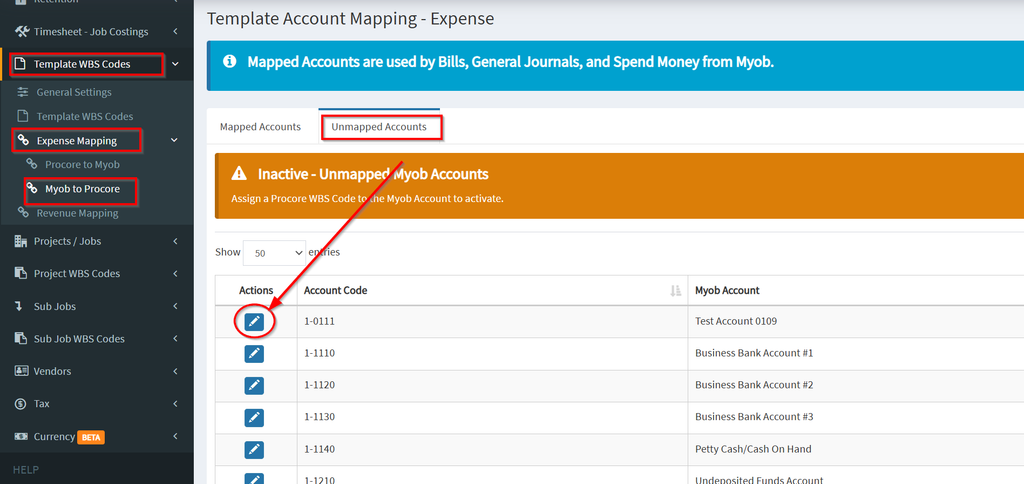
5. Revenue Mapping: Under the Unmapped Template Wbs Codes, either manually map each Wbs Codes or select a MYOB Revenue account to bulk map to all unmapped Wbs codes.
6. Navigate to Project WBS Codes
Expense Mapping: Procore to MYOB and Myob to Procore
Revenue Mapping
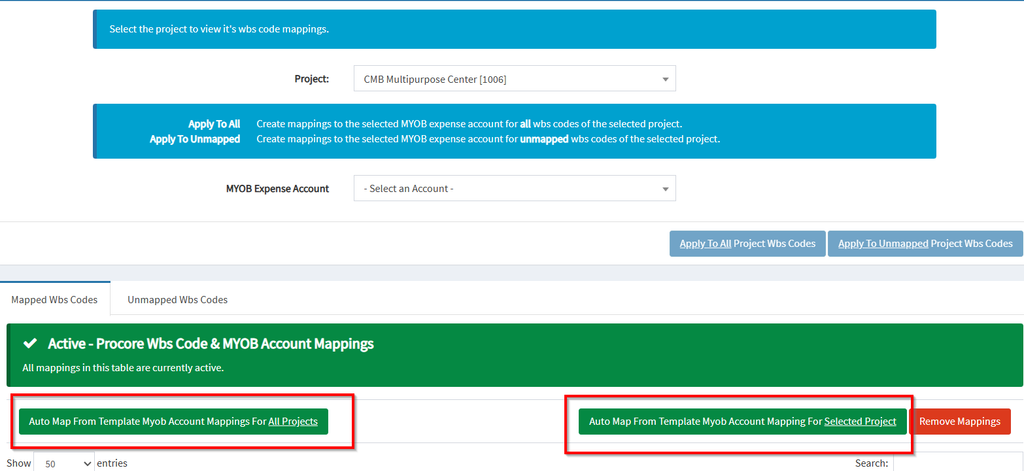
- Option 1: Auto Map From Template MYOB Account Mappings For All Project
- Option 2: Auto Map From Template MYOB Account Mappings For Selected Project