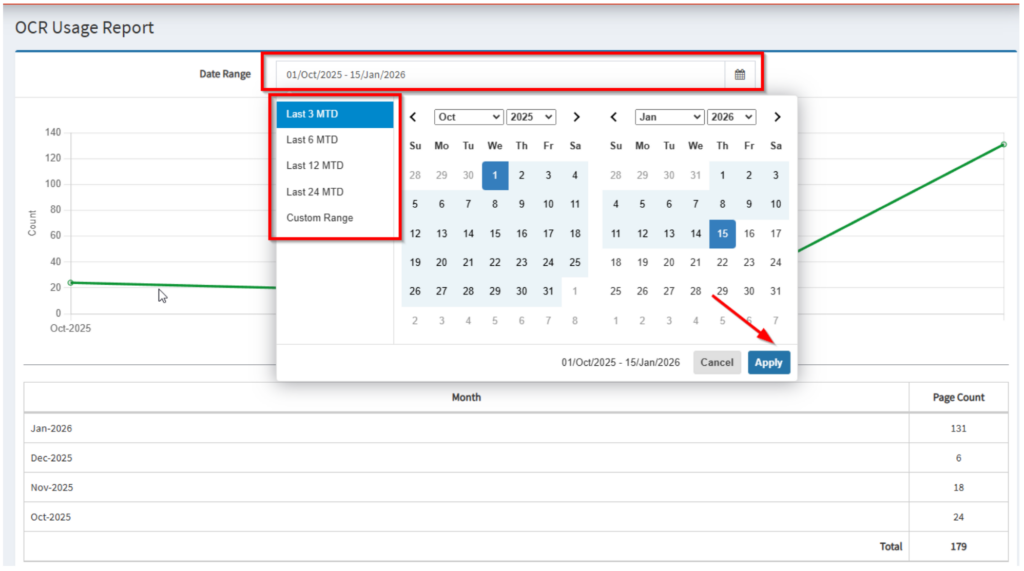
Note: Applies only to AP Processing modules with the OCR add‑on enabled.
The OCR Usage Report provides visibility into Optical Character Recognition (OCR) page usage within the Accounts Payable (AP) processing. It helps users monitor month-to-date OCR consumption and review detailed page counts for reporting and reconciliation.
Navigation
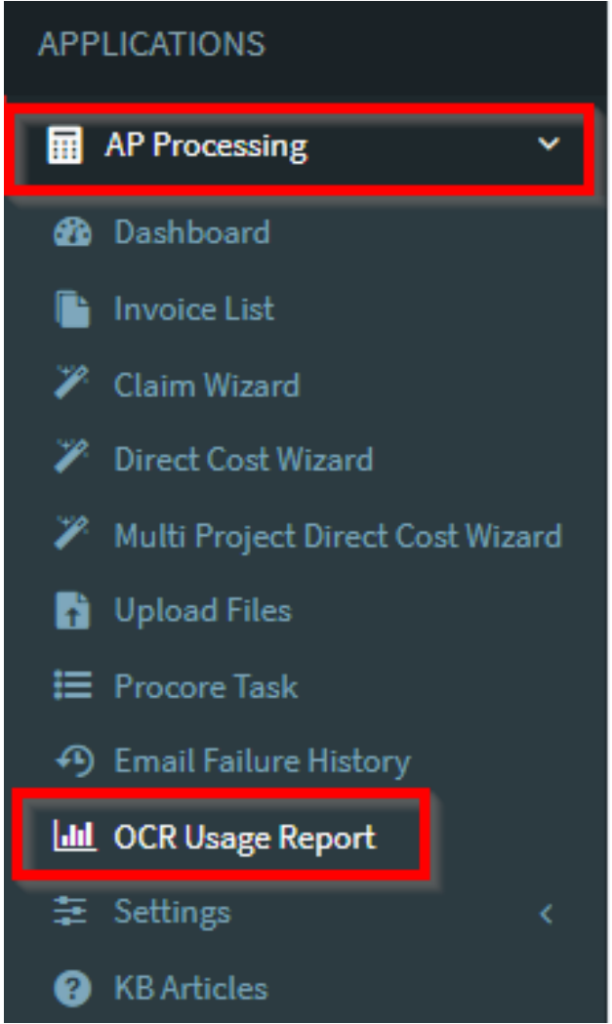
- Go to AP Processing
- Select OCR Usage Report
Dashboard
The dashboard presents OCR usage data in both graphical and tabular formats for easy
analysis.
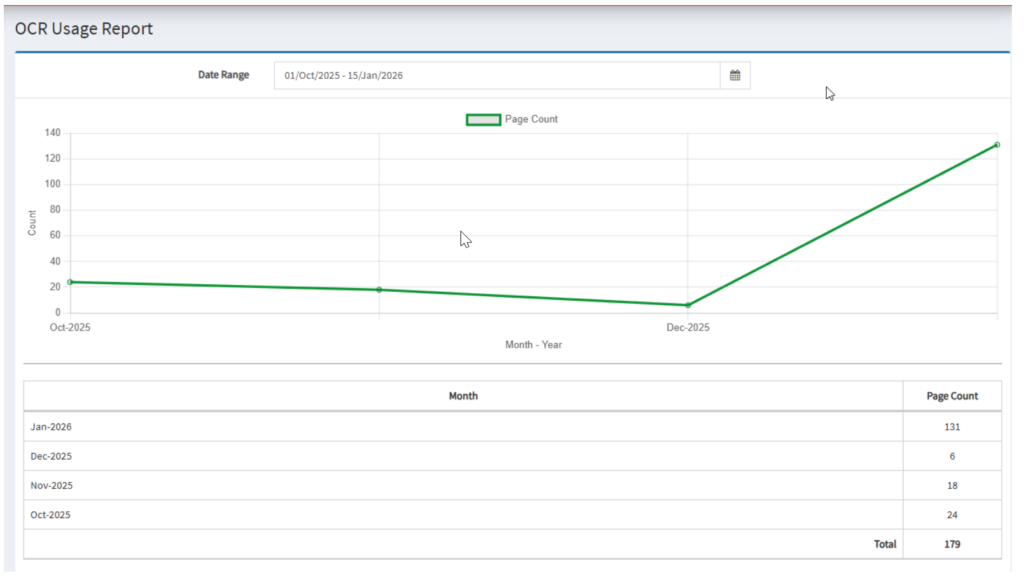
Graph View
- Displays a graphical interface of month-to-date OCR page counts
- Provides a quick visual summary of OCR consumption over the selected period
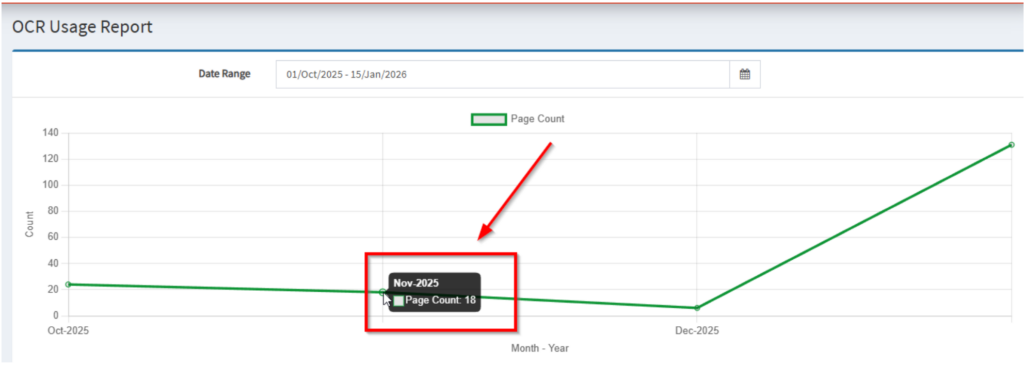
Table View
- Displays a table view of page counts
- Useful for reviewing exact usage values and performing detailed checks

Date Range
- Use the Date Range filter to limit the report to specific dates
- Adjusting the date range updates both the graph and table views accordingly