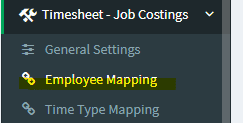
1. Go to Timesheet – Job Costings > Employee Mapping
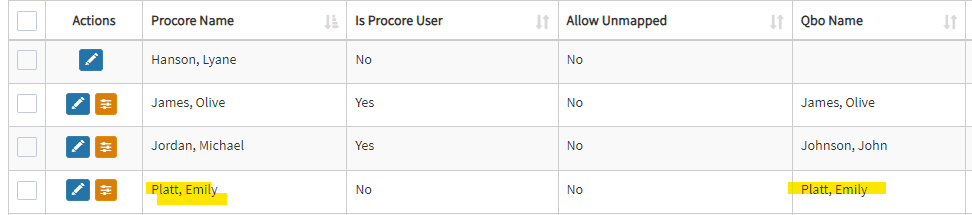
2. Ensure that the desired Procore Employee is already mapped to QBO.
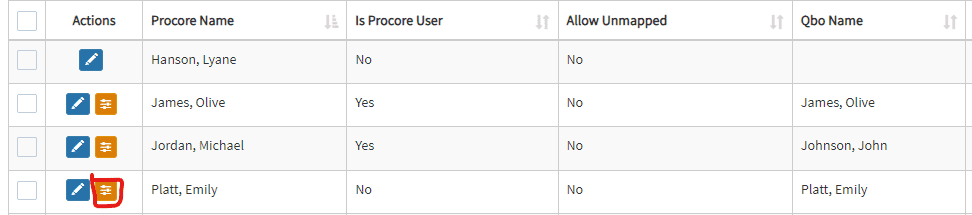
3. Click the yellow icon.
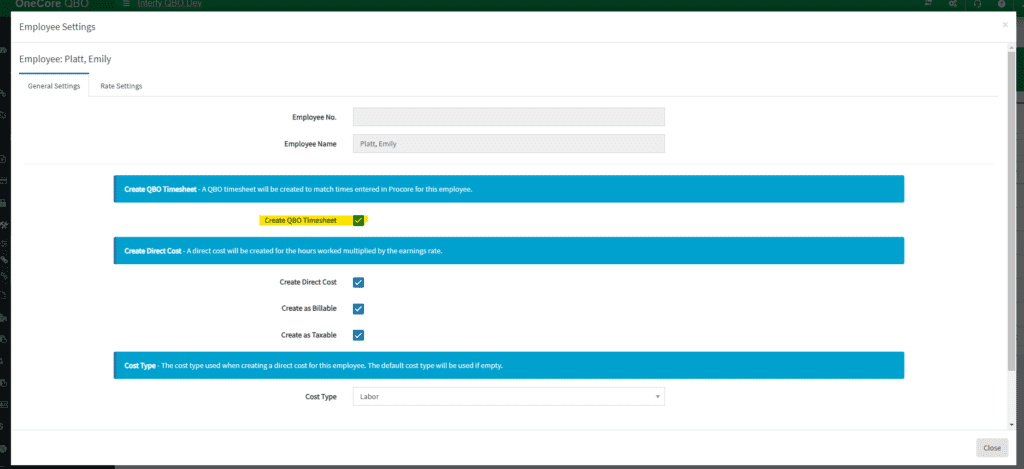
4. Make sure the “Create QBO Timesheet” is checked, and click Save General Settings.

1. Go to Timesheet – Job Costings > Employee Mapping
2. Ensure that the desired Procore Employee is already mapped to QBO.
3. Click the yellow icon.
4. Make sure the “Create QBO Timesheet” is checked, and click Save General Settings.