In short, yes you can. Here’s how.
Head Contract Claim
Method 1 – From QuickBooks Online (Highly Recommended)
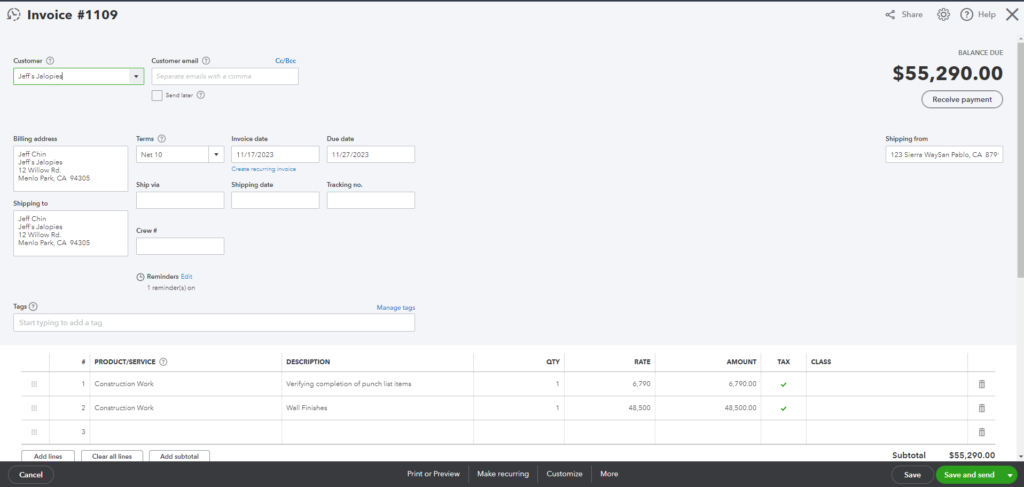
In this demonstration, I will be showing you the recommended method to update your QuickBooks Invoice.
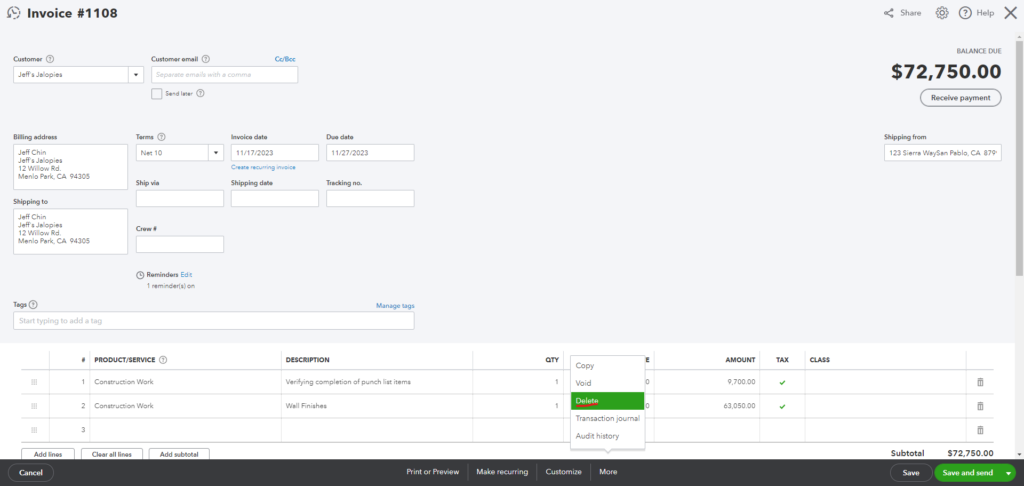
This is my QuickBooks Invoice from Procore Head Contract Claim that is generated by OneCore
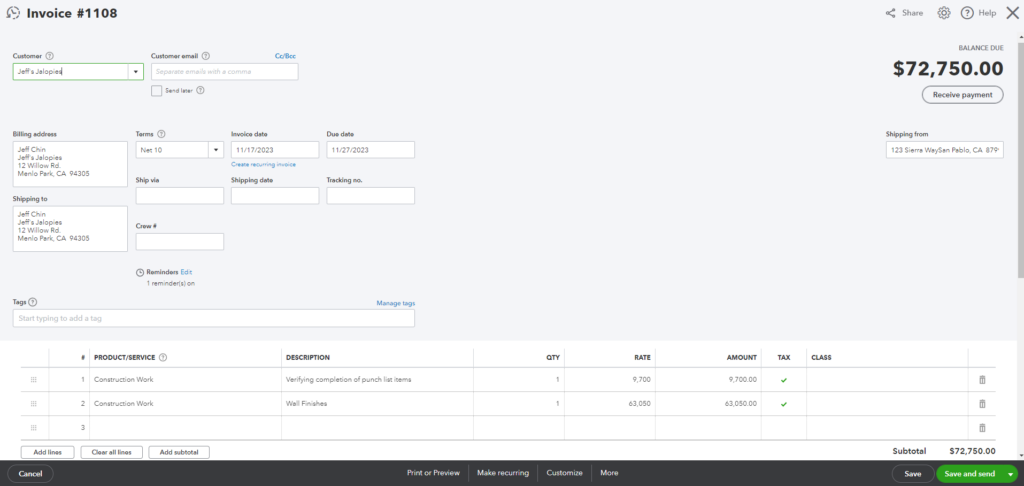
Head Contract Claim
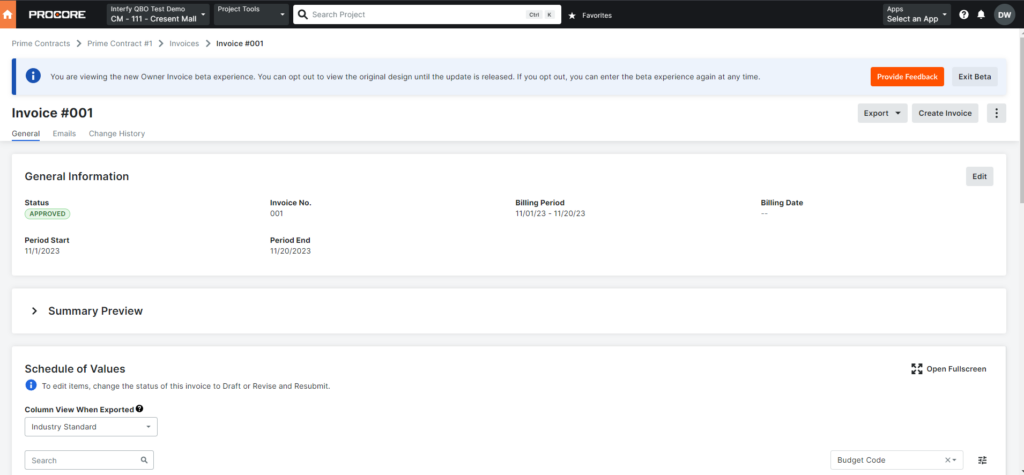
Schedule of Values
Steps:
1. Delete the QuickBooks Invoice.
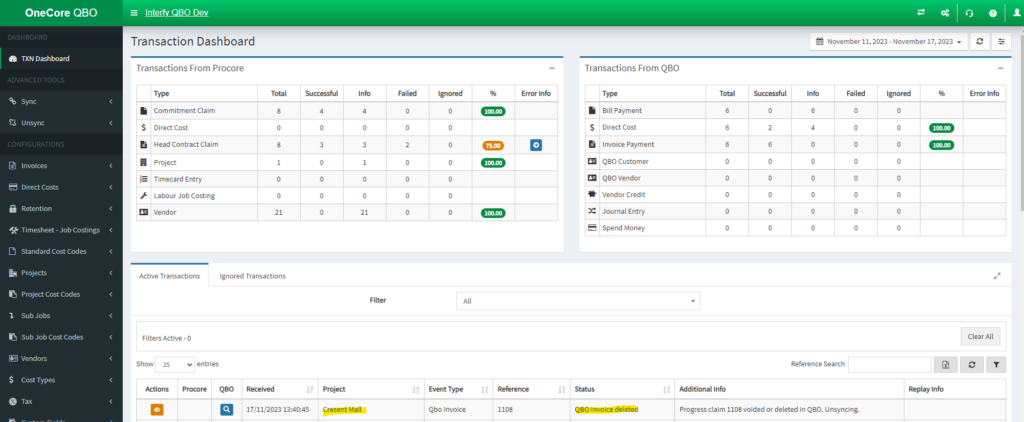
2. Navigate to the OneCore QBO Transaction Dashboard to check the process.
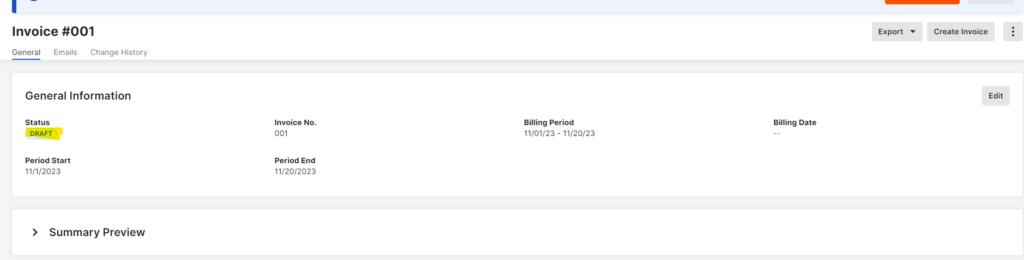
3. Once the transaction is processed, go to your Head Contract Claim Invoice in Procore. You should see the status in the invoice should be marked as “Draft.”(handled by OneCore.)
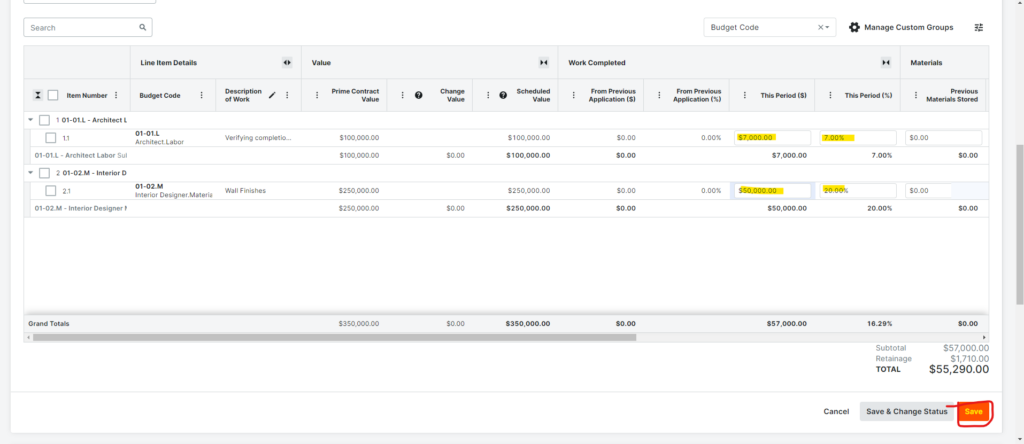
4. Make any necessary edits, then set the Status back to approve.
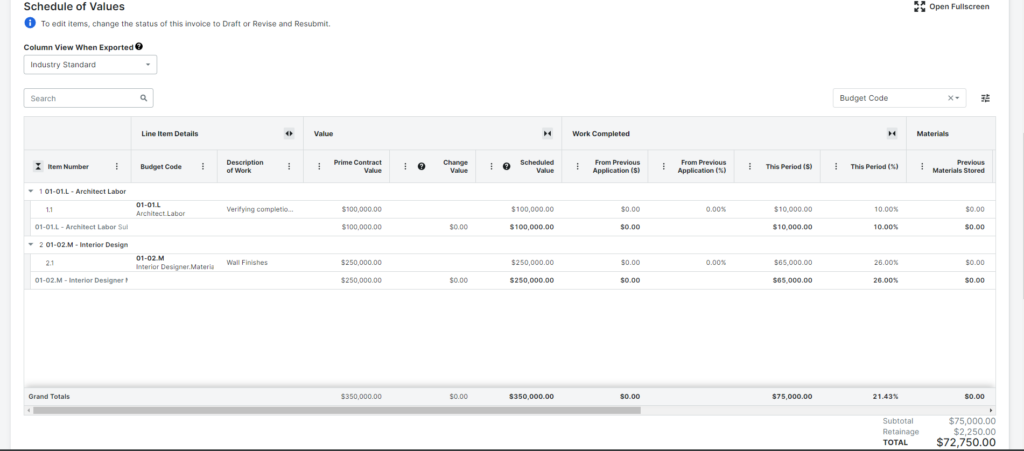
For demonstration purposes, I will update my Schedule of Values. Click save once you are done.
Go to General Information, click Edit, and set the Status back to ‘Approved.’. Finally, click save.
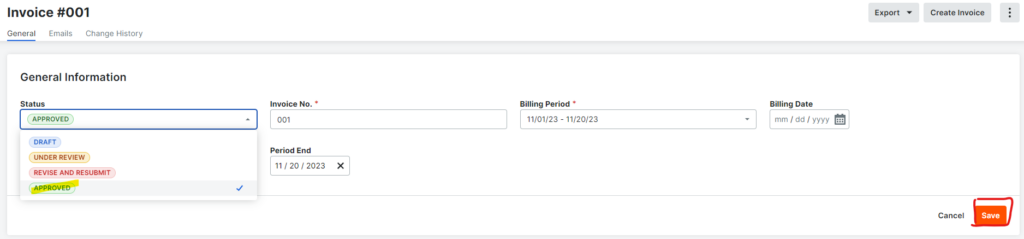
5. Navigate to the OneCore QBO Transaction Dashboard to check the process.
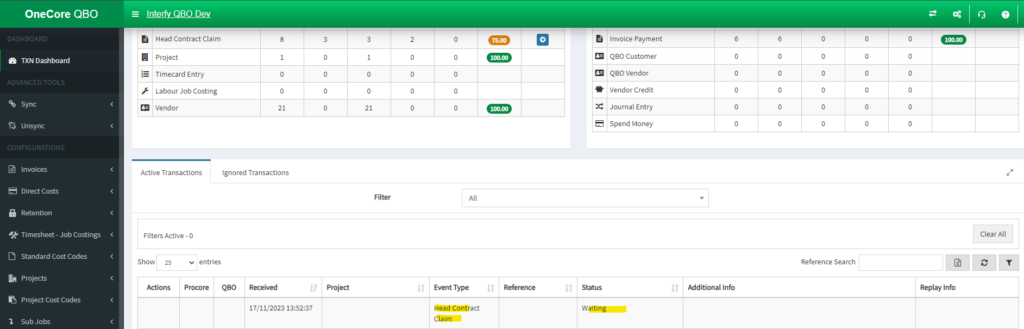
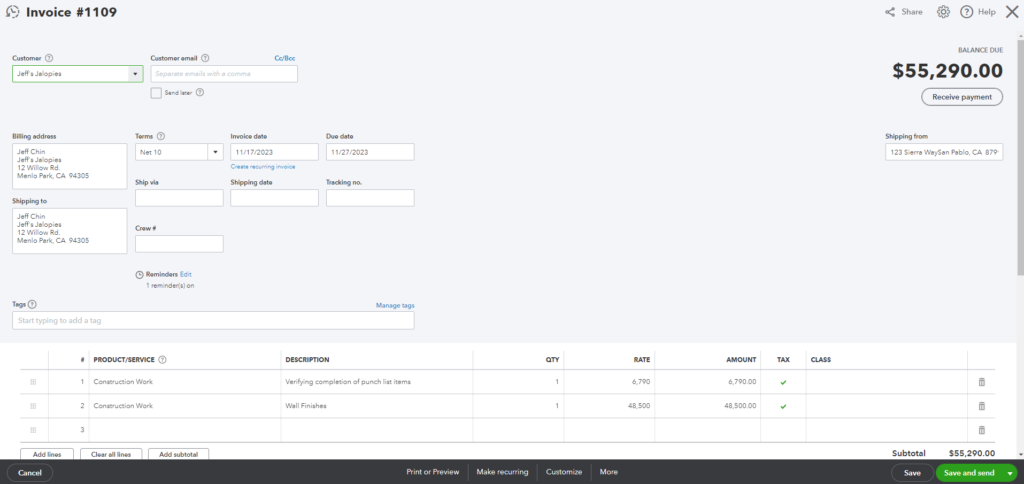
6. Once the transaction is successful, kindly click the Search Icon in the QBO column to see your invoice.

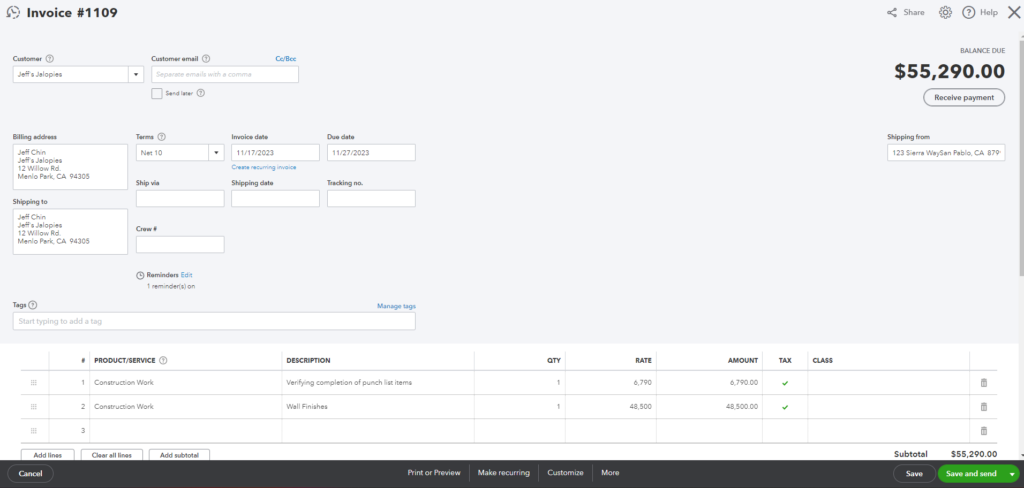
Your updated Head Contract Claim is reflected in the QuickBooks Invoice.
Method 2 – From Procore
NOTE: There must no be any Invoice Payment in the QuickBooks invoice that is linked to Head Contract Claim otherwise it wouldn’t work!
In this demonstration, I will be showing you the recommended method to update your QuickBooks Invoice.
This is my QuickBooks Invoice from Procore Head Contract Claim that is generated by OneCore
- Notice that the invoice does not have any associated Invoice Payments.
Head Contract Claim
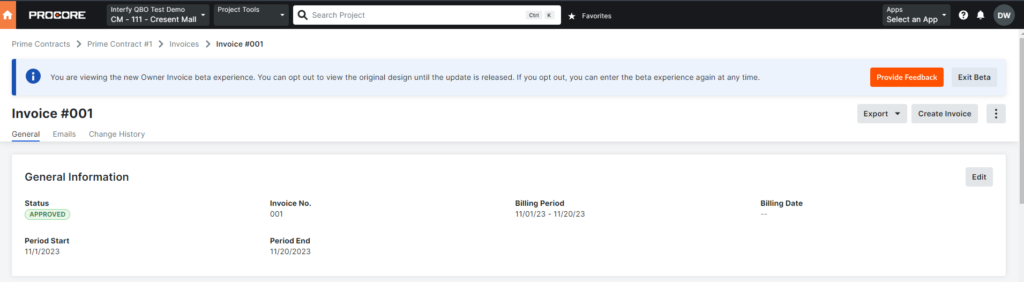
Schedule of Values:
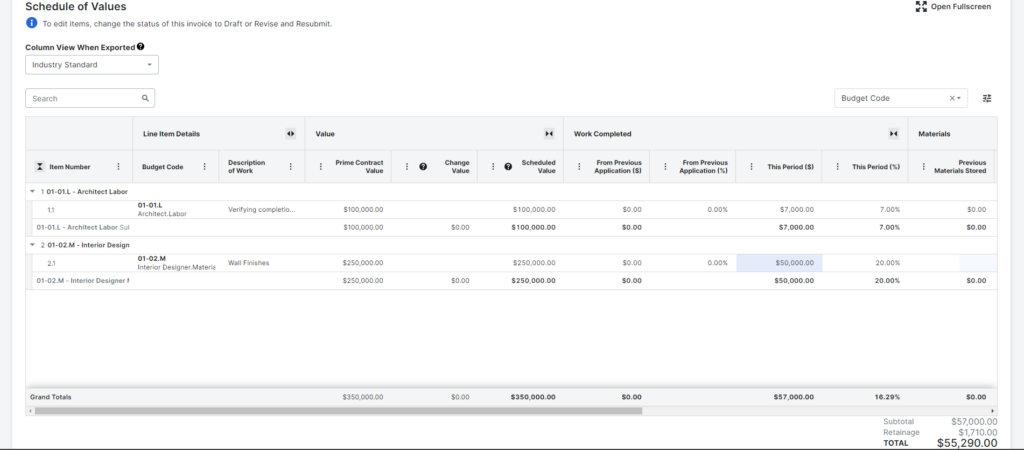
Steps:
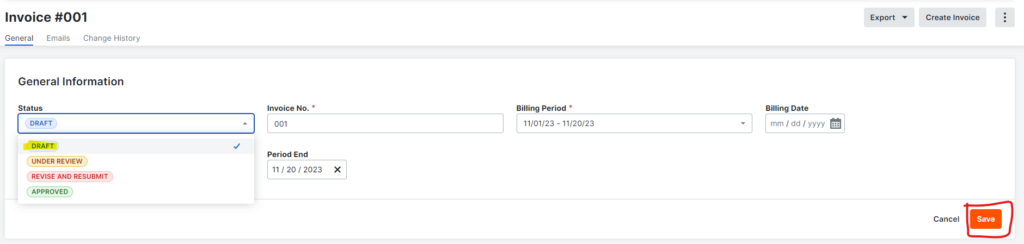
1. Set the Head Contract Claim Invoice’s status back to “Draft”, and click Save.
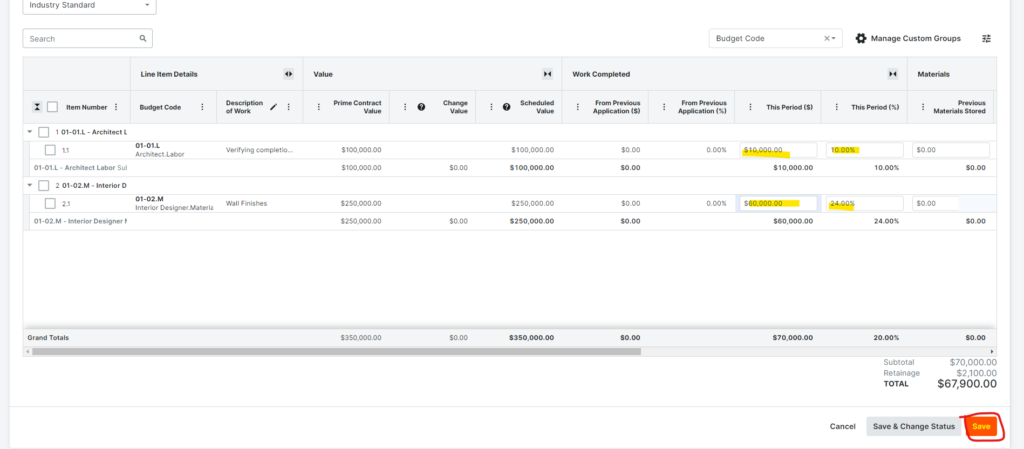
2. Make necessary changes, then set the Status back to approve.
For demonstration purposes, I will update my Schedule of Values. Click save once you are done.
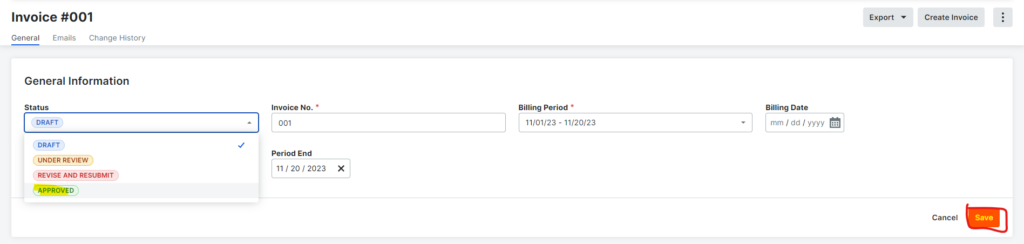
Go to General Information, click Edit, and set the Status back to ‘Approved.’. Finally, click save.
3. Navigate to the Transaction Dashboard in OneCore QBO, and click the Search Icon in the QBO column to see the reflected changes.

Your updated Head Contract Claim is reflected in the QuickBooks Invoice.