
We are excited to announce the release of AP Processing V4, packed with new features and improvements to enhance your experience.
Key Features and Enhancements
- Auto Publish Feature For Pending Claims
- Duplicate File Upload Detection With Ability To Ignore The Duplicates
- Ability To Prefill Values To An Invoice
- Selection Of Automatic Email Attachment Types
- Email Failure Log
- Separate Task Creation Tool
- Creating A New Claim Will Now Show Previously Claimed Amounts
- Ability To Apply Retention Across All Line Items When Creating Claims
- Ability To Delete a Pending Claim
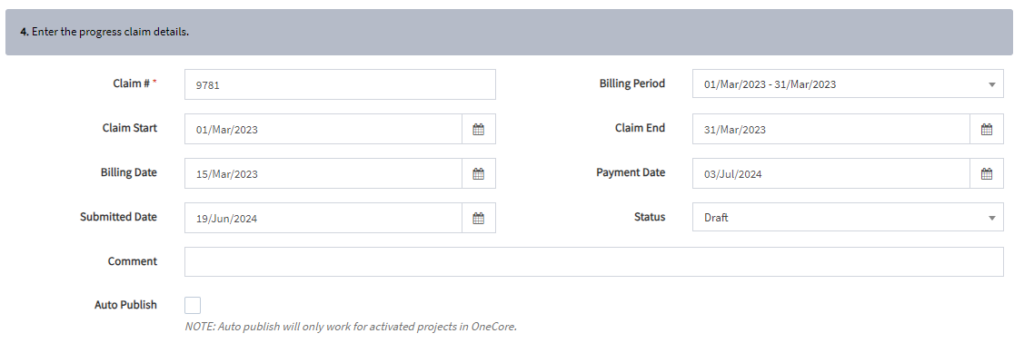
1. Auto Publish Feature For Pending Claims
When entering progress claim details, user will be presented with a “Auto Publish” checkbox. Enabling this checkbox will automatically push progress claims to Procore when the last claim is finally in an approved state. Keeping your records synchronized and up-to-date.
2. Duplicate File Upload Detection With Ability To Ignore The Duplicates (Invoice List)
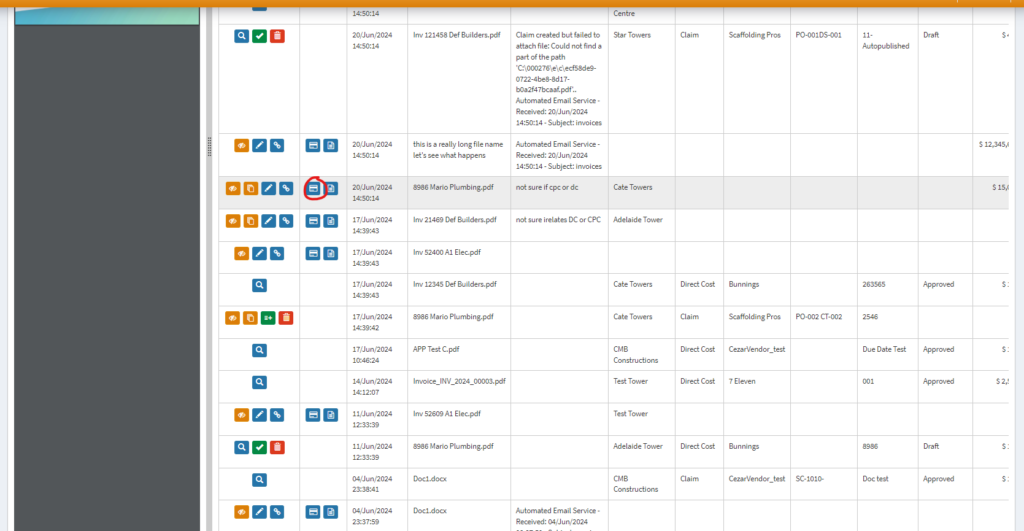
The potential duplicate is designed to detect and helping users to manage duplicate attachments in APP. If we identified there’s some attachment is a potential of duplicate, we will flag them with a icon in dashboard.
Duplicate File Upload Detection
Here are the ways how APP flags potential duplicates:
(1) Table View
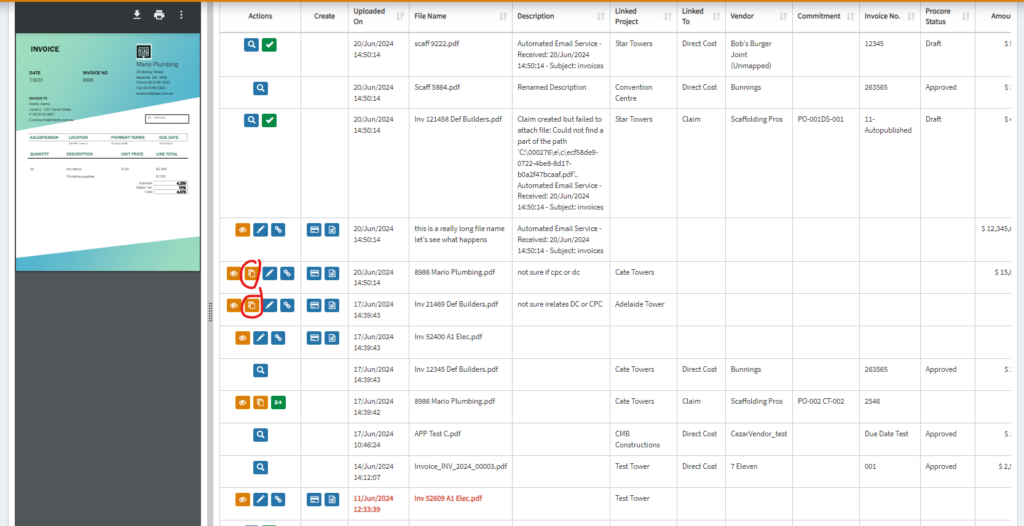
When there’s potential of duplicates, the ‘duplicate icon’ will show in the table as shown above.
(2) When creating a commitment claim/ direct cost
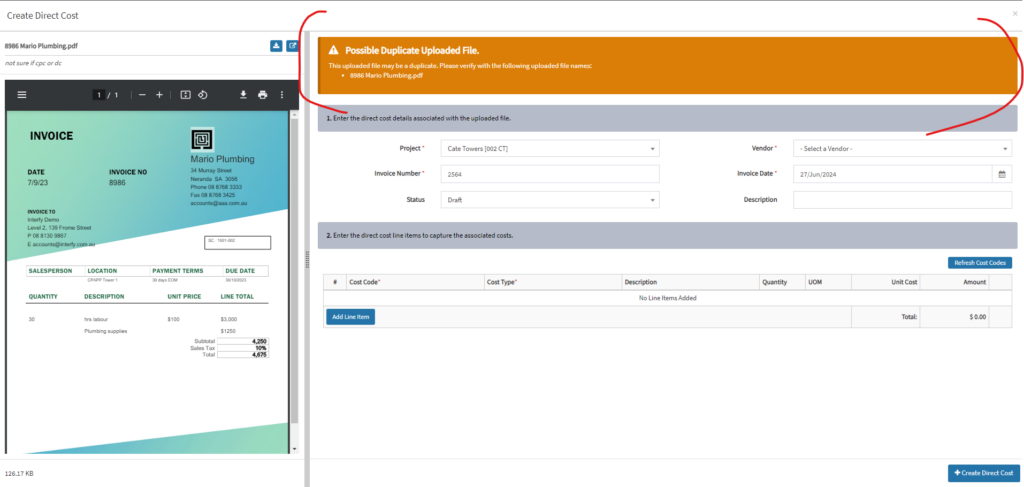
If a user attempts to create a direct cost or claim and there is a potential duplicate, a warning banner will be displayed, indicating the duplicate status.
Ignoring the Duplicates
To remove the duplicates from the APP, here’s how:
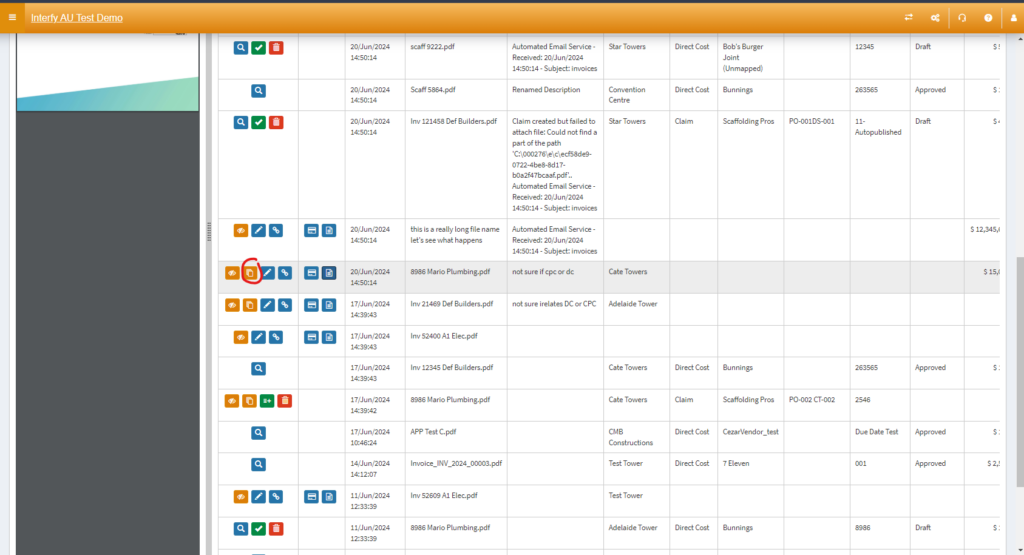
Locate the duplicate icon button in the table and click on it
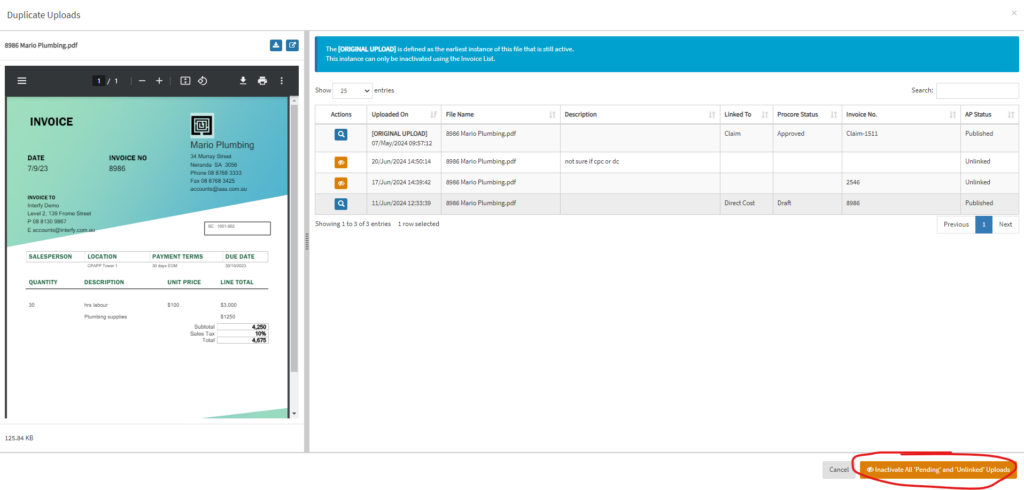
Click Inactivate All ‘Pending’ and ‘Unlinked’ Uploads to deactivate the attachments
By following these steps, users can efficiently manage and ignore duplicated attachments.
3. Ability To Prefill Values To An Invoice (Invoice List)
The prefill values feature is designed to simplify and expedite the invoicing process by automatically populating specific fields in APP with predefined values when assigning to someone within the company.
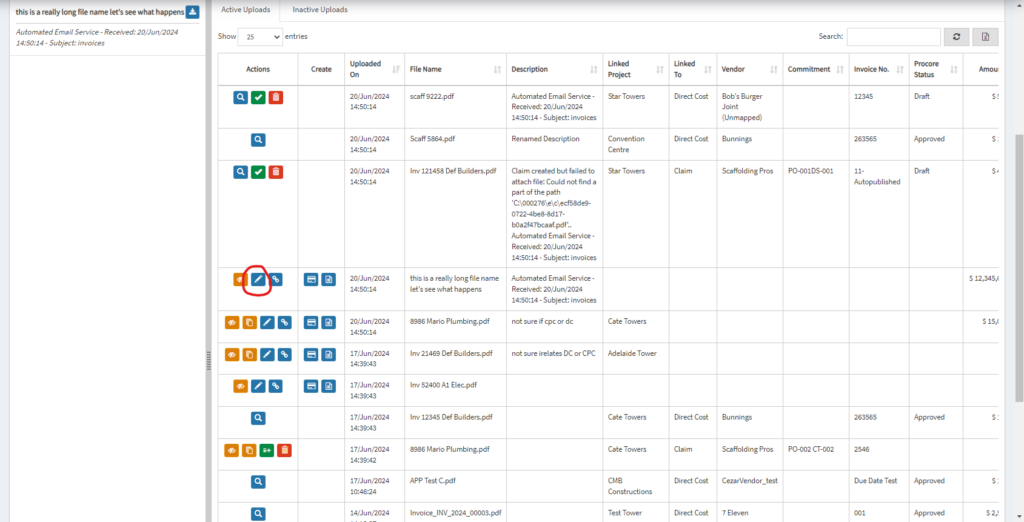
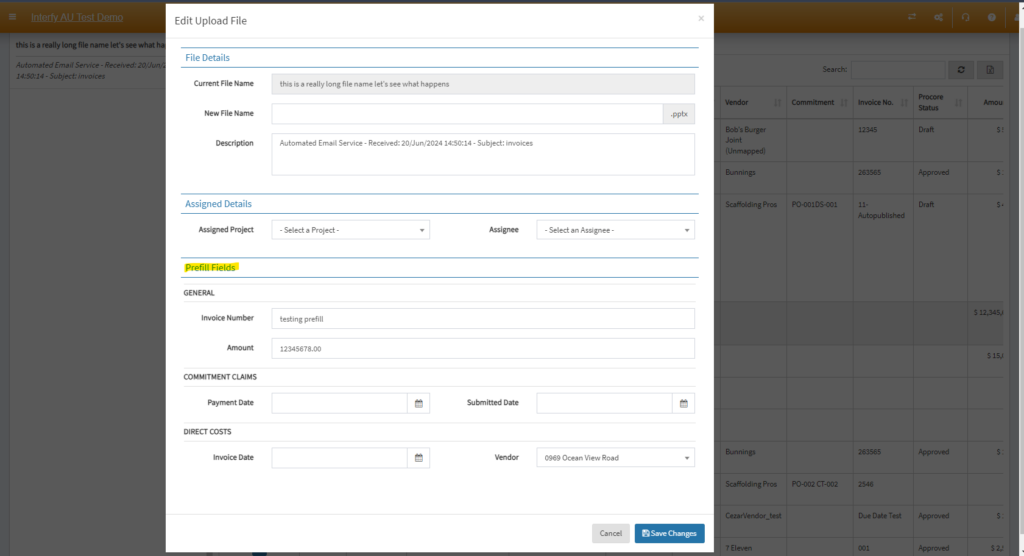
Prefill Fields
General
Invoice Number
- The unique identifier for the invoice associated
- It will be used when pushing to Procore
Amount
- The total amount specified, will be stored within the APP system for internal reference
Commitment Claims
Payment Date
- The date on which the payment was made for Commitment Claim
- It will be pushed to Procore
Submitted Date
- The date on which the invoice was submitted
- It will be pushed to Procore
Direct Costs
Invoice Date
- The date on which the invoice was issued
- It will be pushed to Procore
Vendor
- The name of the vendor who issued the invoice
- It will be pushed to Procore
4. Selection of automatic email attachment types (Settings > General Settings)
Users can now select specific file types to be automatically processed and forwarded, ensuring that only relevant attachments are included.

5. Email Failure Log
The email failure history log allows users to monitor and review any issues that occurred during the forwarding of attachments from the designated domain to the portal.
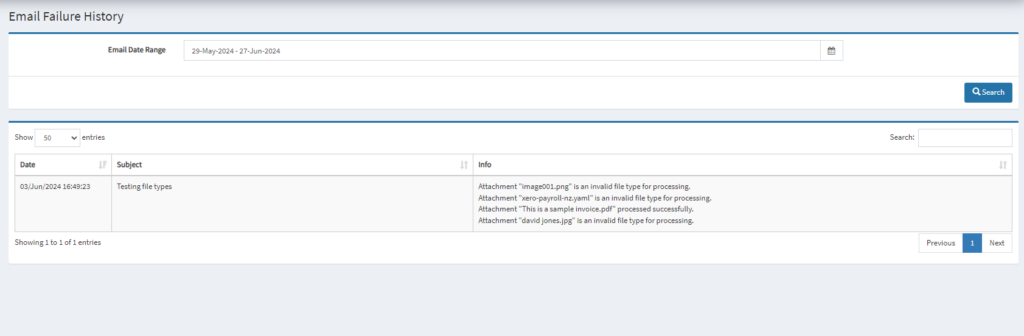
- Top Panel: User can filter the email based on date range in the select list provided
- Bottom Panel: The existing log data query from the date range specified in top panel
6. Separate Task Creation Tool (Procore Task)
APP offers a feature which allow user to create a task item in the portal and assigning it to an employee or staff member for processing
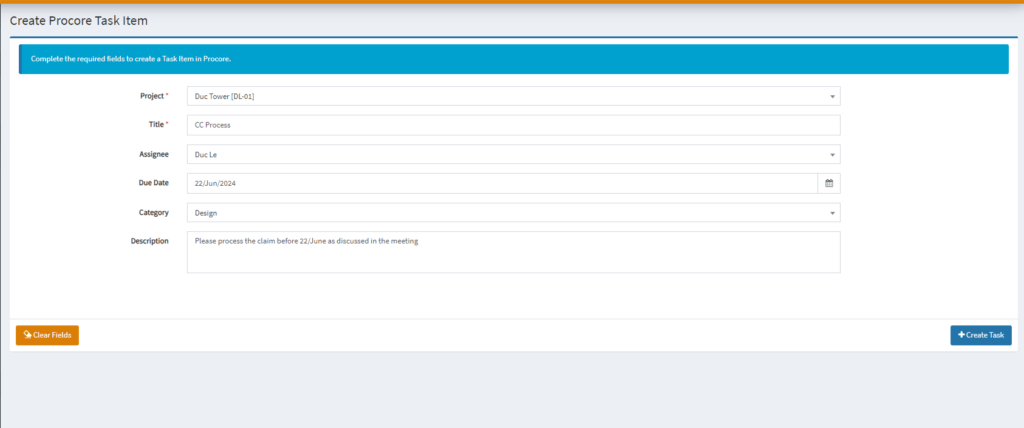
- Hit Create Task once the details are filled
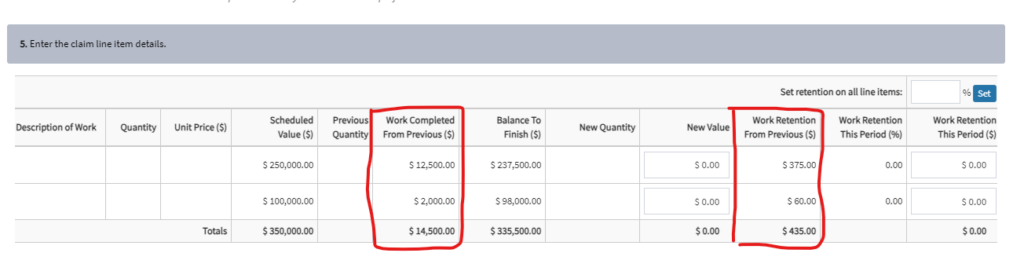
7. Creating A New Claim Will Now Show Previously Claimed Amounts
When creating a claim, you can now view previously claimed amounts in one of the field shown below.
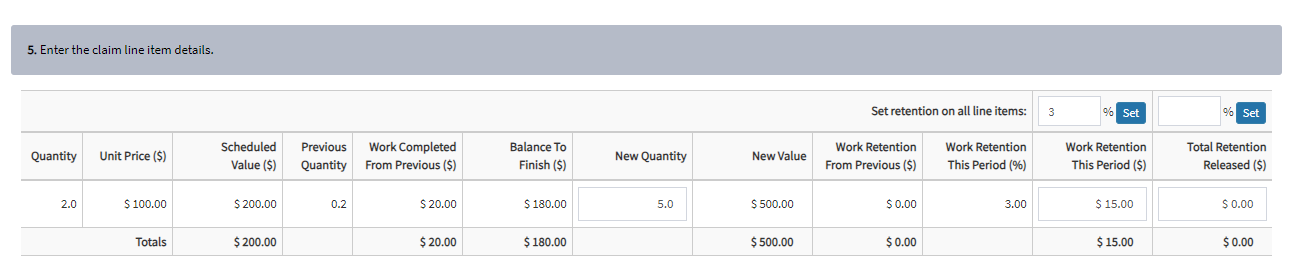
8. Ability to Apply Retention Across All Line Items When Creating Claims
Simplify your claims process with the ability to apply retention across all line items. This ensures that retention is consistently applied, saving time and reducing the risk of errors.
9. Ability to Delete Pending Claim
This feature allows users to delete claims with a pending AP status by clicking the red trash button to ensure invoice list remains accurate and up-to-date
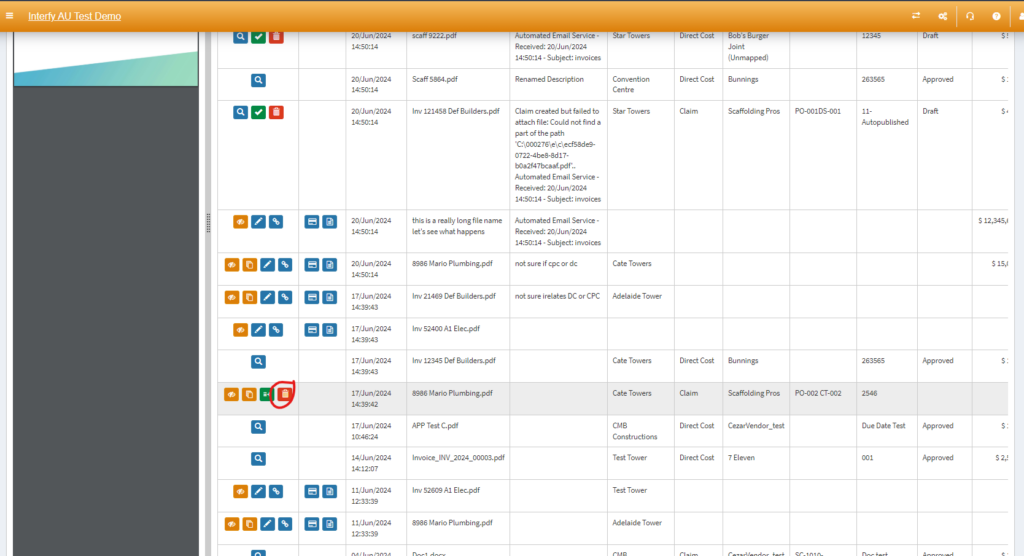
Only claims with ‘Pending ‘AP Status are deletable.