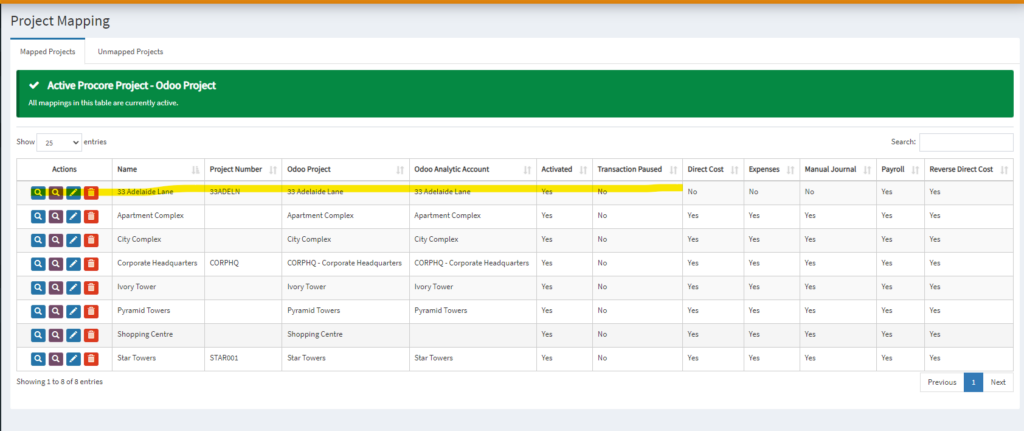
1. To map to an existing project from OneCore, go to Projects > General Settings:
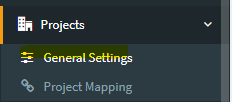
2. Click on Refresh Projects for both Procore Projects and Odoo Projects

3. Go to Projects > Project Mapping.

4. Navigate to the “Unmapped Projects” tab in the table.
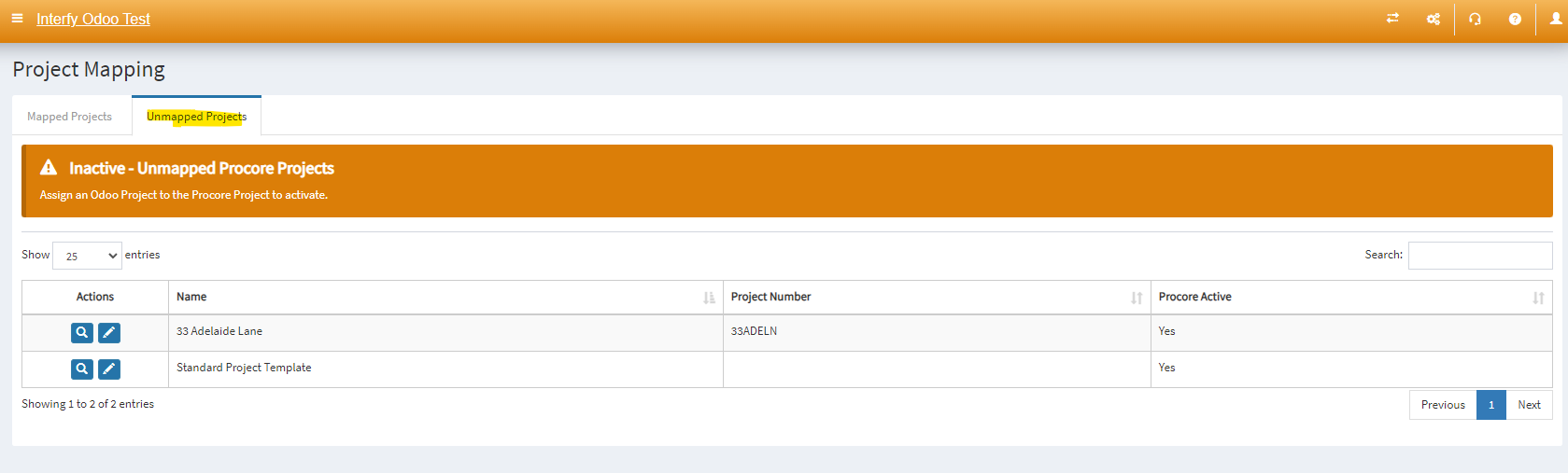
5. Click on the pencil icon next to the project you want to map.

6. Select the Odoo Project from the list (if it’s not available it needs to be created in Odoo or it’s been mapped to another project). Click on Save Changes.

7. Once the mapping has been saved, navigate back to Mapped Projects.
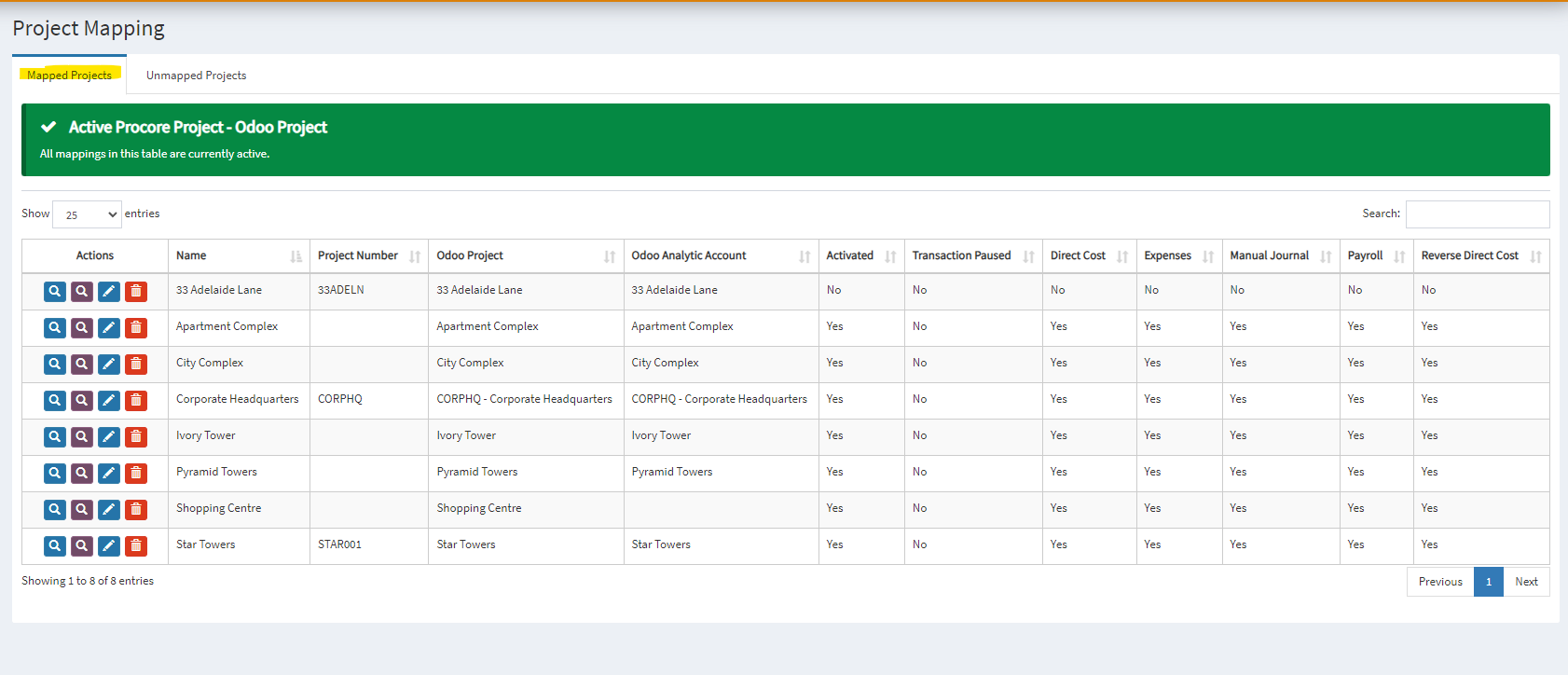
8. Click the pencil icon on the project you just mapped.

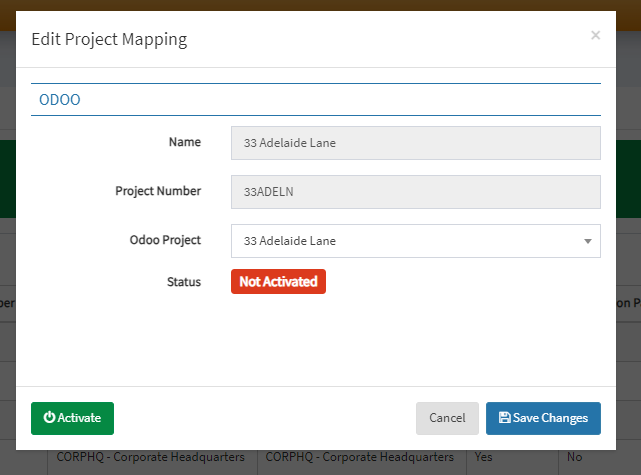
9. A modal with green activate button will appear. Click on Activate to create a link between the projects.
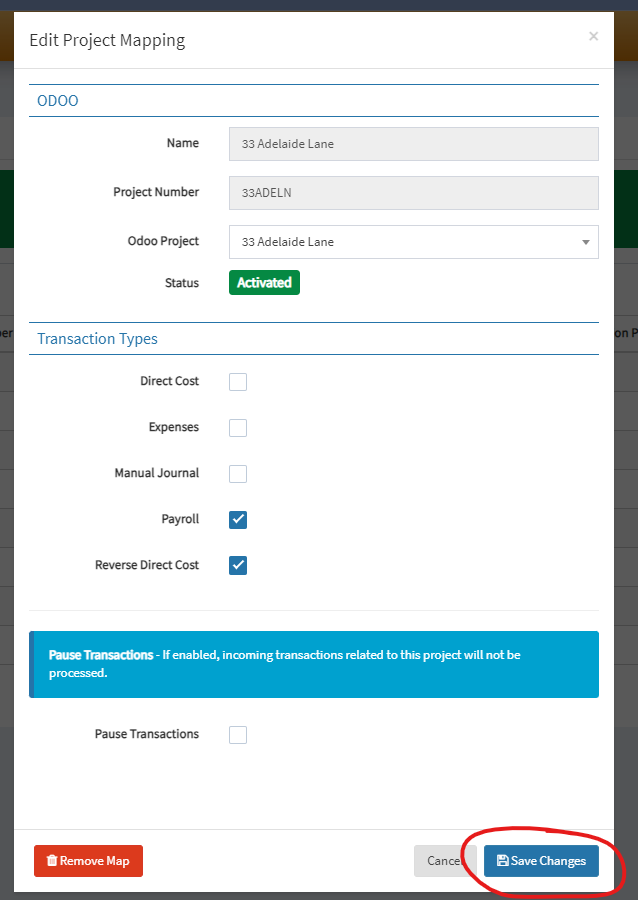
8. Once activated, you shall see the status marked as “Activated.”, click Save Changes.
9. Navigate to the “Mapped Projects” tab in the table, you shall see your project has established the mapping.