
Overview
Ideally, for every single Procore cost code, there will be one Odoo general ledger account enabling a one-to-one mapping situation. This will increase the count of general ledger accounts in Odoo which some organizations are reluctant to manage. So, a multi-mapping can be enabled on request.
Note: Enabling this feature will diminish the direct cost tool as OneCore won’t know which of the multi-Procore cost codes to send a direct cost to and it will automatically choose the one on the top of the list.
Steps
- Email support (support@interfy.com.au) to have multi-mapping enabled, ideally this should be done during the pre-onboarding process.
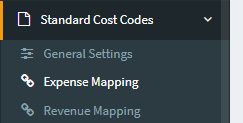
- Go to Standard Cost Codes > Expense Mapping
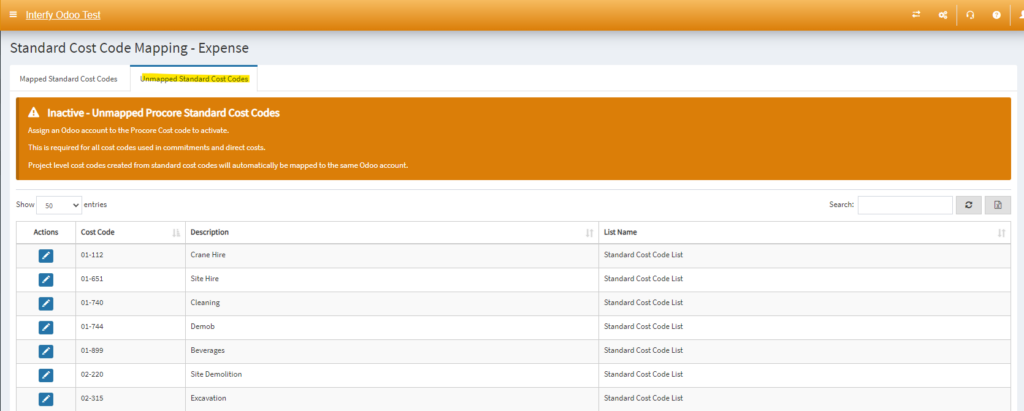
3, Goto to the “Unmapped Standard Cost Codes” tab
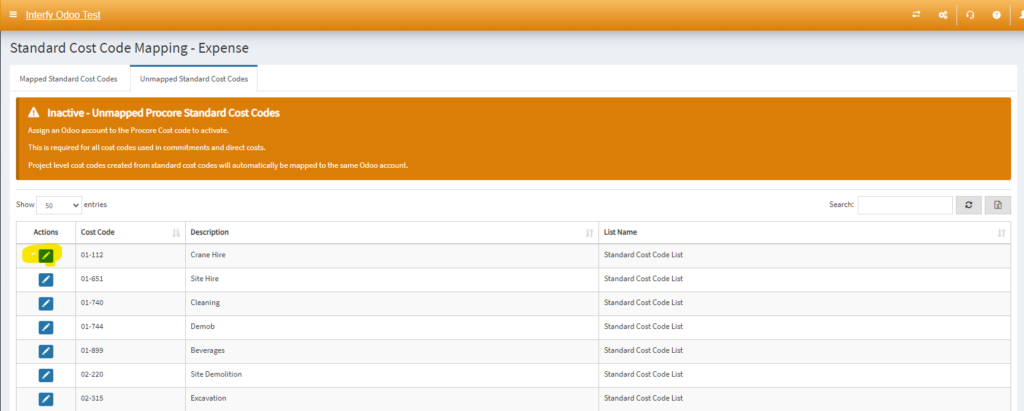
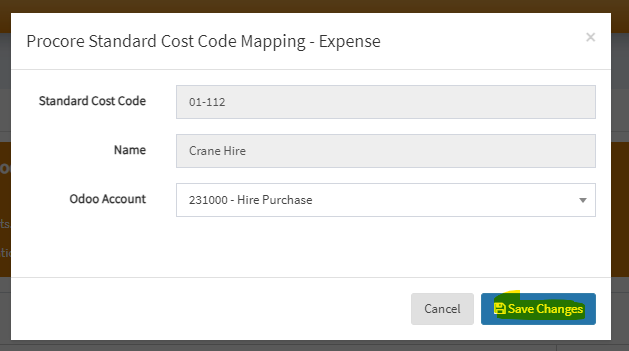
4. Click on the blue edit icon to manually map to the Odoo account.
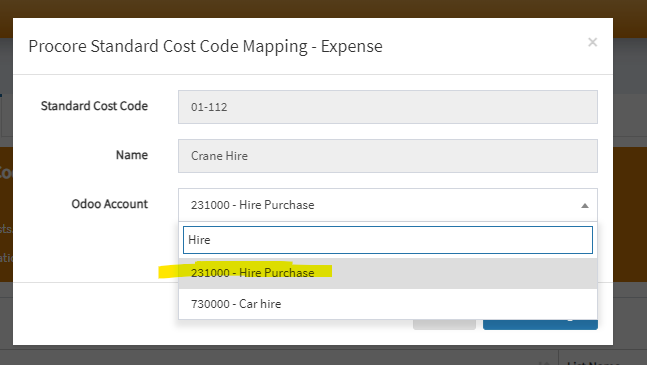
5. Save Changes
6. It will then be shown on the mapped standard cost codes.
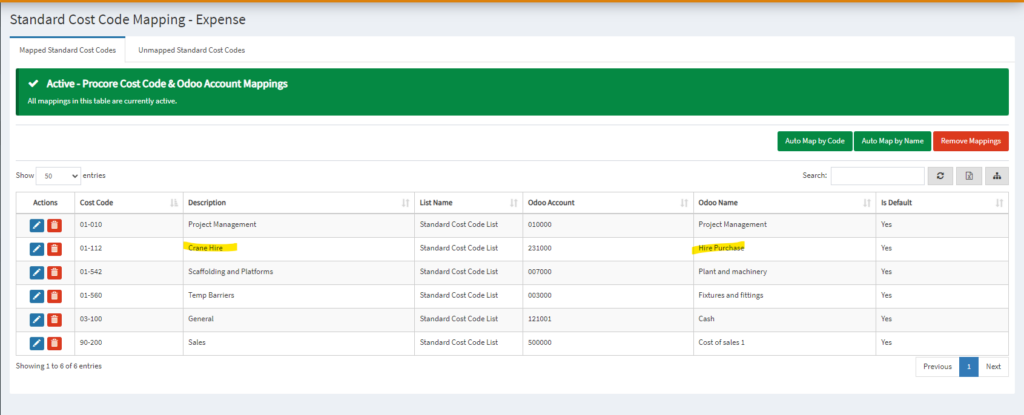
7. Repeat the above steps 3-6 until you map all the unmapped expense and revenue cost codes.