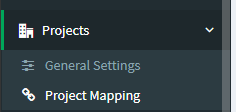
1. Go to Projects > Project Mapping
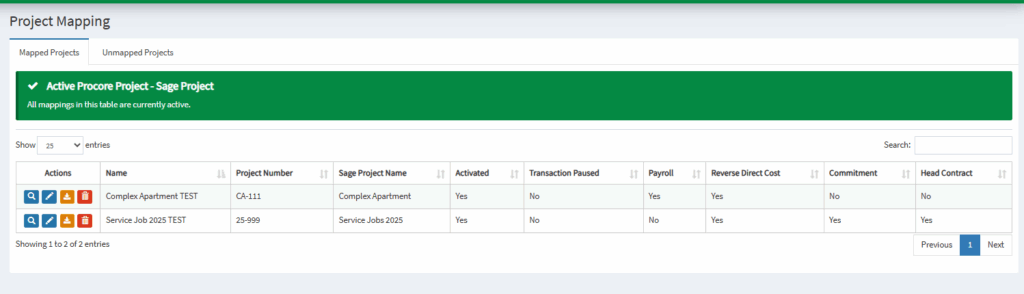
2. Select the Pencil Icon on any Project you would like to activate
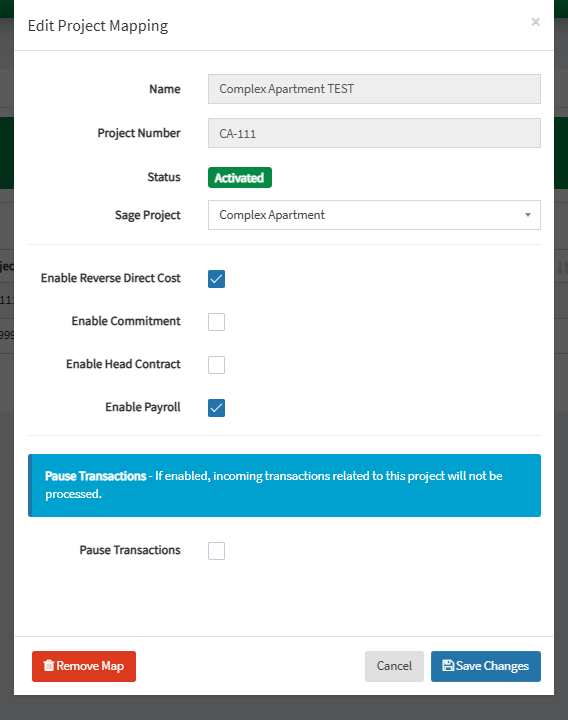
3. Check “Enable Reverse Direct Cost” to activate. Click Save Changes.

1. Go to Projects > Project Mapping
2. Select the Pencil Icon on any Project you would like to activate
3. Check “Enable Reverse Direct Cost” to activate. Click Save Changes.