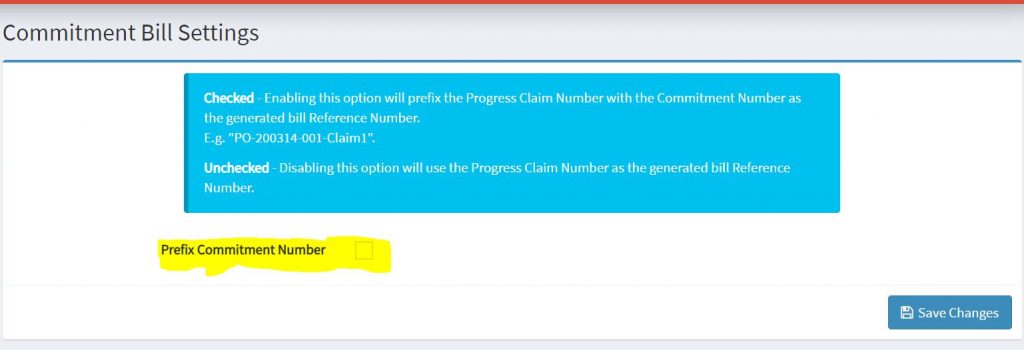
Follow the followings steps in Onecore:
1. Go to Invoices> Commitment Settings from the left menu
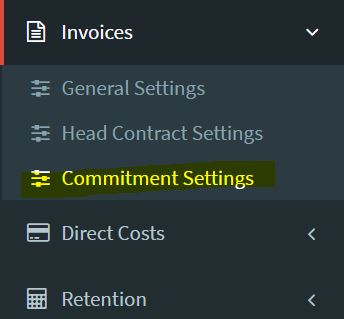
2. On commitment settings page:
2.1 If you do not check the prefix commitment number, it will appear as just
the bill reference number entered at the time of commitment claim creation.
2.2 If you would like to prefix number, then check the prefix commitment number option and it will be shown as <<Type-Number-Claim Ref number- bill reference number>> E.g. PO-200814-001-Claim1-21018191828238