
The TXN Dashboard displays two types of tables that summarize the number of transactions for each transaction type. It also includes a percentage column that shows the breakdown of Total, Successful, and Failed transactions.
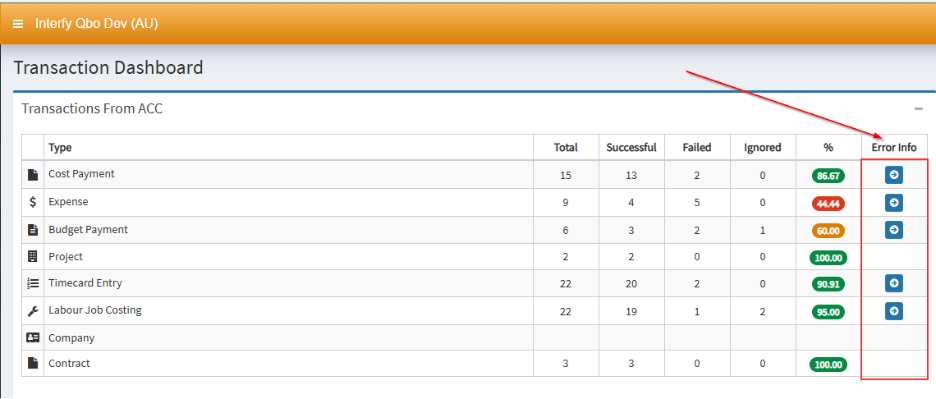
For transactions that encountered an error, the dashboard automatically displays a list of the affected transactions, making it easier to identify and review any failed transactions.
- Go to the TXN Dashboard
- Go to the Error Info Column and find the specific transaction type that you want to see.
- Once you select a specific transaction type, Budget Payment in this instance, it will automatically show the list of transactions below the Transaction table.