PROCORE SYSTEM PERMISSIONS
- Create a new user in your Procore instance with the email address: support@interfy.com.au
- Allow this user ‘administrator’ access at the company level, using the below screenshot as a guide. This will allow us to create the necessary service account with permissions and also assist us when we troubleshoot and provide support.
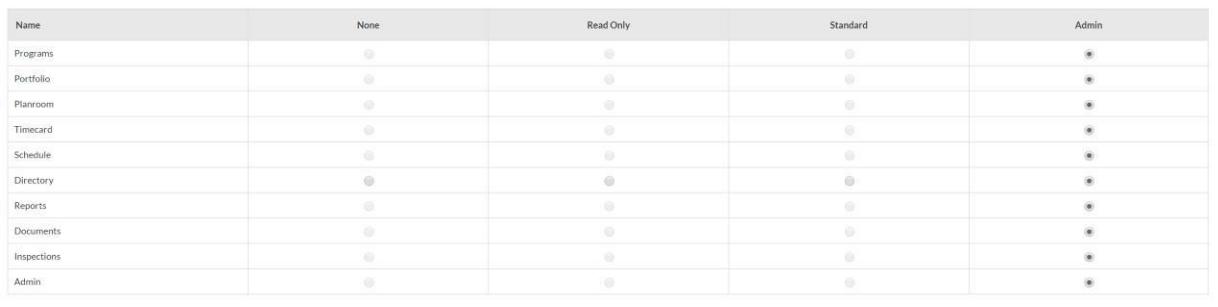
Although not required, to assist us in with troubleshooting please allow this user access to all existing projects and any newly created ones with admin permissions:

XERO SYSTEM PERMISSIONS
- Create a new user in your Xero instance with the email address: support@interfy.com.au
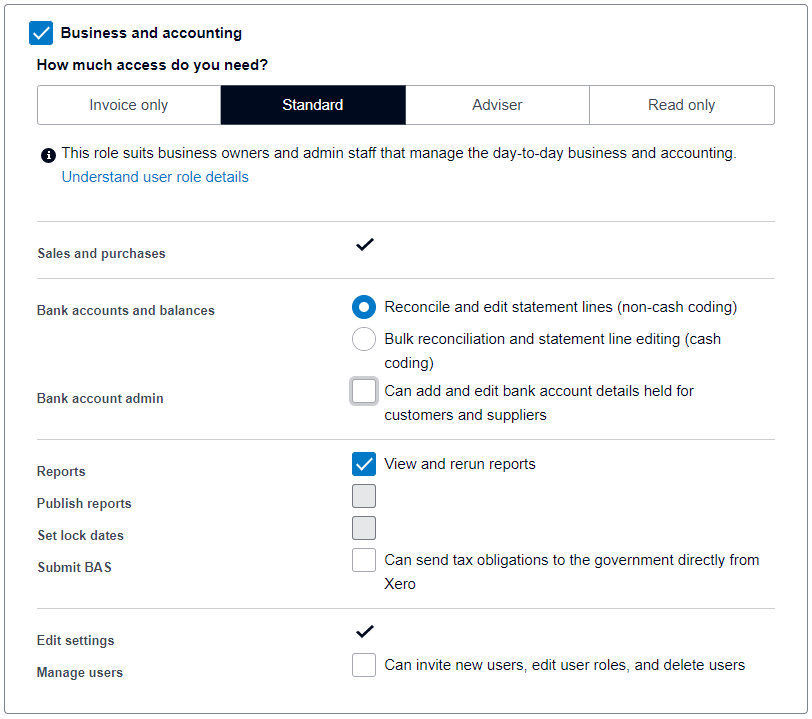
- Allow ‘Standard’ permissions:
PROCORE COST CODES AND XERO ACCOUNTS
Ensure that all Procore Standard Cost Codes have an equivalent Xero Account that it can be mapped to. This is a key requirement in ensuring that transactions can be processed between both systems without issue.
MERGE DUPLICATE PROCORE COMPANY VENDORS
Removing duplicate company vendors from Procore is a recommended task as this will eliminate confusion when mapping to Xero contacts.
A step by step guide is provided in the following link.
MERGE DUPLICATE XERO CONTACTS
Removing duplicate contacts from Xero is a recommended task as this will eliminate confusion when mapping to Procore company vendors.
A step by step guide is provided in the following link.
https://central.xero.com/s/article/Merge-contacts
XERO TRACKING CATEGORIES
Our integration requires the use of both the tracking categories available. Tracking categories allow an invoice’s line item to hold additional information and appears as an extra line item:
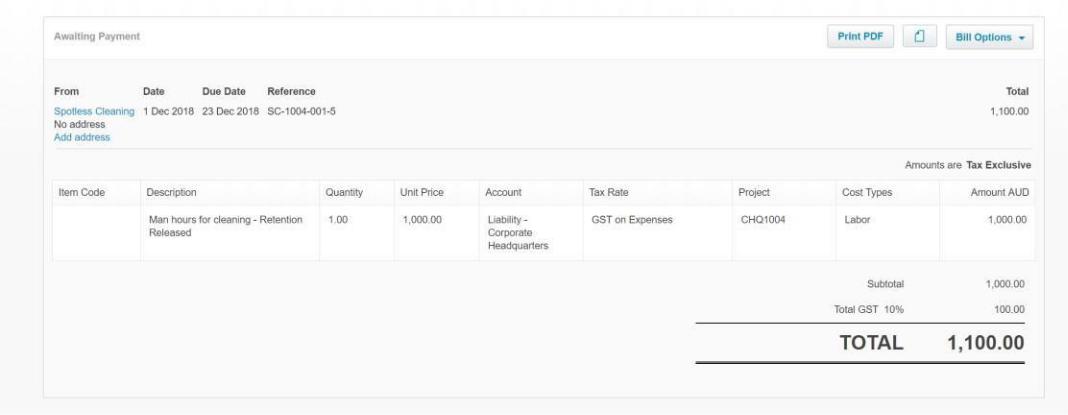
- Projects
- Cost Types
If a project or job tracking category already exists, we can simply integrate to this.
If the second tracking category is in use for another purpose, it will need to be archived. The cost type tracking category is required to integrate to Procore’s Direct Cost tool.
CONTACT INTERFY SUPPORT
Once these tasks have been completed, contact us (support@interfy.com.au) to continue with getting the integration up and running.
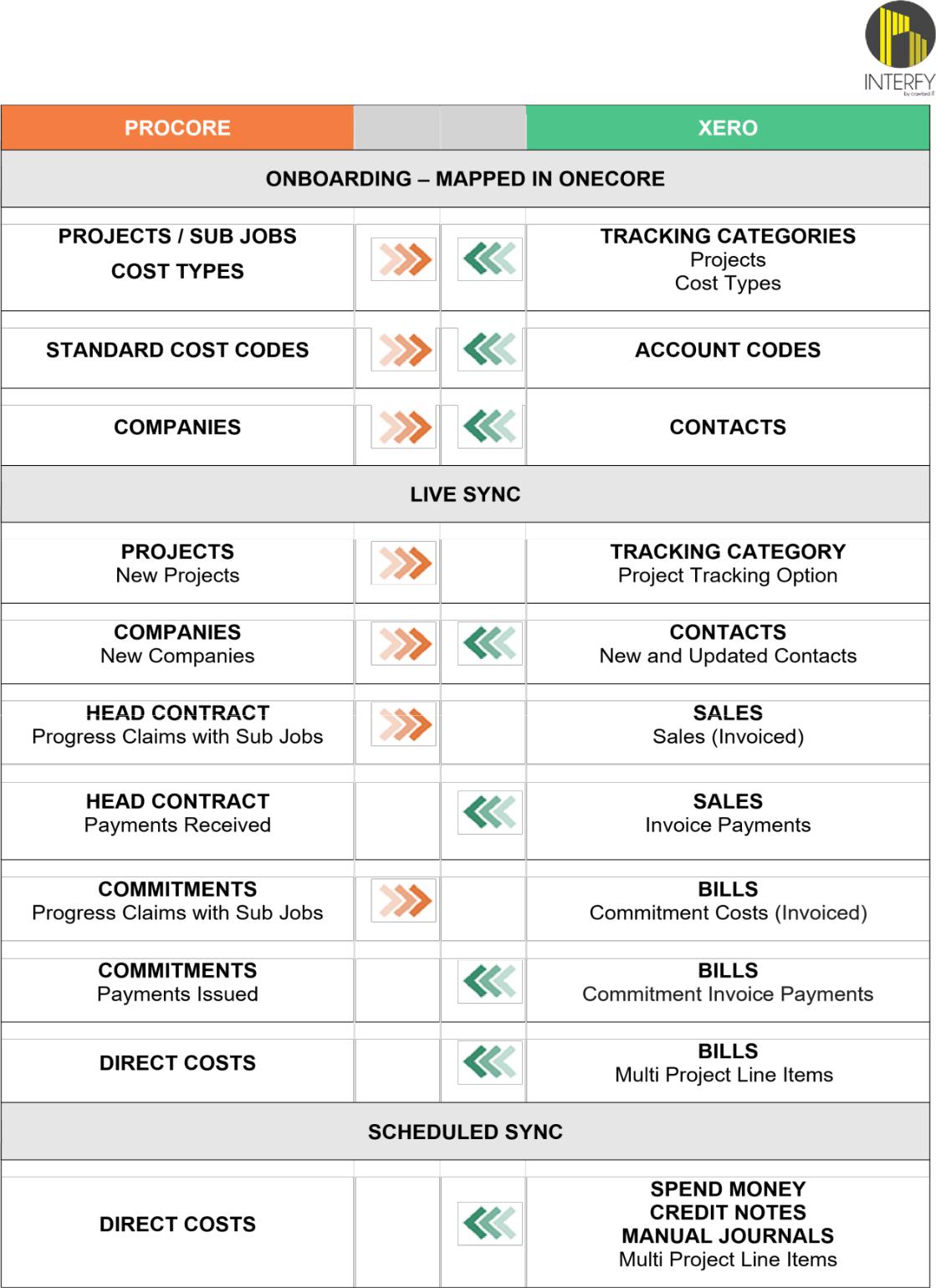
PROCORE/XERO INTEGRATION MAP